abwaita a11n

Forum Replies Created
-
Forum: Plugins
In reply to: [Meta for WooCommerce] Products been duplicated in FacebookHi @aronparish,
Thanks for contacting us via a ticket.
I’ll go ahead and mark this thread as resolved as we’ll be assisting on the ticket.
Thanks.
Thanks for getting back @vpmenager,
is this part of the company that is in charge of my hosting service?
Yes! You will want to contact your hosting company should the suggestions that my colleague has offered fail to resolve this.
Let us know how it goes.
Forum: Plugins
In reply to: [Meta for WooCommerce] ASSIGN WC PRODUCT CATEGORIES WITH PRODUCT SETSThanks @eschooling for getting back and sharing the screenshot.
It sure does look like the field to add WC Product Categories is missing.
This is likely an admin-side conflict being caused by your theme or with another plugin. I would recommend first doing the conflict test below:
1. Temporarily switch your theme to Storefront (https://woocommerce.com/storefront/) or a default theme like Twenty Twenty-One.
2. Try to reproduce the problem: Check if the WC Product Categories field is shown/editable
If the problem is resolved, it’s a theme conflict. If not, continue to the next steps.
3. Temporarily deactivate all plugins except WooCommerce.
4. Try to reproduce the problem again. If the problem is resolved, it’s a plugin conflict. To figure out which plugin is causing the problem, continue to the next step.
5. Reactivate your other plugins one by one, testing after each, until you find the one causing conflict.For more detailed instructions, check out our guide on how to test for plugin and theme conflicts.
Please let us know how that goes.
Tools to help with troubleshooting: Meks Quick Plugin Disabler (https://wordpress.org/plugins/meks-quick-plugin-disabler/) – it will remember what plugins you had active when you switch it back on.
In case the conflict test does not yield any potential causes, please share with us your System Status Report from WooCommerce → Status.
Thanks.
Forum: Plugins
In reply to: [Meta for WooCommerce] Varied products show price €0 in FB dynamic adsHi @mgz069,
Thanks for the SSR.
>A selection of products are still shown with 0 in the Facebook Catalogue
As the products on the catalog show a price of $0, you will want to get the prices correct at that point.
Since you mentioned that the variable products have prices in WooCommerce, could you try triggering a sync by making slight adjustments to the affected product(s) then click the Update button on the top right of the edit product page?
From there, kindly check whether the updated price is shown in your catalog.
Let us know how it goes.
>and I cant even delete them from there.
We’d want to check further on this. Could you share with us any errors that you’re getting when deleting?
Forum: Plugins
In reply to: [Meta for WooCommerce] Plugin bugHi @kalyx,
Thanks a lot for reporting this and also sharing the fix that worked for you.
I’ve looked back at previous similar reports and came across a thread you created some time ago – https://wordpress.org/support/topic/error-500-in-product-edit-page/
Just to check, were you able to proceed to create a report for this on GitHub – https://github.com/woocommerce/facebook-for-woocommerce/? If not, it would be great as you’d be able to share with our developers how to recreate the issue and share the workaround there as well.
Thanks.
Forum: Plugins
In reply to: [Meta for WooCommerce] Token Exchange FailedHi @bmw123,
It seems that your issue is a bit different, and more related to this -https://wordpress.org/support/topic/whoops-looks-like-something-went-wrong-2/
Could you try to follow this recommendation to disconnect the app, and then start the set up all over again? Here’s the setup guide – https://woocommerce.com/document/facebook-for-woocommerce/#getting-started
NOTE: We’d like to keep the threads separate not to hijack the OPs post, so to post a reply, I recommend creating a new thread here and linking it to this thread – https://wordpress.org/support/plugin/facebook-for-woocommerce/#new-topic-0
Thanks!
Forum: Plugins
In reply to: [Meta for WooCommerce] Token exchange failed – Facebook Shop SetupHi @nadiavonm92,
We’d like to check further on this.
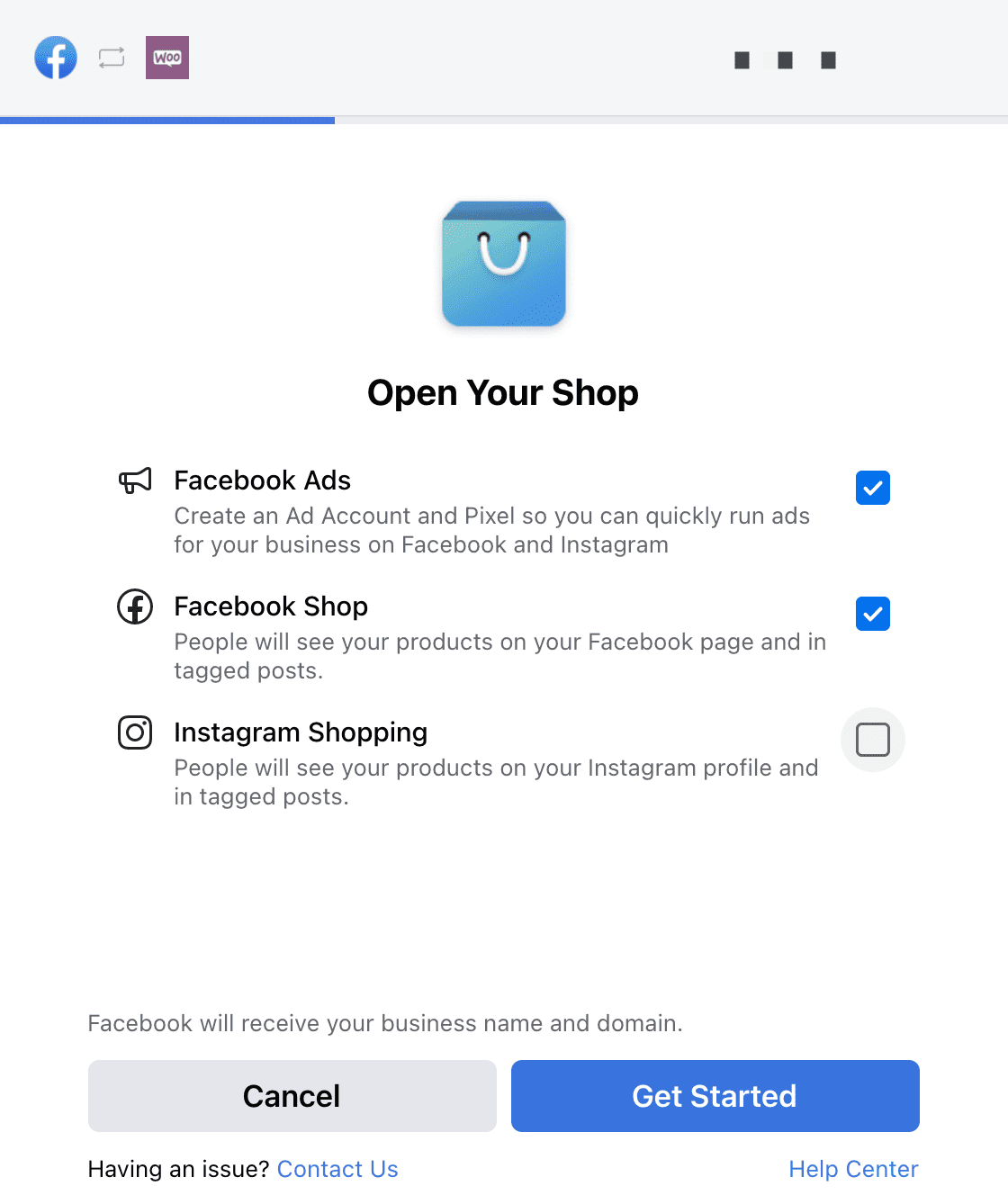
(a). Could you try running the setup again, ensuring that you’ve unchecked Instagram Shopping at the beginning, as explained in this doc – https://woocommerce.com/document/facebook-for-woocommerce/

Link to image: https://woocommerce.com/wp-content/uploads/2021/04/Annotation-on-2021-04-22-at-09-58-17.png
(b). If the same error occurs, please share with us a screenshot of it, as well as, your System Status Report from WooCommerce → Status
I recommend https://snipboard.io for sharing screenshots – please follow the instructions on the page, then paste the URL in your reply. It works with Chrome, Firefox, Safari, and Edge.
Thanks.
Forum: Plugins
In reply to: [Google for WooCommerce] GoogleListingsAndAds\MerchantCenter\MerchantStatuseHi @joyryde,
I can understand that the lapse in the sync might have caused some frustration. Thanks for being proactive in testing/fixing, and sharing the workaround that you used in this case.
Whenever a product is created or updated, it should instantly sync to Google Merchant Center via an async job. Sometimes it takes a while but ultimately, the sync should happen.
If you’d like to continue checking with us, since reactivating Jetpack and Google Listings & Ads, do you see any log thereafter saying A Google ID was not found in Merchant Center?
Thanks.
Forum: Plugins
In reply to: [Google for WooCommerce] Account ErrorHi @hugoshih,
It seems that this is happening at the primal stage of the connection, and sometimes it is usually due to network communication issues.
* As a first step, could you login to your Google account again and start the process over and see how it goes?
Here’s the setup guide for reference – https://href.li/?https://docs.woocommerce.com/document/google-listings-and-ads/#get-started
* If the issue persists, kindly go to WooCommerce > Status > Logs and select from the dropdown any recent google-listings-and-ads-xxxx.logs and share those with us.
Thanks.
Forum: Plugins
In reply to: [Meta for WooCommerce] not eligible Instagram profileThanks @gerges for sharing your SSR!
>Yes, I can’t see the open your shop screen.
This would normally appear when you’re trying to make the initial connection between WooComemrce and Facebook. If you’ve already made the connection, I recommend that you try to disconnect and start the connection afresh to be able to get to this page.
Link to image: https://d.pr/i/J5MRh0Thus:
* Kindly disconnect your integration here from WP-Admin → Marketing → Facebook – https://d.pr/i/91UEnC
* From there, you can reconnect following this guide and be sure to uncheck Instagram Shopping – https://woocommerce.com/document/facebook-for-woocommerce/#connect-your-facebook-accountLet us know how it goes.
Thanks.Forum: Reviews
In reply to: [WooCommerce Square] Actual DisasterHi @rasetsukoku,
Thanks for the review, and for highlighting what went wrong in your view.
I understand that it must have been frustrating to have your WooCommerce products data overwritten when you synced with Square.
It’s likely that this happened when you imported products from Square to WooCommerce, leading to the product data on Square being used to overwrite WooCommerce product data.
With the import products function, as of version 2.2.0, all existing products are updated using the latest information pulled from Square, this includes importing new variations, removing variations and importing stock, SKU or product name changes.
Nonetheless, we’d be happy if you reached us to check further on this, either on the forum or through a ticket.
Thanks.
Forum: Plugins
In reply to: [Meta for WooCommerce] Reconnect to Facebook pageThanks for getting back @madgeshatbox.
I understand that when you go through the connection process, on the screen to select the page, you see that the page is greyed out.
There are two possibilities:
- This page is ‘Not eligible’ for connection because you do not own the asset – it happens when you’re selecting a page you may have access to, but is owned by another user. Only the owner of a page can make a connection to it.
- This also happens when the account or page has had issues with products or ads that violated the commerce policies. This is less common and you may want to reach Facebook if it’s the case.
Therefore, check whether either of the above possibilities is true on your end and let us know so that we can guide you further.
Also, if possible, we’d like to see a screenshot of the page selection screen where you’re seeing the greyed-out page.
I recommend https://snipboard.io for sharing screenshots.
Thanks.
Forum: Plugins
In reply to: [Meta for WooCommerce] ‘Sync and Show’ not availableHi @reb_wilson,
Thanks for getting back.
they are simple products, and virtual
Thanks for the clarification, and this seems to be the issue.
Currently, Facebook Commerce policies allow only for the sale of physical products, thus, virtual products will normally be hidden to avoid rejection by Facebook.
If the products are not virtual in nature, I would suggest unchecking the virtual option on the product edit page. Otherwise, if they remain virtual, you can keep selling them on your site only, but note that they will not show up on your Facebook shop.
Thanks for the added information. We’d like to take a closer view of the issue to see exactly what’s happening and why.
Thus, please contact us at WooCommerce.com > My Account > Support. You may need to log in to your WooCommerce.com account before you can access that page.
Please include a link to this forum thread, so that we can keep track of what’s already been done.
We will be able to help you further there.
Forum: Plugins
In reply to: [Meta for WooCommerce] Missing numbers and mismatched productsThanks @organikbesin for getting back.
We appreciate the video and the tests that you’ve done so far here.
I can see that the page, pixel, business manager account, etc are still not selected after going through the setup process.
Just to check on three things:
* Could you confirm that you’re the owner of the page that you’re trying to connect to?
Link to image: https://d.pr/i/yNyw2I* Could you also confirm that all the assets that you’re connecting to are owned by the same business?
* Lastly, could you try doing the setup again like my colleague mentioned above, but this time around, while in a conflict test mode. That is, disconnect Facebook for WooCommerce and try to set it up again, while you’ve switched your theme to Twenty Twenty One or Storefront, and you’ve disabled all other plugins apart from WooCommerce and Facebook for WooCommerce?
Sidenote: We recommend unchecking Instagram Shopping when setting up Facebook for WooCommerce.
Link to image: https://d.pr/i/dArtUiKindly let us know how it goes.
Thanks.