rob33

Forum Replies Created
-
Forum: Themes and Templates
In reply to: [GeneratePress] Right column Flashing in WordPress EditorI have. It happens it appears when I upload images to the Product Gallery at the very bottom of page inside wp editor. Adding product image to the right is fine – it just happens when adding to product gallery. WC fault perhaps.
Forum: Plugins
In reply to: [GenerateBlocks] Gap between header and containerAhhh – just a quickie – the gap remains on the mobile. Would it be possible to amend the css so it includes removing both on mobile and tablet s’il vous plait.
Forum: Plugins
In reply to: [WooCommerce] Cant Locate Related Posts Category tick boxFurther to the related product query – is it possible to instead of having “Visit product” in the button on the related products WC has fetched and placed on homepage using the shortcode – that instead it has “Read review” and you can then click through to the product review on the site. The image does take you there but not clear.
Forum: Plugins
In reply to: [WooCommerce] Cant Locate Related Posts Category tick boxThanks EastofWest,
My apologies – I wasn’t clear – yes, Related Products not Related Posts was referring to which you addressed.
1. There are no linked products set up on each product that appears under “for him” category. But I think my question is answered here:
“These products cannot be specified in the admin, but can be influenced by grouping similar products in the same category or by using the same tags.”
As I only have one product currently listed under product category “for her” there are no other products to draw on?
2. Will explore, thanks but no need to remove at mo.
3. The related posts plugin looks a good alternative to special recent posts plugin – cheers.
So – just the shortcode remains a mystery
[products limit=”8″ columns=”4″ category= ”Men’s Pleasure Toys”]
Weirdly I can’t see a category “men’s pleasure toys” which I have in the past created. Only “for him” in products-category and nothing in post-category.
Perhaps you may be able to shed light on this – i’ll keep digging my end.
Thanks.
Forum: Plugins
In reply to: [GenerateBlocks] Gap between header and containerThat worked a treat – as always, many thanks Tom.
Forum: Plugins
In reply to: [GenerateBlocks] 3 basic queriesWill do. Cheers.
Forum: Plugins
In reply to: [WooCommerce] What happened to External URL in product data box?Updated woocommerce ajax filters which originally crashed wp or was left with error message. Hour later with the Namecheap resolved – cheers.
Forum: Plugins
In reply to: [GenerateBlocks] 3 basic queriesyeah odd – deleted plugin then re-installed – seems ok now
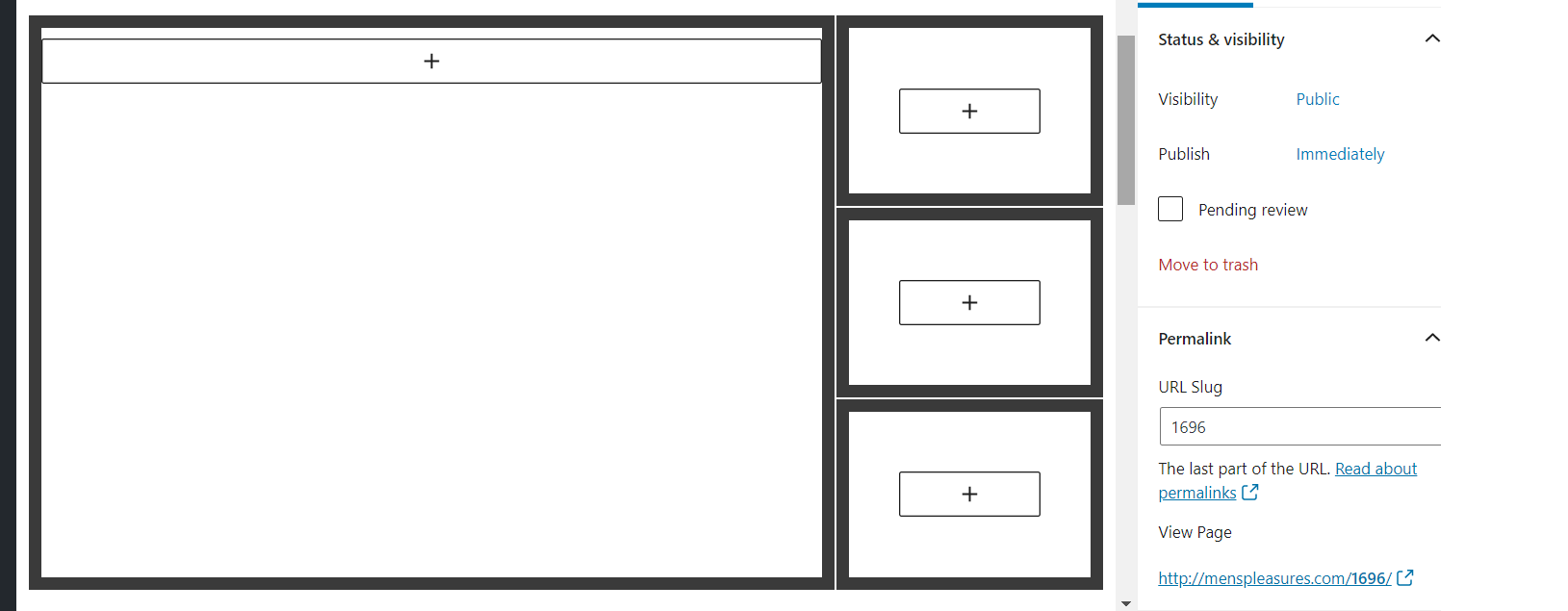
http://menspleasures.com/wp-content/uploads/2020/09/two-third-one-thrid.png
:/
Forum: Plugins
In reply to: [GenerateBlocks] 3 basic queriesNot too sure why those images didn’t upload
http://menspleasures.com/wp-content/uploads/2020/09/margins-1.jpg
http://menspleasures.com/wp-content/uploads/2020/09/marg3.jpgi’ve had to reset db as separate issues so page no longer but essentially thats how it looked in block editor. Will give it another try .
ignore that – updated plugin :/
Forum: Plugins
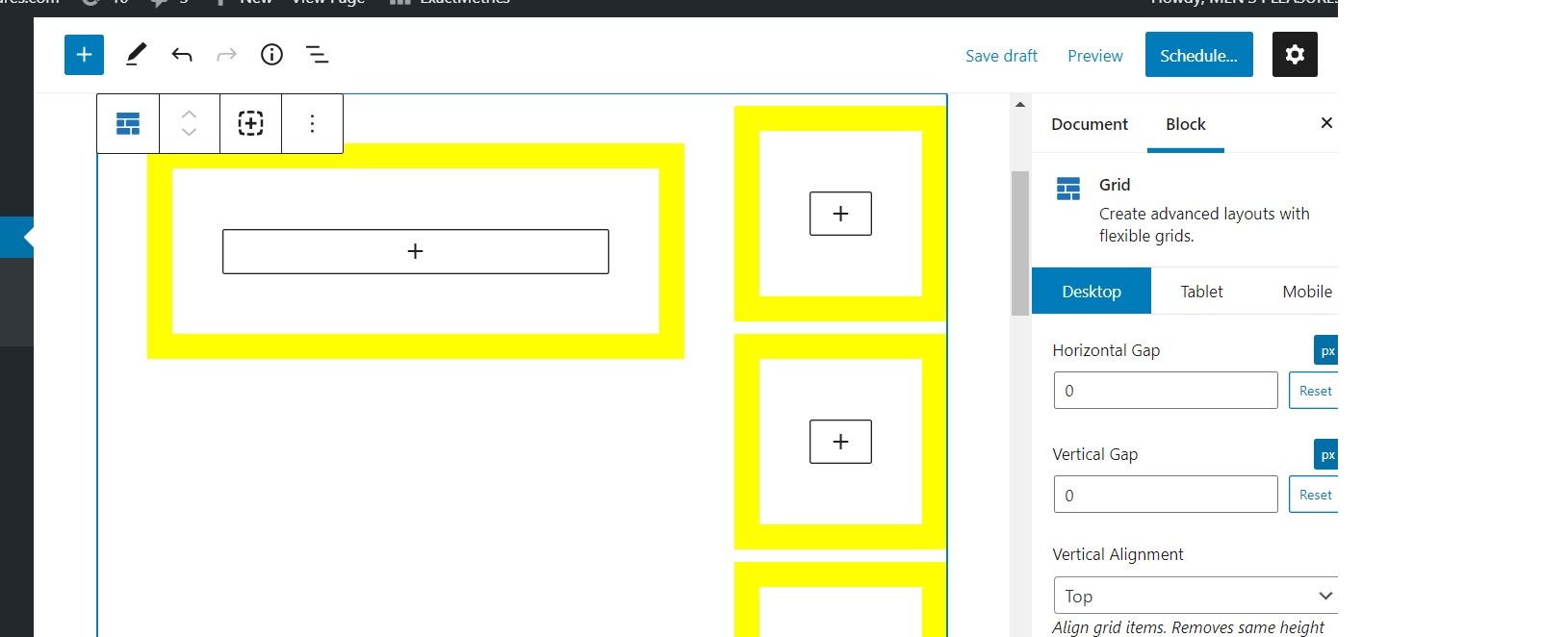
In reply to: [GenerateBlocks] 3 basic queriesThanks David. Using Grid parent with Vertical and Horizontal alignment set to zero and the negative margins also at zero they do not align –
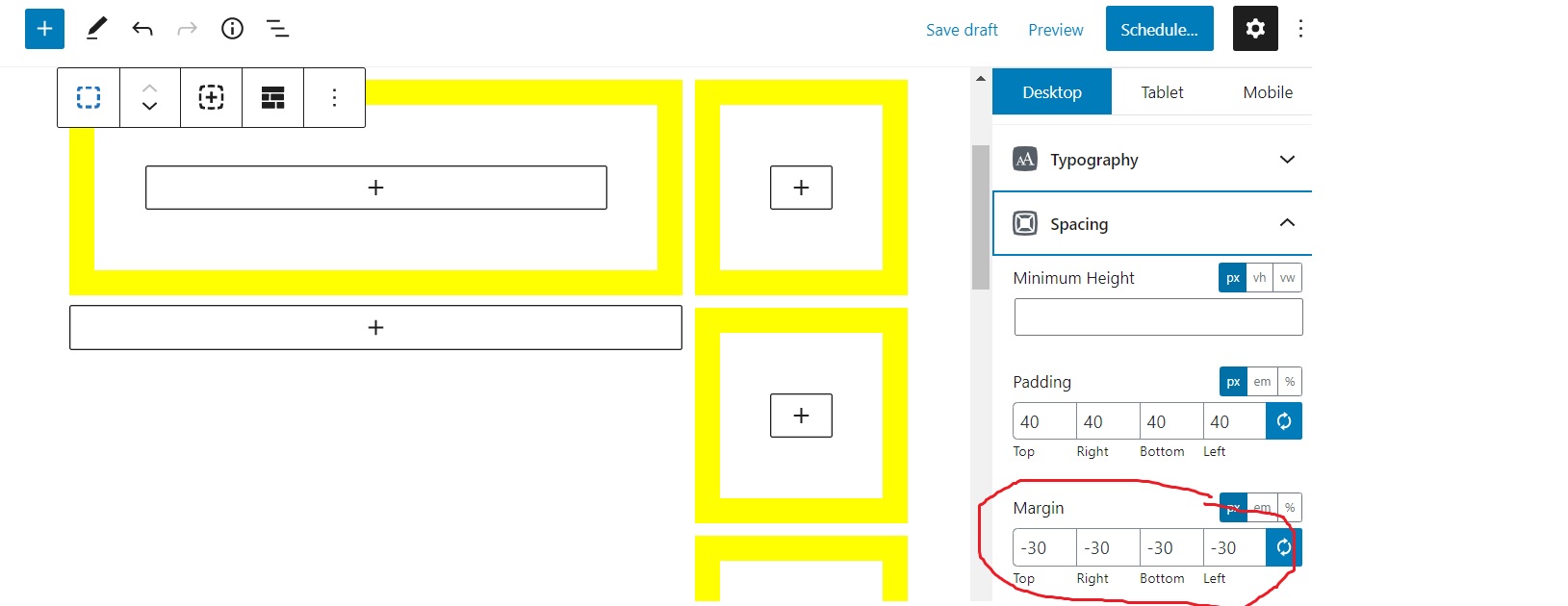
http://menspleasures.com/wp-content/uploads/2020/09/margins-1.jpgAlternatively with margins all set to negative 30 they shift out and up which aligns the block correctly I believe.
http://menspleasures.com/wp-content/uploads/2020/09/marg3.jpg
Perhaps I should be using Sections or “removing vertical gap”. Either way latter part aligns.
Also – placing screenslider to be full page width above these blocks is possible I believe but unable to drag a new block up to up – does this require starting from scratch, pretty sure I’m probably missing smth :/
cheers
Forum: Plugins
In reply to: [GenerateBlocks] 3 basic queriesJust a quick follow up – in order to raise the height and extend right side of left container so it runs flush with right column of 3 containers I have reduced the margins. Just checking if this is correct procedure:
http://menspleasures.com/wp-content/uploads/2020/09/margins.png
Thanks.
Forum: Plugins
In reply to: [GenerateBlocks] 3 basic queriesThat’s very kind, thank you – the vid helps immeasurably.
Really decent of you to do that + additional help, cheers guys.
Forum: Plugins
In reply to: [GenerateBlocks] 3 basic queriespennies not dropping mate.
“add 3 container blocks”
there is a container and there is a block… am i adding a container in a block to create a row and then strecthing out left block so it is the main rectangle then shrinking down the 3 on the right individually so they are equal.http://menspleasures.com/wp-content/uploads/2020/09/gb-hp.jpg
seems a long way round without success on my part…
wp plugin page states u can create rows – is this how you create a row.
do you by chance have slow vid guide on this?tks.
Forum: Plugins
In reply to: [GenerateBlocks] 3 basic queriesor how do i create this pls
http://menspleasures.com/wp-content/uploads/2020/09/hp.jpg