Andrei

Forum Replies Created
-
Hello there,
Thanks for reaching out!
Would you mind sharing with us a couple of details on what exactly is not working?
Maybe some screenshots of your TP settings would help.
Best Regards,
Hey there,
Thanks for reaching out!
So far nobody reported a similar behavior such as this one!
Since this looks a lot like a conflict with some other code, the first recommended step is the conflict test (ideally in a staging environment):
Briefly disable all other plugins and enable the default Twenty Twenty theme. Please also disable all add-ons. If this fixes the problem, as it probably will, enable everything one by one, checking each time to see when the problem returns.
Please let us know when you find the conflict so that we can take a look and see what we can do about it.
Hello there,
Thanks for reaching out to us!
We deeply apologize for the delayed response.
There has been a great load on our support team in the past few days, but such a long reply time is very uncommon.
We have had similar reports of this issue in the past but we were not succesful in replicating it so far.
Please open a topic here so we can have a better look at this problem.
Thanks for your patience!
Greetings,
We deeply apologize for the delayed response.
There has been a great load on our support team in the past few days, but such a long reply time is very uncommon.
At the moment we are not 100% sure what might be causing this behaviour.
Since this looks a lot like a conflict with some other code, the first recommended step is the conflict test (ideally in a staging environment):
Briefly disable all other plugins and enable the default Twenty Twenty theme. Please also disable all add-ons. If this fixes the problem, as it probably will, enable everything one by one, checking each time to see when the problem returns.
Please let us know when you find the conflict so that we can take a look and see what we can do about it.
Hello there,
Thanks for reaching out to us!
It is unusual for pages to go blank using TP. This could be due to a number of reasons, such as a conflict with another plugin, a server-side caching issue, or a limitation in PHP memory.
To troubleshoot this issue, I would recommend performing a compatibility test. Here’s how you can do it:
- Deactivate all plugins (except TranslatePress) and switch to a default theme like Twenty Twenty-One. Check to see if the problem persists. If it resolves, it means there’s a conflict with one of the plugins or the theme.
- Reactivate your plugins one by one, checking the translations after each activation. This will help identify if there’s a specific plugin causing the conflict.
- Switch back to your theme and check the translations again. This will indicate if the issue is related to your theme.
Before you start, please ensure you have a recent backup of your site, just in case.
Greetings,
Thanks for reaching out!
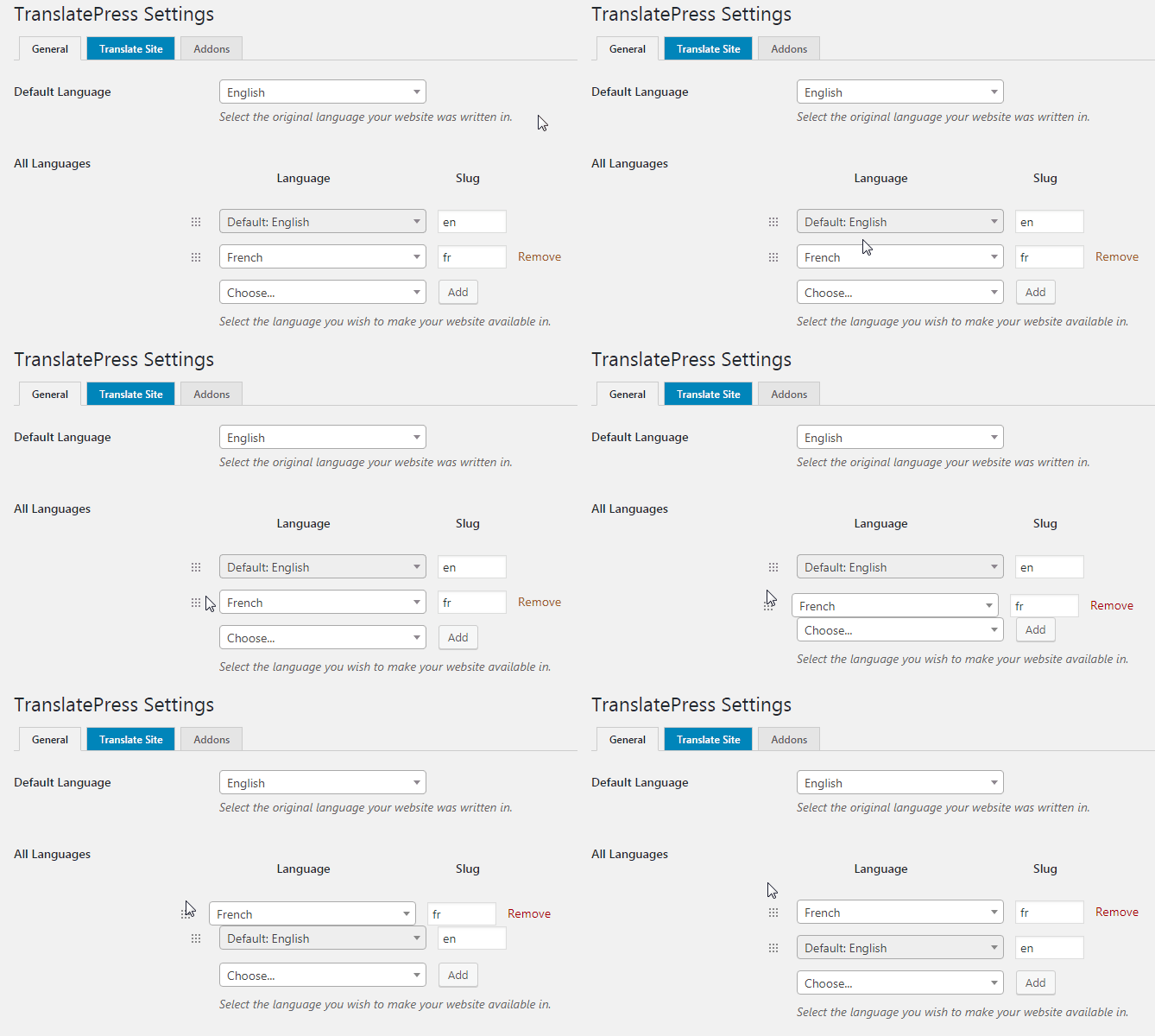
To change the order that the language get to be displayed on the website please follow this steps:
Go to:
WordPress Dashboard –> Settings –> Translatepress General Tab –>
Activate the following: Use a subdirectory for the default languageThen just drag the secondary language where the default language is.
A visual example.Best Regards,
Greetings,
Apologies for not getting back to you any sooner.
For doing this you should be able to Exclude this field’s selector from translation.
To use this feature, please follow these steps:
- Navigate to your WordPress Dashboard, then go to Settings > TranslatePress.
- In the TranslatePress settings, click on the “Advanced” tab.
- Scroll down to the “Exclude Selectors” section.
- In the text input field, enter the CSS selectors corresponding to the elements that you want to exclude from translation. If you need to exclude multiple elements, please separate the selectors with commas.
For example, if you want to exclude a search input field with an ID “search-field”, you would enter
#search-fieldin the field.Let me know if this worked for you.
Best Regards,
Hey there,
Thanks for reaching out!
This is not common behavior for TP.
Since this looks a lot like a conflict with some other code, the first recommended step is the conflict test (ideally in a staging environment):
Briefly disable all other plugins and enable the default Twenty Twenty theme. Please also disable all add-ons. If this fixes the problem, as it probably will, enable everything one by one, checking each time to see when the problem returns.
Please let us know when you find the conflict so that we can take a look and see what we can do about it.
Greetings,
This should not be happening. Have you tried running a conflict test? I will be leaving below the required steps to do so.
Since this looks a lot like a conflict with some other code, the first recommended step is the conflict test (ideally in a staging environment):
Briefly disable all other plugins and enable the default Twenty Twenty theme. Please also disable all add-ons. If this fixes the problem, as it probably will, enable everything one by one, checking each time to see when the problem returns.
Please let us know when you find the conflict so that we can take a look and see what we can do about it.
Greetings,
We deeply apologize for the delayed response.
There is a conflict with lazy loading of images. For the time being, it will not work as expected.
Would you let me know what plugin are you using for this option?
Hey there,
Thanks for reaching out to us!
In order to create a multilingual sitemap you need to use one of our premium addons which we are not able to talk about here.
You can write to us here if you have more questions related to this
Regards
Hey there,
Thanks for reaching out!
Would you mind sending over a couple of screenshots so I can better understand what this specific dynamic strings that you wish to translate exactly are.
Regards
Greetings,
We deeply apologize for the delayed response.
There has been a great load on our support team in the past few days, but such a long reply time is very uncommon.
Would you mind sending over a screenshot of the problem so I can have a better look?
Regards
Greetings
We don’t have any information about compatibility issues with Bricks builder.
TranslatePress should be compatible with most of the plugins from the market.You can try on your setup and if you encounter problems, let me know!