roundupwp

Forum Replies Created
-
I think I could help you with a JavaScript snippet! I’ll get back to you soon with this.
– Craig
Hey vernox,
This is an interesting idea! We have had similar requests to do something special based on the number of people attending an event. Currently we don’t have any features that work this way though I’m afraid.
Thanks,
Craig
Hey k10legs,
I’m thinking what is happening is that your email service is blocking the form HTML for security reasons. It might be more reliable to have a link on the page that takes them to a page on your website that has the needed PayPal button. Do you think that could work?
– Craig
Hey Georg,
I think you have a good point here that it would be nice to be able to customize these emails. I’ll see if we can include it in an update in the near future!
– Craig
Hey bghooke,
There is a plugin available that does something like this. Although it hasn’t been updated in a long time I believe it still works:
https://wordpress.org/plugins/duplicate-tec-event/
It’s worth a shot anyway!
– Craig
There was a slight delay but this should be fixed in the update that is now available!
Let me know if you end up with more questions about anything. I’ll mark this as resolved for now.
Hey again nielssch,
Thanks for contacting me on the website and I’m glad I could help you out with this! I’ll close this thread for now.
Hey nielssch,
Sure! Do you want to contact us on our website? That might be best. Include the current code you are trying to use and I can take a look! Here’s the link:
Ahh yes sorry about this!
I’m thinking you have PHP 8.0+ on your site. This won’t cause any issues with the plugin but we will definitely take care of it so that the warning goes away!
Look for an update to be available sometime between today and Monday. Let me know if you have more questions!
– Craig
Hi alexpoljot,
Currently this is only possible with some PHP knowledge. The PHP hook in think link could be used to send a second email after a registration:
https://roundupwp.com/codex/action-rtec_after_registration_submit/
Though it would take some effort to get it to work.
Hopefully this is helpful!
– Craig
Glad that worked!
Have a great rest of your week.
No problem!
Have a great rest of your week.
Hey BestRanger,
Sorry for any confusion! Have you tried changing the “Messaging Source” setting to use “Translations”? This will bypass the custom messages from the settings and use translation files instead:
https://snipboard.io/rhfLcA.jpg
Let me know if that isn’t the issue!
– Craig
Hey SierraWebMaster,
It looks like the plugin Even Single Page Templaes Addon is adding the form here. You can see if this can be disabled with their settings or you could add this CSS snippet to your customizer or to the “Custom CSS” area found on the “Form” tab to hide it:
.epta-registration-form {
    display: none;
}
Let me know if you need more help!
– Craig
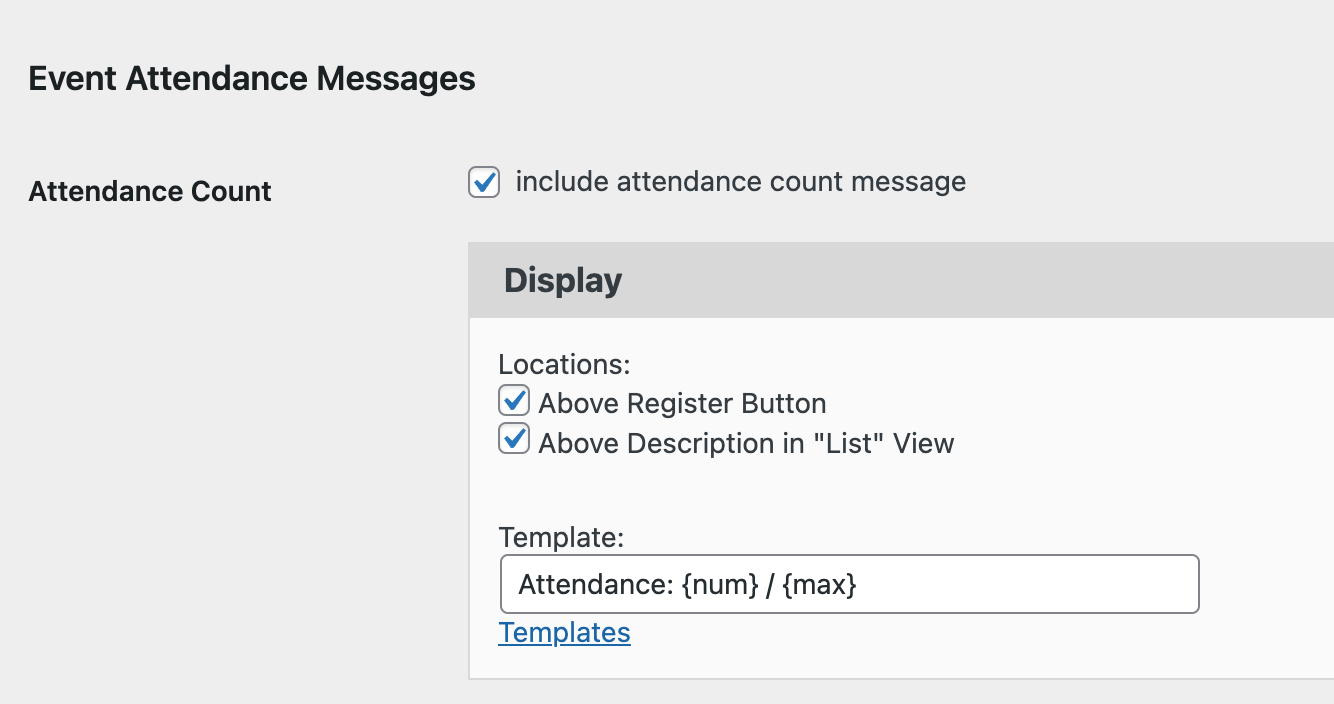
We do have this setting (found on the “Form” tab) where you can include the attendance count in the “list” view.
https://snipboard.io/wEvzyR.jpg
Though it might not work depending on how customized he template is. I suppose it could also be the case that you are using a different list than I think you are. Do you have a link I can take a look at? I can come up with something to help if that’s the case!
– Craig