Matt Wingett

Forum Replies Created
-
Hello, I have used this and it worked for setting captions on images correct.
However, whilst it works for captions, now all my text in quote blocks is also centred, when it was previously left aligned and inset.
You can see what I mean on this post: https://www.mattwingett.com/why-conan-doyles-southsea-life-should-inspire-writers/
The paras in bold are all now centred rather than left aligned and inset as they were previously.
How to set this right, please?
- This reply was modified 6 years, 6 months ago by Matt Wingett.
Will do. Thank you.
Great. We’re done. Thanks for that. Much appreciated!
Oops. Yup, I kind of skip over items in bold, for some reason. Which is the opposite of what bold is meant to do. Drives people crazy.
So, here you are: https://www.lifeisamazing.co.uk/wp-content/uploads/web-toffee-2.jpg
So, I’m looking at screenshots. What do you want? If I go to Woocommerce -> Orders while the invoice function is on, the screen is blank. There are no error messages.
If I go to an order and activate the invoice function then select “print invoice”, then the print box is blank. There’s nothing to show you.
I’m getting one error message which flashes up briefly. I have no idea if it’s connected, but there’s a link here.
https://www.lifeisamazing.co.uk/wp-content/uploads/web-toffee-1.jpg
- This reply was modified 7 years ago by Matt Wingett.
Will do. All plugins are up to date, anyway.
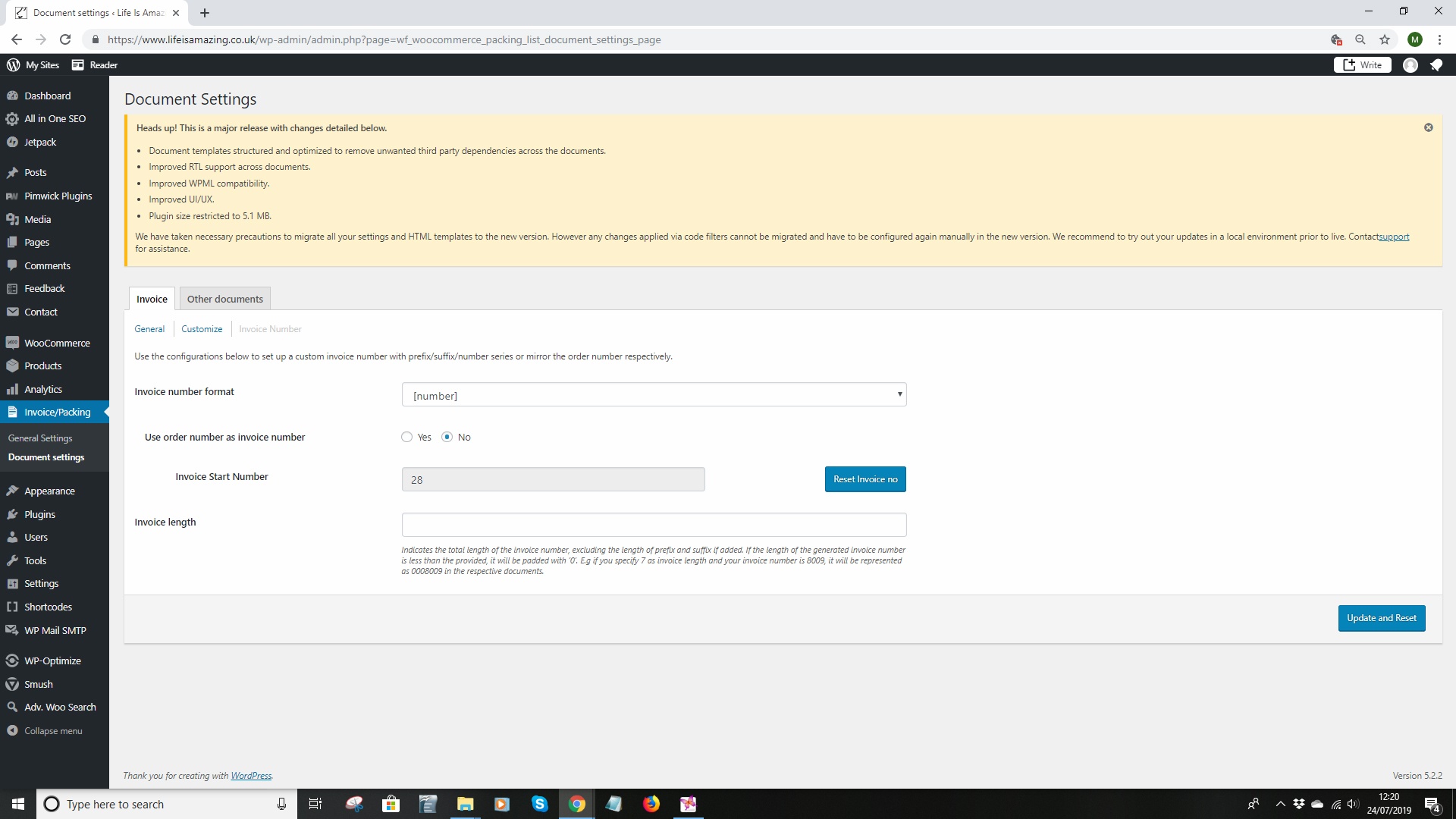
Meanwhile: So – after some digging around, I have the following info:
Basically, I’m running woocommerce, and I’ve got Web Toffee’s WooCommerce PDF Invoices, Packing Slips, Delivery Notes & Shipping Labels (Basic)
Now, what I’ve discovered is that if I disable the invoice function in Invoice/Packing -> Documents, then I can actually get to the Woocommerce order page.
If I enable the invoice function in Invoice/Packing -> Documents, then the Woocommerce order page won’t load.
Will send screenshots shortly.
So, this looks like something to do with the allocation of the invoice number not connecting with the invoice. I have no idea how to make it work.
My work around is to enable the shipping label function in Invoice/Packing -> Documents, so I can at least get a label out. Then I highlight the order as it appears in the order page, and print that. It looks like an invoice, so it’s close enough.
But, how do I get the invoice to pick up the invoice number so it all works?
- This reply was modified 7 years ago by Matt Wingett.
Forum: Plugins
In reply to: [WooCommerce] Store Address field gives wrong countryI think that’s it. So thanks again.
Forum: Plugins
In reply to: [WooCommerce] Store Address field gives wrong countryOkay, your question made me start to dig around in the settings. I switched off all print options except invoice and shipping label.
When I then went back to the General settings tab, the store address country field had changed to Aland Islands, rather than UK, as it was previously showing.
So, I then altered the field to UK, and the two print options I need (Invoice and Shipping Label) are now showing the correct home country.
Weird bug, don’t know why it happened, but it is now correct.
So, thanks for asking the question.
Forum: Plugins
In reply to: [WooCommerce] Store Address field gives wrong countryNo, not as far as I can see. I mean, if they have been, I certainly don’t remember doing it.
Forum: Plugins
In reply to: [WooCommerce] Store Address field gives wrong countryYes. WooCommerce PDF Invoices, Packing Slips, Delivery Notes & Shipping Labels(Basic)
by WebToffee.Forum: Plugins
In reply to: [WooCommerce] Store Address field gives wrong countryHi, so that didn’t make a different, except that I signed out of jetpack and then had real trouble getting back in.
However, the website address is https://www.lifeisamazing.co.uk
Any guidance would be gratdully received.
- This reply was modified 7 years, 7 months ago by Matt Wingett.