ebess

Forum Replies Created
-
Forum: Installing WordPress
In reply to: Moving From One Host To Another: Sanity CheckAlso, another question: what’s “the XML export”? 😛
I thought all I had to do was just dump what was in the old database into the new one.
thank you!
Forum: Installing WordPress
In reply to: Moving From One Host To Another: Sanity CheckOoooo what a great idea!! (on both counts)
thanks!
Forum: Fixing WordPress
In reply to: Website is blankAaaand I just figured it out. Stupid hosting provider.
Gonna close this – feel free to delete if it’s clutter (I was looking for a way to do that but didn’t find one)
Forum: Fixing WordPress
In reply to: How do I remove “Site Admin” from the front page?Aha:
<?php wp_register(‘<li class=”admintab”>’,”); ?>
That’s the line to remove, in header.php.
And with that, we good!
Forum: Fixing WordPress
In reply to: How do I remove “Site Admin” from the front page?Hrm. Nope.
I can’t find that line. I downloaded all the php and am using TextPad to search all files, and it’s not there.
I added
#sem_admin_menu {
display:none;
}to the stylesheet, too, and that didn’t help!
Forum: Fixing WordPress
In reply to: How do I remove “Site Admin” from the front page?Hi there —
I did do a search before I posted. I can’t remember what search terms I used, but I know my search-fu is weak. It’s frustrating for me as well. Thank you for finding the other thread.
I *think* this is resolved; I’m doublechecking now and then I shall be back!
thanks much.
Forum: Fixing WordPress
In reply to: 2.1: moderation queue blankGhah! Nobody has any ideas?!
That full queue is going to make me insane! 🙂
Forum: Fixing WordPress
In reply to: 2.1: moderation queue blankIncidentally, I have two blogs running on the same hosting server (with Westhost). I just checked and while one of them is broken, the other is fine.
Both were recently upgraded to 4.1.9 (mysql) and 2.1.
Thanks in advance for any help. I hate not being able to clear out the queue!
Forum: Installing WordPress
In reply to: How do I upgrade mysql from 3.23.56 to 4.1.9?Also, totally dumb question but I just want to make sure:
Will WP 1.5 actually *run* on mysql 4.1.9?
Just trying not to overlook the obvious. 🙂
Forum: Installing WordPress
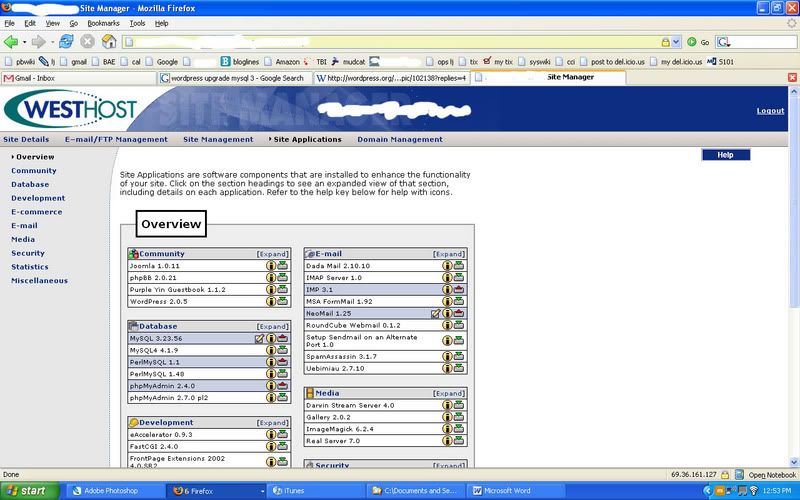
In reply to: How do I upgrade mysql from 3.23.56 to 4.1.9?They have one of those control panels that you log into, with all your software options. This is pretty standard at a lot of hosts I’ve seen — you go in and select which software you want to install. So I would have to uninstall 3.23.56, then install 4.1.9. Here’s a screenshot of the manager, if you’re curious:
http://i126.photobucket.com/albums/p98/ouroborosind/stupidity.jpg
And I just confirmed with Westhost support that yes, all data will be lost. So I need to back it up first and restore on the new DB. Pretty sweet.
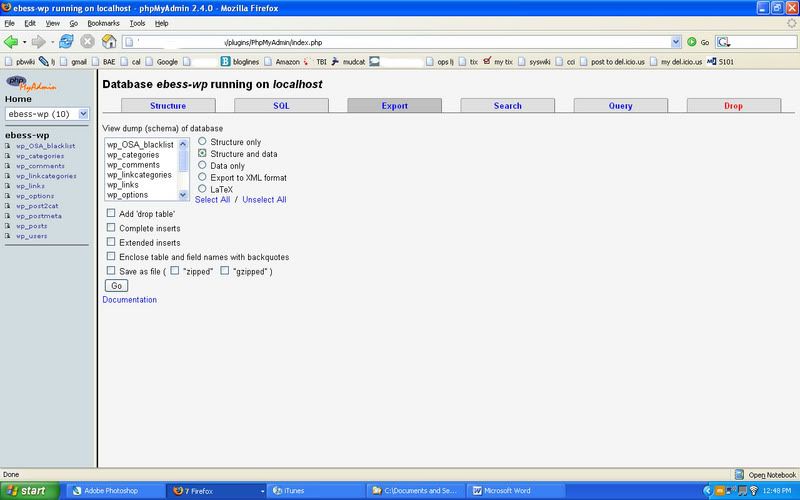
The myPHPAdmin version: yeah, the Export option is there, but it’s missing some stuff that’s mentioned in various tutorials I’ve seen:
http://i126.photobucket.com/albums/p98/ouroborosind/stupidity2.jpg
The files won’t be touched in the process, so in theory I shouldn’t have to change those. Just in case, can someone remind me where the MySQL connection info lives in the WordPress install?
Thanks for the help, moshu (including the caution to stay with 2.0.7). Yeah, it looks like the real tricky part will be importing the old file into the new version of the database. Anyone have any pointers on that one?
Thanks again.
Forum: Installing WordPress
In reply to: How do I upgrade mysql from 3.23.56 to 4.1.9?I’m on Westhost.
To “upgrade”, I believe that I have to uninstall one and install the other. I’m guessing that when I uninstall, I’ll lose all my data. So I was looking for a way to back up all my data (yes, I see the backup instructions, but my version of myphpadmin is also old — 2.4.0), install the new database, and restore my data. At that point, I’m guessing I can try the WP upgrade.
I’m looking for help with this cross-version backup and restore… has anyone here had to do that before?
Also, if anyone sees a better way to do this that I’m missing, by all means, please suggest!
thanks.
Forum: Themes and Templates
In reply to: Static pages that keep the themeThanks muchly for the helpful information, everyone.
Forum: Fixing WordPress
In reply to: blog by email instructionsThanks so much.
Forum: Fixing WordPress
In reply to: Password recovery MySql angstI should add that an email got sent, but it was blank… and the password never got updated.