ColinD

Forum Replies Created
-
Forum: Plugins
In reply to: [Responsive Picture Block] CSS Classes not on blockThanks for the update. That allows the class to be added to the <picture> element. Moving the class from the <img> to the <picture> still seems unexpected to me. I wonder if there were a way to explain that to users? I recognize that adding a class to a <source> is kind of weird since the <source> is never rendered. But again, from a usability perspective having the class attribute in the image block settings of the editor result in no class on the front end is unexpected. Regardless, minor niggles. Thanks again for the block and the support.
Forum: Plugins
In reply to: [Responsive Picture Block] CSS Classes not on blockI am attempting to set the alignment and add the class to the Responsive Picture (Group) block, not to any of the inner images.
If I add a class to the fallback image, that class is moved to the <figure> but classes applied to the other images are not. I also do not have an option to set alignfull on the inner images.Forum: Plugins
In reply to: [OAuth Single Sign On - SSO (OAuth Client)] Disable upsell notificationHow can I disable the upsell notification for all users?

My Timeline in 1.0.7 
My timeline after update. Notice left/right edges, alignment of items below the timeline, and space between label and unordered lists. https://colinduwe.com/wp-content/uploads/2025/02/Timeline-Editor-Error.mov Here’s a video of the error in the editor when updating the item description with “<p” (it errors before I can type the closing “>”)

The CSS for 1.1.2. Note I’ve given the selected item align-item: flex-start and it is correctly positioned while the other items have vertical-align:top and are not at the top of their containers (flex container now rather than table) 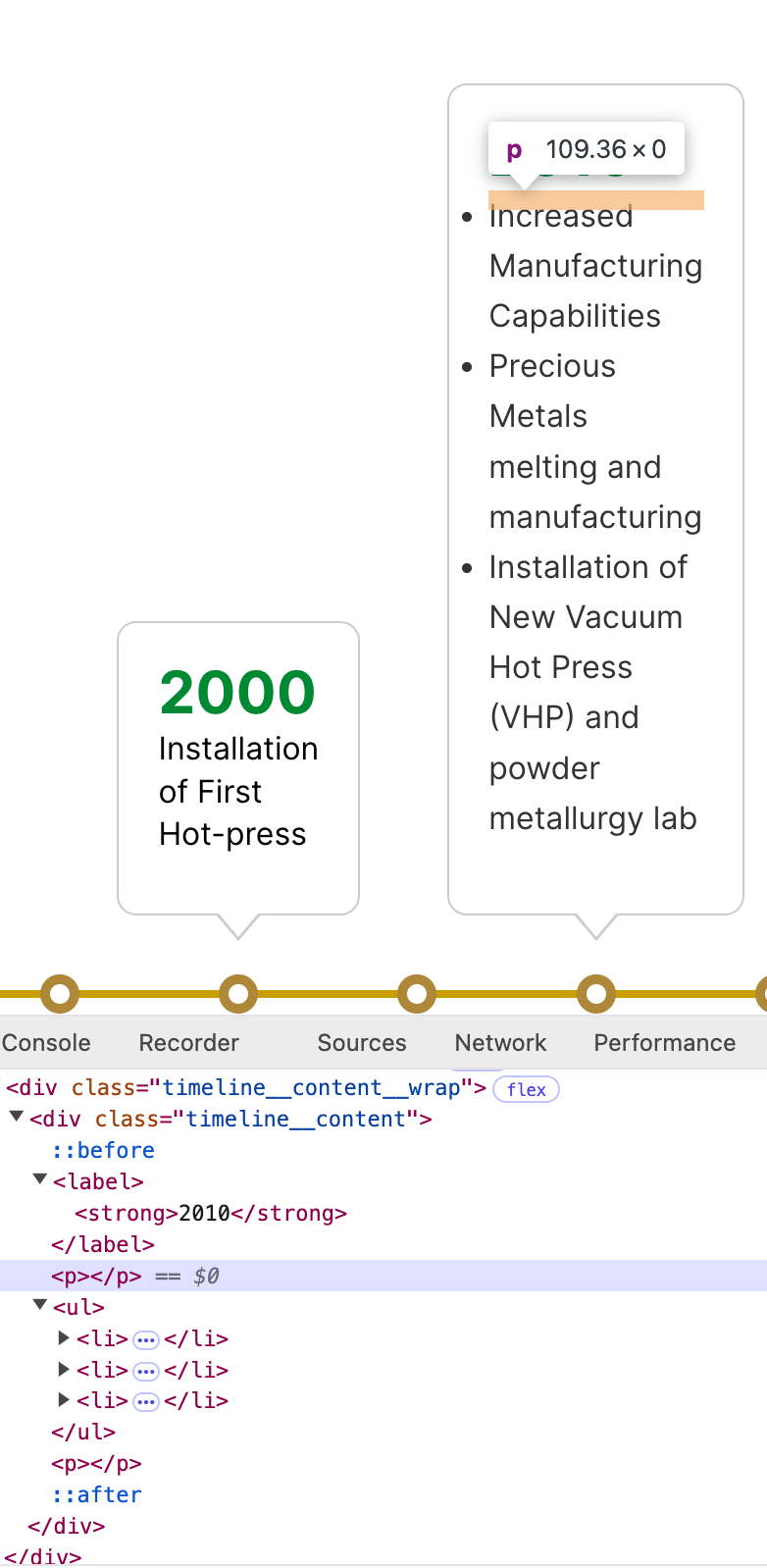
HTML of a item in 1.0.7. Note empty paragraph tags, which provide visual gap between label and ul. 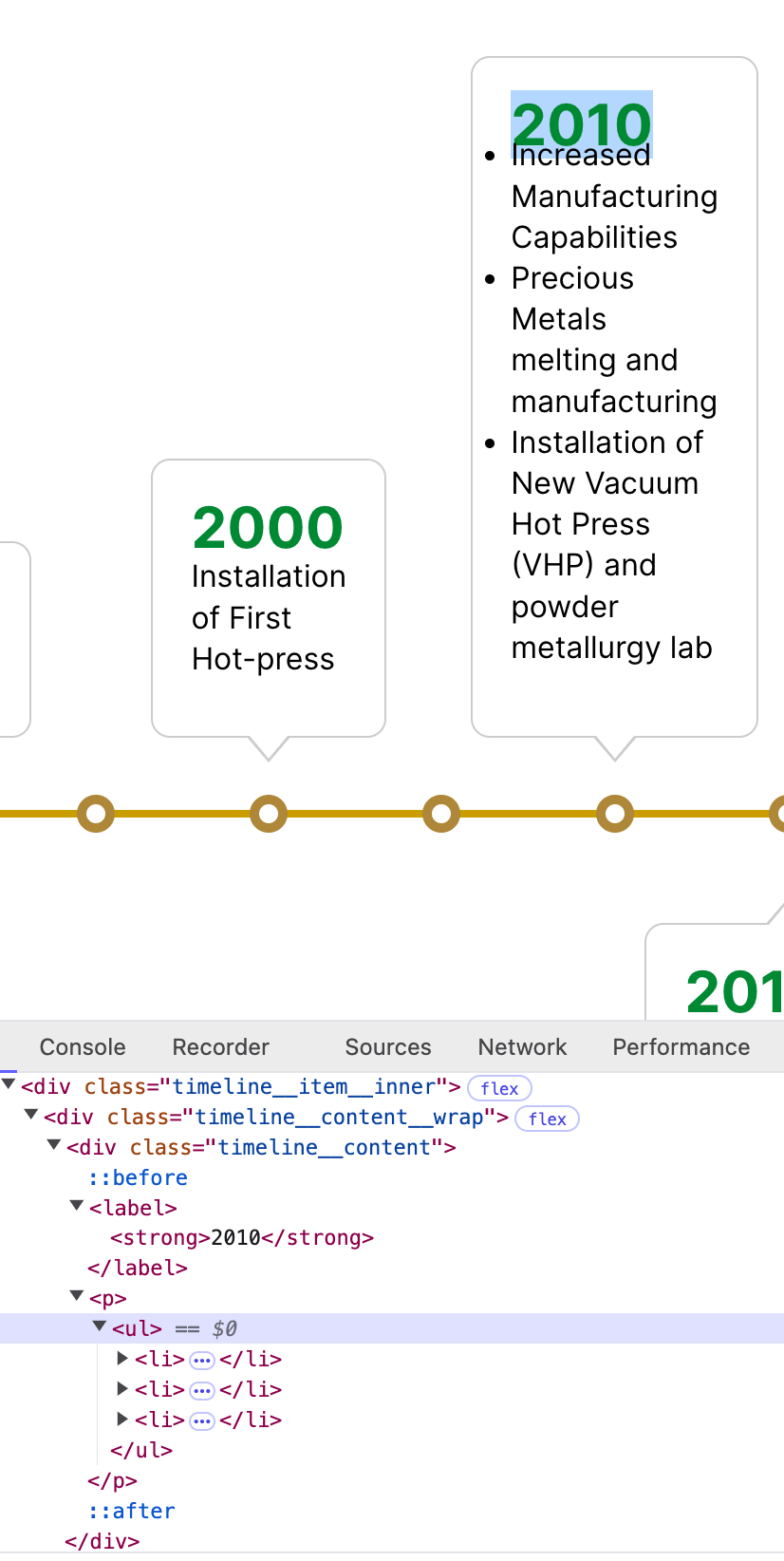
Same item in 1.1.2. Tidier HTML markup but not visually consistent. Forum: Plugins
In reply to: [Query Loop Exclude Posts] Spinning Wheel IssueSorry about that. Please update the plugin to 1.1.0 and it should be corrected.
Forum: Plugins
In reply to: [WP Swiper] Responsive breakpoints (JSON Object) ErrorThanks, the update seems to have corrected the issue.
Forum: Developing with WordPress
In reply to: Filter templates returned by swap template modalThanks Bryan!
Hi @charlescormier,
Do you expect to have a fix for the issue? Or would you consider providing access to the source code and accept a pull request if I could sort it out?
Thanks,
ColinForum: Developing with WordPress
In reply to: Filter templates returned by swap template modalThat filter appears to be for filtering the items in the select in sidebar of the classic editor. It doesn’t affect the items in the swap template modal. And I’m having a hard time figuring out how to filter the REST response. And even if I could, I’m not sure there’s sufficient context to know the request came from a single page or post or CPT.
Forum: Fixing WordPress
In reply to: Why are the paragraph block inline styles different?Resolved this. blocks.getSaveContent.extraProps only affects the block in the front end. For the editor, use the filter editor.BlockListBlock to create a HOC and add your styles as a style property to wrapperProps of the returned component.
const applyOverlineEditorStyle = createHigherOrderComponent( ( BlockListBlock ) => { return ( props ) => { if ( ! enableOverlineColorOnBlocks.includes( props.name ) ) { return <BlockListBlock {...props} />; } const { overlineColor, customOverlineColor } = props.attributes; const wrapperProps = { ...props.wrapperProps, 'style': { '--wp--custom--overline-color': overlineColor ?var( --wp--preset--color--${ overlineColor } ): customOverlineColor } } return <BlockListBlock { ...props } wrapperProps={ wrapperProps }/>; }; }, 'applyOverlineEditorStyle' ); addFilter( 'editor.BlockListBlock', 'pinwheel/overline-apply-editor-style', applyOverlineEditorStyle )Forum: Plugins
In reply to: [Redirection] Redirect all posts from / to /blog/Perfect! Thanks for the response.
If there’s a OS repo for this, I’d submit a PR.
Thanks for the response.
After further digging I discovered the client was using the iframe embed from YouTube Studio rather than merely pasting the public URL. As a result, the regex for Prior Consent -> embed autocorrect wasn’t catching it. The “Automatic Cookie Blocking” setting for the main plugin was catching and blocking it.
Thanks Ouija! That solved the same issue for me. I would love the opinion of the plugin author or others with better security chops than I to chime in on this.
It was my understanding that Jetpack had a cache that could keep related posts from appearing. This site is hosted by WP Engine. At this point I don’t have any additional cache plugins.