droid

Forum Replies Created
-
3) I use only Falcon as cache which has no settings at all and obviously I use CloudFlare does caching of its own as well (no settings here as I recall)
so what do you mean by cache settings check exactly?1) Why not both at the same time because one visitor will type one domain
while another may enter the other domain into their browser window.If so how to implement that correctly ?
2) Or is it a case of one or the other?
and if so which and how to implement one ?Thank you Frank for the prompt insightful reply with specific solutions
However,
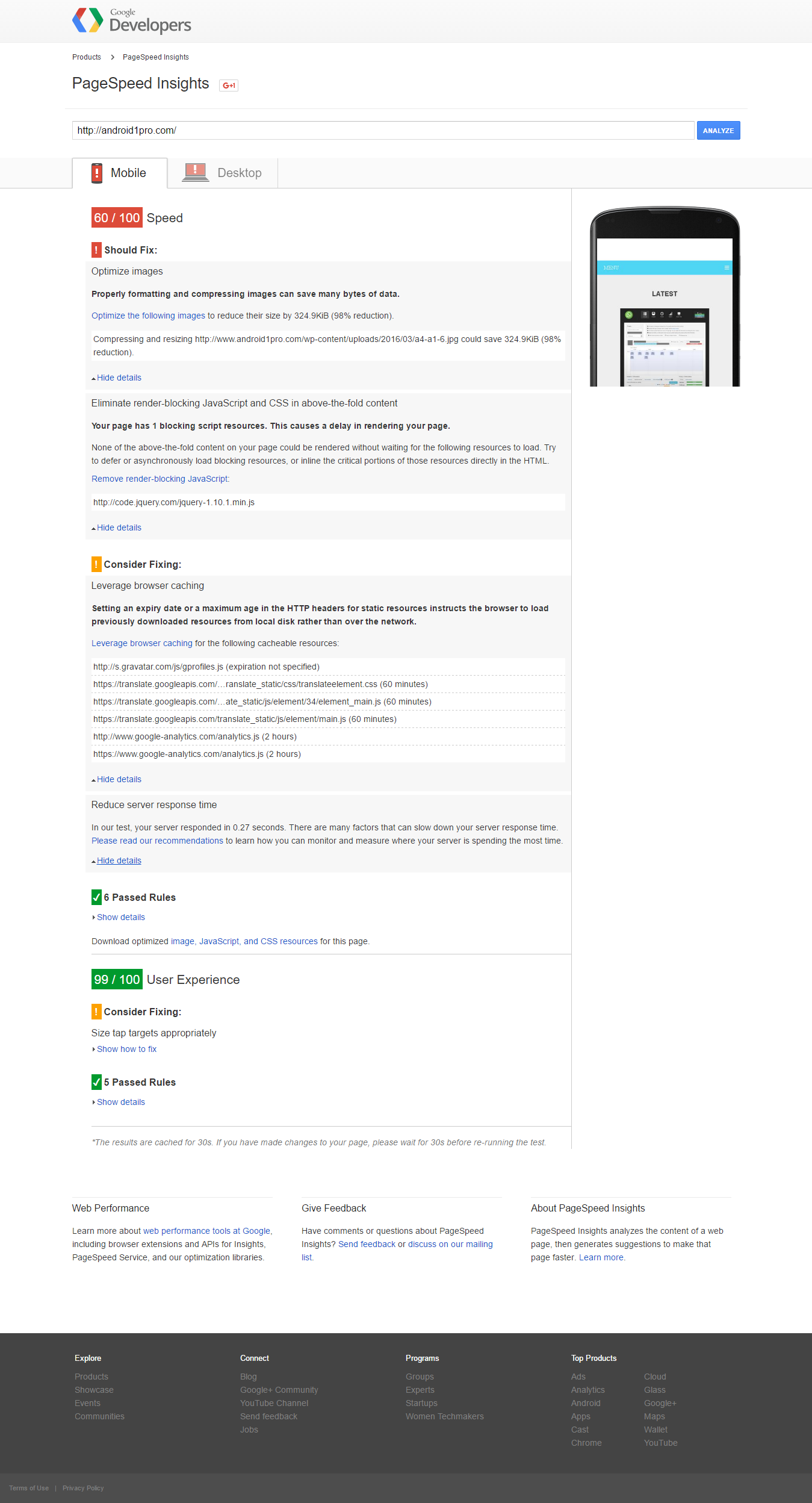
Now Google speed insights
says that I have landing page redirects issue
for the following chain of redirected URLs.http://android1pro.com/
http://www.android1pro.com/
http://www.android1pro.com/fr/and according to gtmetrix.com
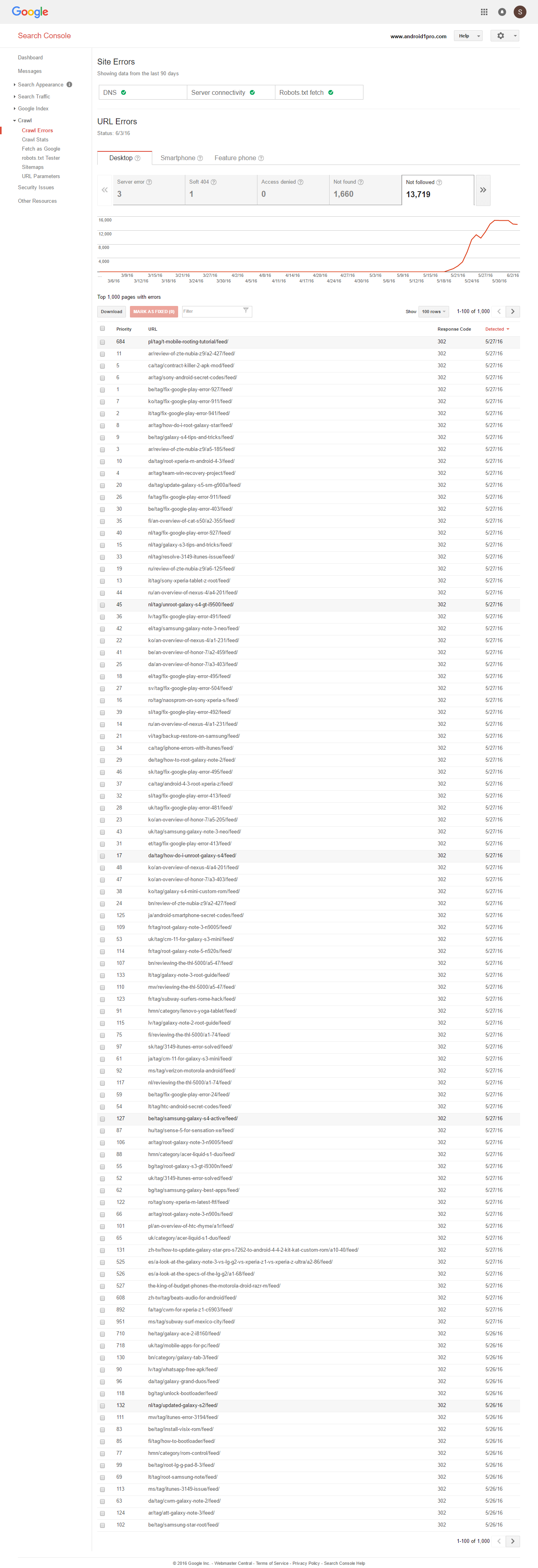
http://android1pro.com/ is a non-cacheable redirect to http://www.android1pro.com/I also got over 13,000 “not followed” links per Google console
Here is screenshot of the first 100 “not followed” links listed by Webmaster tools Google console
http://easycaptures.com/fs/uploaded/956/1932294665.pngAny progress on fixing this advanced block option that is not working at all for over 24 days now?
1) Ok I see
so I did paste the full 893 CSS line of code into the box under
checked setting:Inline and Defer CSS? Inline “above the fold CSS” while loading the main autoptimized CSS only after page load.
then clicked on save changes and empty cache.
Is this now accurate and correct like it should ?
2) What is the best optimizer for the loseless category ?
Again thanks Frank for providing fixes (or sometimes explanations) to issues,
Here is the follow up
1) Is the final 893 CSS line of code you are showing here in
http://pastebin.com/rQVseKsd
belong to my site or yours?
and if so then why I only got this
http://easycaptures.com/fs/uploaded/958/9549849104.pngand how to ensure similar accurate result like yours (i.e. what procedural step error was made in mine?)
2)regarding image compression (optimization)
does this obviously mean having any further image optimizer would reduce quality of post photos even further,
meaning forget about installing image optimizer if one need high quality of post photos ?Thank you Frank,
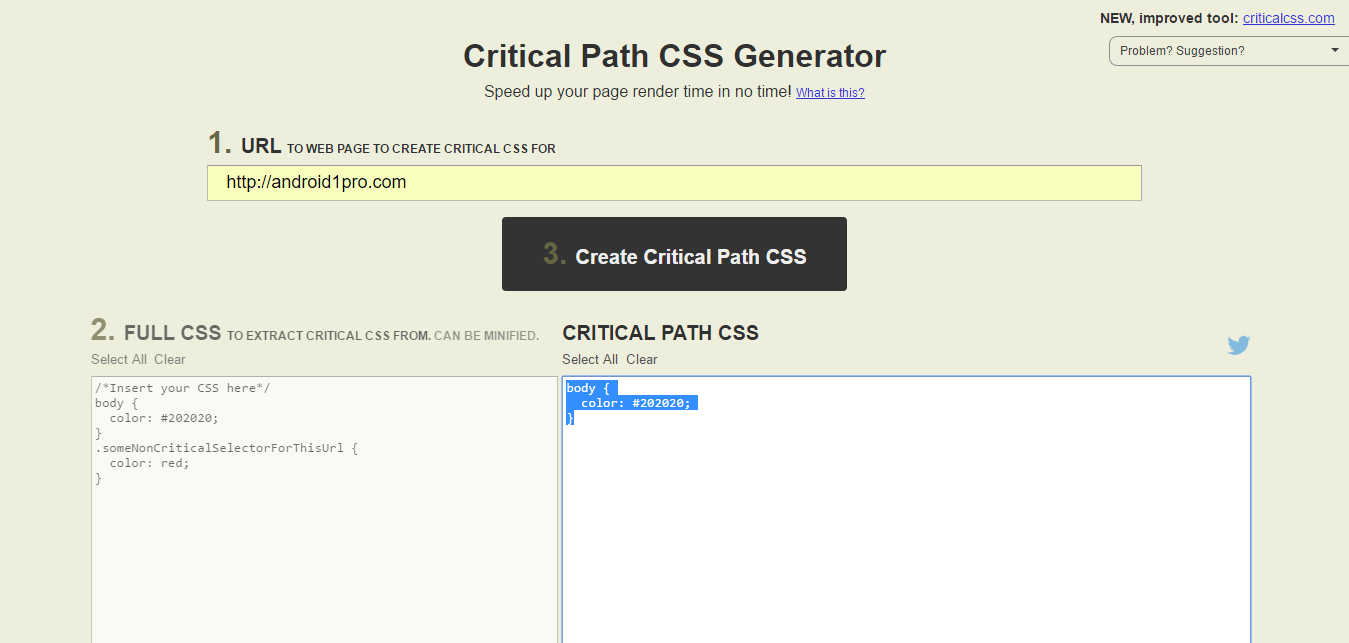
I did extract the critical CSS which was the following:
body {
color: #202020;
},then paste it into the AO settings white box and saved it.
However since you are the author of this AO plugin, you would know all details than any one else about your plugin issues and the exact best solution for any of them.
So here are a few small minor issues requiring your solution fix:
1) I noticed that there is slight millisecond appearance of intermittent page before browser will finally show the post intended
(happened on chrome and Firefox browsers on my end ).
Can you confirm on your end ?
If so,what is your best solution to this unpleasant undesired issue that lower user experience and is clearly unwanted byproduct of using AO2) The overall quality of images appearing on each posts has gone down in terms of increase in blurriness and fuzziness in place of sharp clarity that were there before activating AO plugin.
What is your best solution to restore the high quality of posts photos many of which are HD quality3) on any of the website posts,
when choosing anyone of categories under categories drop down menu on the right hand side
the page does not go there like it should, which what normally happened before
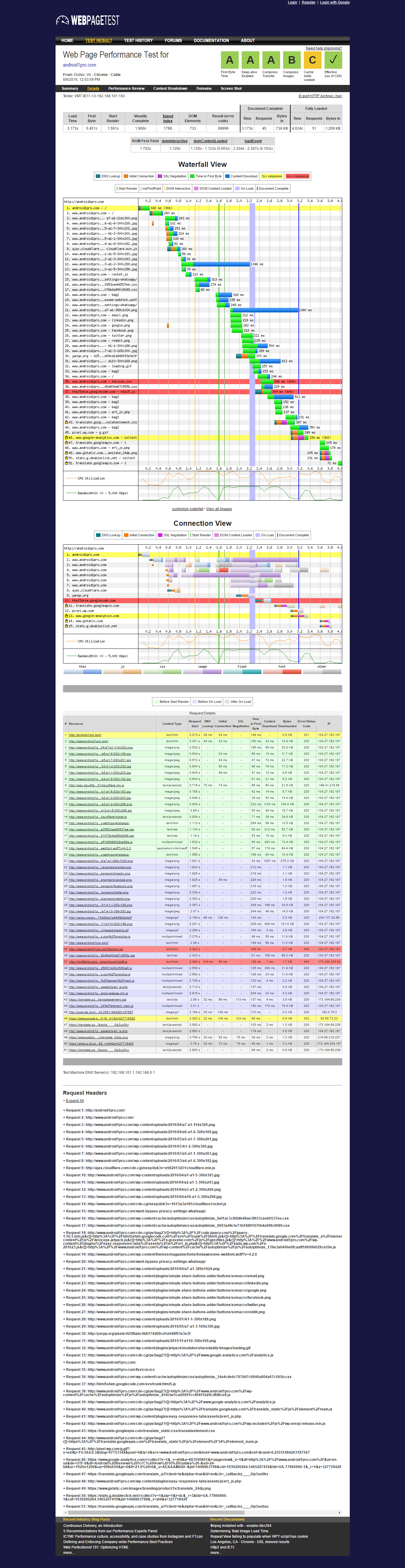
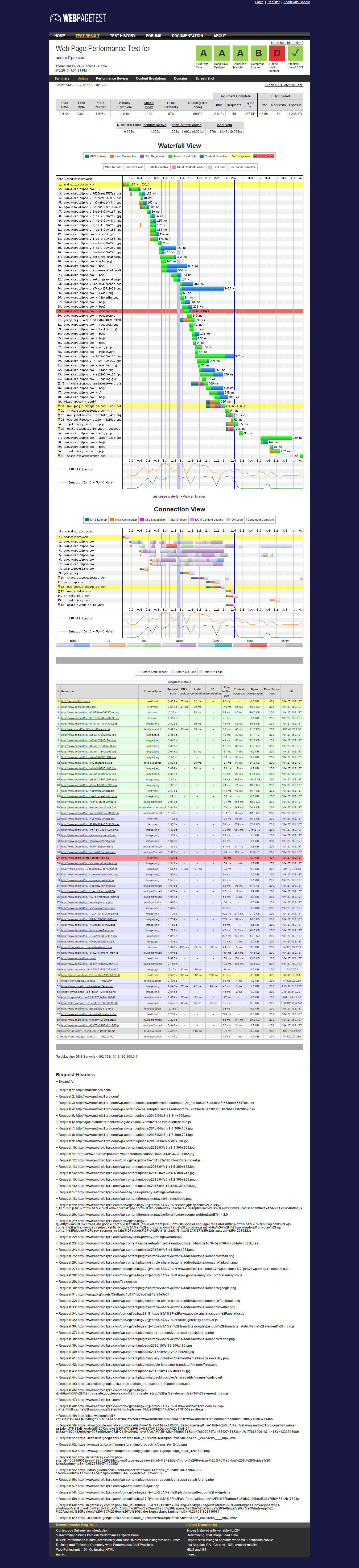
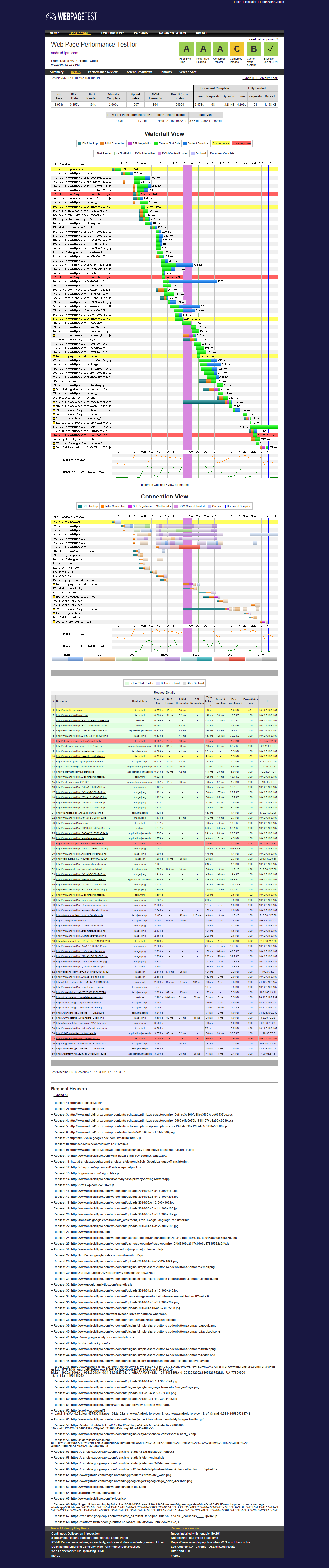
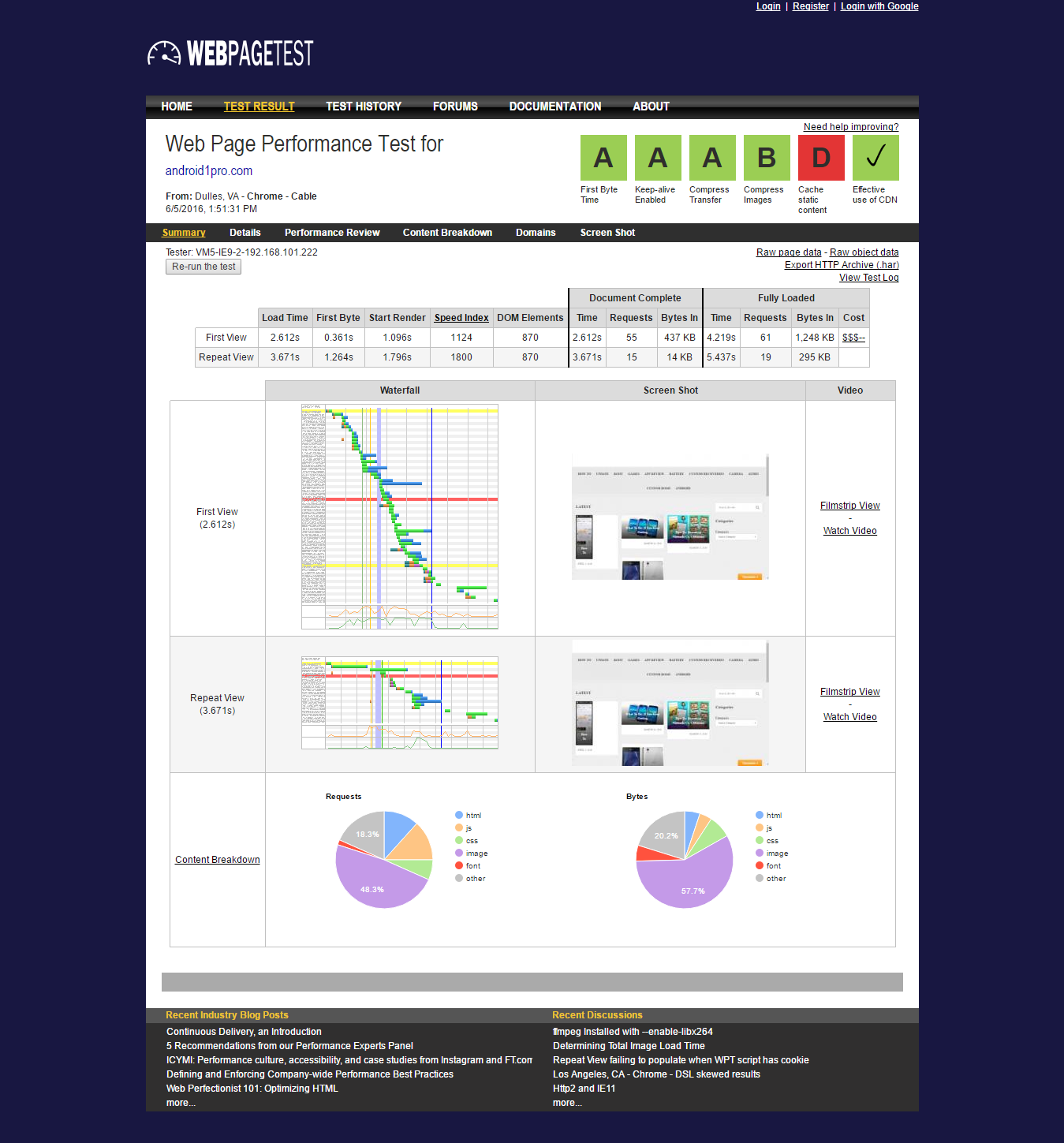
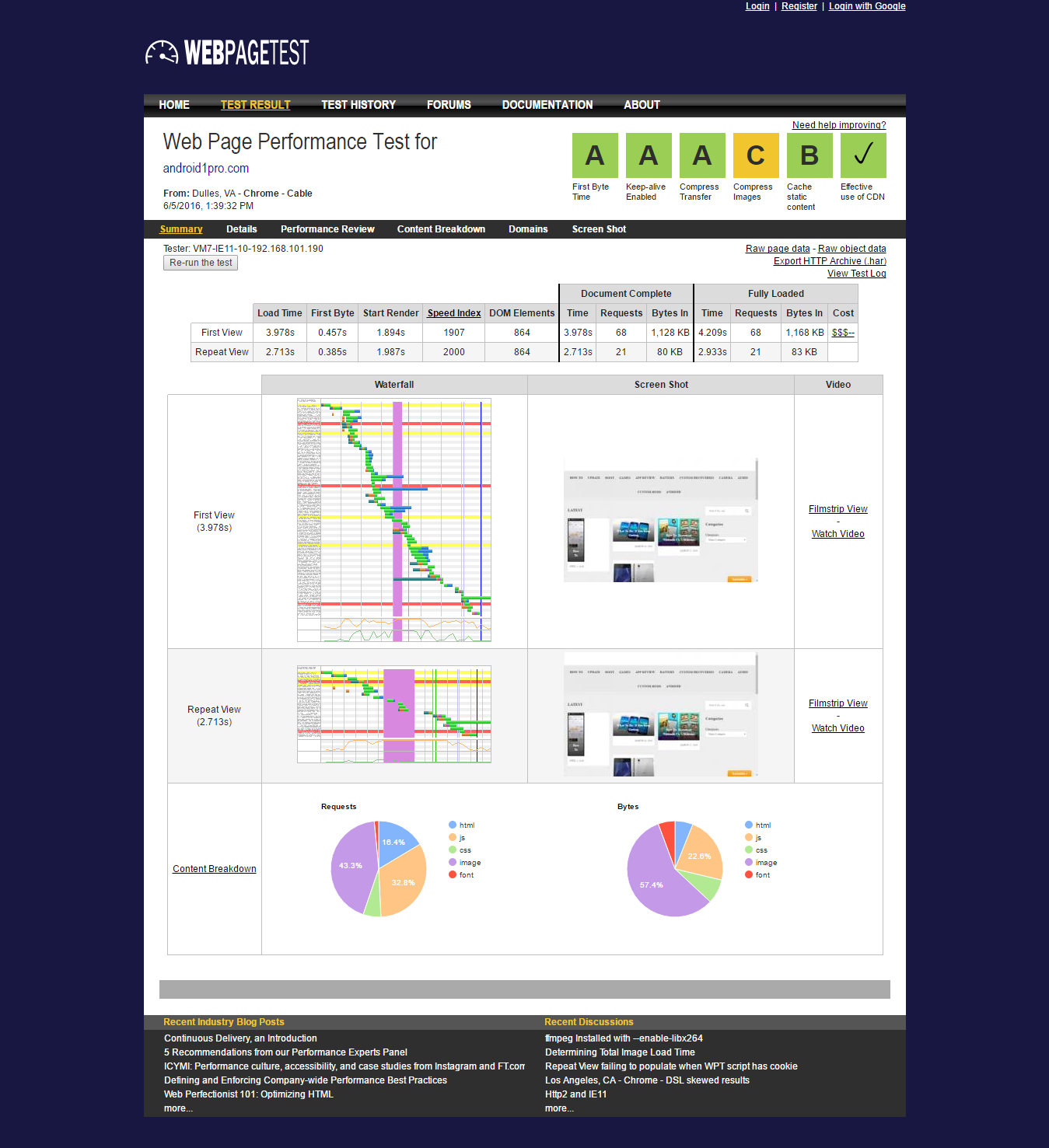
What is your best solution fix to this quality issue that never happened prior to using AO ?4) The results of page speed testing using http://www.webpagetest.org/
vary dramatically when using different browserHere is Chrome browser version
http://easycaptures.com/fs/uploaded/958/1655290315.pngHere is Firefox version of the same test
http://screencast.com/t/R2Pn23rQcHHere is IE version of the same test
http://screencast.com/t/jiqxdvqOQg2So,
Which version test results,is to be trusted and why ?Keep up the good work of continued good support of your own plugin
Thanks Frank
So CF Rocket loader is ON with the following AO setting:
– Optimize JavaScript Code (checked)
– Force JavaScript in <head> (unchecked)
– Also aggregate inline JS? (checked)
– Exclude scripts from Autoptimize: public.js,cvpro.min.js,frontend-builder-scripts.js,wp-slimstat.min.js
– Add try-catch wrapping? (unchecked)– Optimize CSS Code (checked)
– Generate data: URIs for images? (checked)
– Remove Google Fonts (checked)
– Also aggregate inline CSS? (checked)
– Inline and Defer CSS? (checked) but I still have no idea what goes in white box
– Save aggregated script/css as static files? (checked)Now
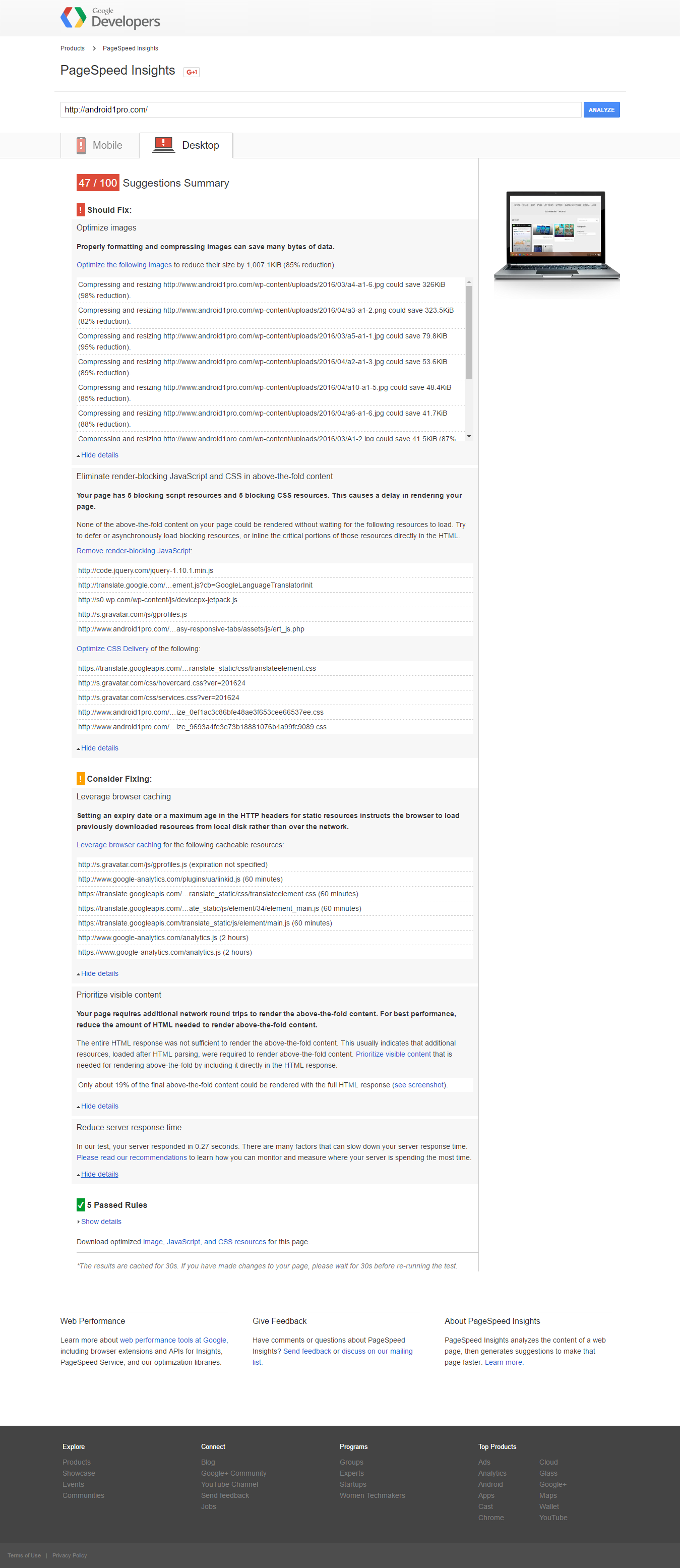
Here is desktop unresolved issues according to Google page speed insights
http://easycaptures.com/fs/uploaded/957/5024654159.pngHere is mobile unresolved issues according to Google page speed insights
http://easycaptures.com/fs/uploaded/957/0015300838.pngQ1: what to place exactly under Inline and Defer CSS? box ?
Q2: How to resolve google page speed insights desktop and mobile ?(DETAILED VIEW)
Here is after installing AO screenshot of the same speed test waterfall with Rocketloader on automatic
http://easycaptures.com/fs/uploaded/957/9716065355.png(DETAILED VIEW)
Here is after installing AO screenshot of the same speed test waterfall with Rocketloader off
http://easycaptures.com/fs/uploaded/957/8377699310.pngHere is before installing AO screenshot of speed test waterfall
http://easycaptures.com/fs/uploaded/957/7157114264.pngHere is after installing AO screenshot of the same speed test waterfall with Rocketloader on automatic
http://easycaptures.com/fs/uploaded/957/2575050798.pngHere is after installing AO screenshot of the same speed test waterfall with Rocketloader off
http://easycaptures.com/fs/uploaded/957/7637528727.pngFYI: I use Falcon feature from WF as the ONLY cache function
Frank,
Vital update1) I use CloudFlare as my CDN so what would be the entry for
“CDN blog root directory URL”
or how exactly to find it on CloudFlare?2) Turned off Rocket loader on CloudFlare. is that better ?
3) Where to find “above the fold” in order to paste for the box labelled
“Inline and Defer CSS?” in AO advaced settingsThanks
Thank you Frank,
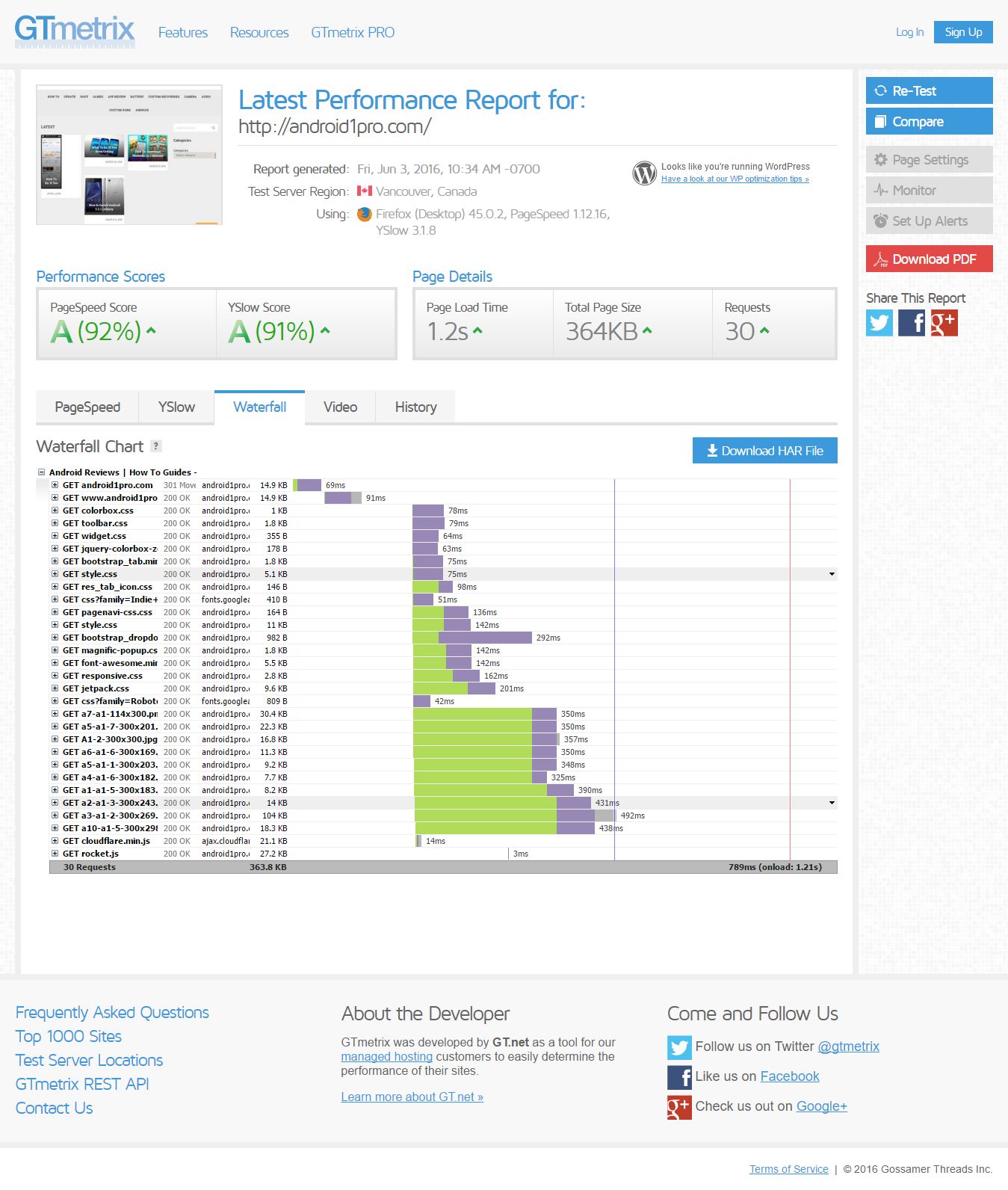
Can you tell me if I still would improve further on optimization by using AO or would the over all benefits be very mimimal with reall added page loading speed ??Currently site in question has 1.2 seconds load time with both page speed scre and Y slow score above 90%
Here is the waterfall screenshot
http://easycaptures.com/fs/uploaded/956/9807523769.jpgAny progress on fixing this advanced block option that is not working at all for over 20 days now?
Thanks wfsas & MTN
So diagnostics does not even check,test or diagnose the working function of WF which should be the priority of that diagnostics?
because system check is available 24/7 on server and by tons of WP plugin out there which make WF diagnostic kind of redundant.So would I uninstall and reinstall ?
Would that work as a fix in this case?