droid

Forum Replies Created
-
Hello wfasa,
All WF diagnostics parameters has the green check sign which I presume
means everything is working like it should without any alert or errors.Q: is WF diagnostics page to be trusted o is it just for a show ?
Thanks MTN for the insight,
I did copy paste it into “host name” box and then clicked
“block visitors matching this pattern”NOTHING happened i.e. it never did add it to the list
Also MTN remember I told you about this /feed link issue with web master G console that you told me has to do with some kind comment threat.
Can you help a fellow WP user (me) ?
Thanks again
Hello wfasa,
Despite trying several times today to block this host name:
SOL-FTTB.215.121.118.46.sovam.net.uaStill it won’t add it to list on the advanced blocking page
Just checked again and still not working
This has been over 10 days now not working at allAny progress ?
Thanks
Again MTN many thanks for the helpful reply
So I switched the server back the way it was on previous server but still surprisingly issue remain
(Despite never even existed on that former server before)So
I turned off 404 error to homepage referral plugin and that helped a little
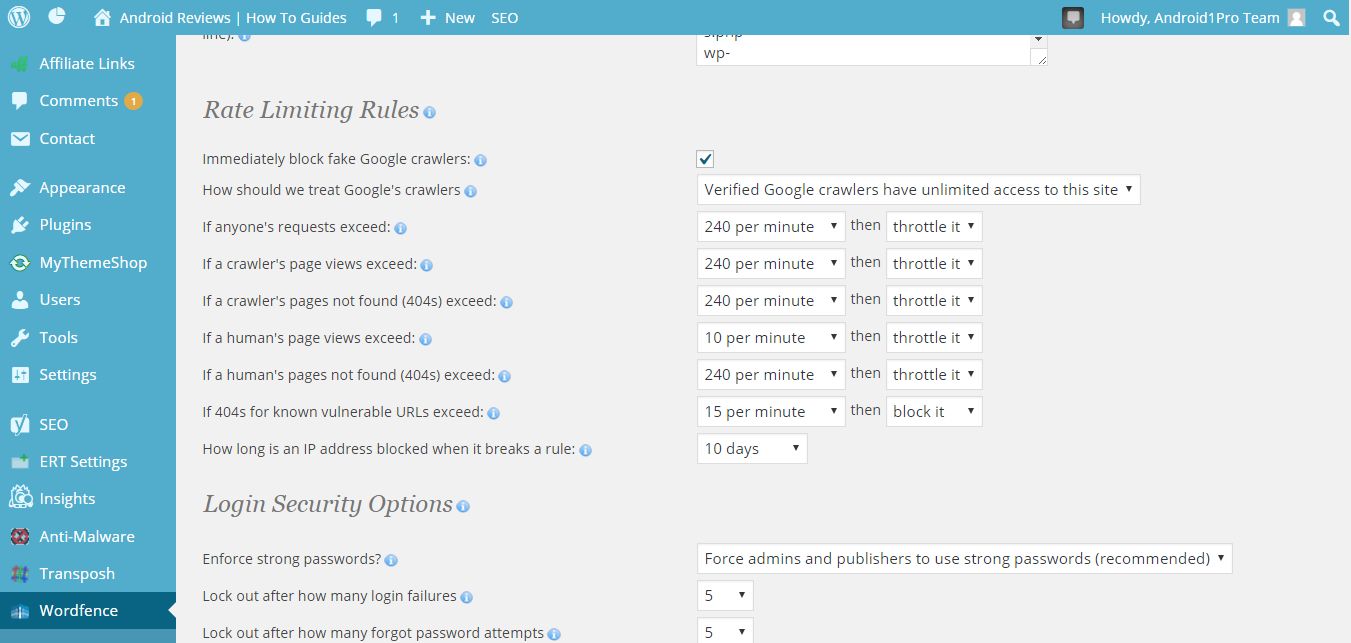
by 10% (as now I got around 9,000 Not Followed instead of 10,000 errors)Can you take a look at these current rate limiting rules in WF settings?
http://easycaptures.com/fs/uploaded/948/0880707914.jpgQ: Based on your past experience,
are these best optimum setting for best protection and if not what all changes that you would suggest ?Question to MTN,
I recently change servers and saw for the first time a huge surge in “Not Followed” links (over 9,000) reported on Google web master tools console.
Each of those incident of links can never be reproduced as each has /feed at each end.
Why this happened and what would your best solution for remedy?
Many thanks MTN
MTN,
On your top post,you said “The IP resolves to Norway”
How one one resolve Proxy IP to find out where it originates from ?
What tool or site did you use ?Thanks
Yes I agree with with the feature request which is well over due.
Thanks for expediting this WFKeep up the good work of making WF most efficient powerfull security plugin
I have the same issue but I can’t use live Traffic view or whois Lookup
because of use of “Falcon”So once again,
Why the powerful feature of Advanced blocking not working at all,
as every time I tried to enter a new host name and save it, it never shows up on the list of blocked item on advanced blocking page.
Can you manage to fix this once and for all ??Thank you MTN for your insightful reply with solutions to help, given the massive huge amount of attacks from bots and scrappers that we all are under these days.
Just to clarify, are you suggesting to use the list http://www.tcpiputils.com/browse/ip-address
as a starting point to block each of IP on the list,
by for example entering it on WF at least for now.If so what other lists that you are aware of,that can help with that effort.
Once again,
Many thanks and keep up the good work of sharing your insights to help protect sites from the relentless attacks we are all under.1) Why not Matt?
Given the high advanced features already built in WF,having something like uploading notepad IP list is only basic necessity that should of been there long before many other features2) Why the powerful feature of Advanced blocking not working at all,
as every time I tried to enter a new host name and save it, it never shows up on the list of blocked item on advanced blocking page.
Can you manage to fix this once and for all ??Thank you Matt,
How to go about uploading a list of 70 IP that would like to be blocked?
Can this be done successfully in option part
and if so how exactly to do that accurately and correctly?Again your prompt detailed reply with accurate correct solution,will be apprecaited
Hi Matt,
Still has yet to receive your reply regarding issue detailed above.Your prompt reply will be appreciated
In your reply you indicated that
“1 per second is probably too strict unless there is a specific
problem you’re trying to address.”
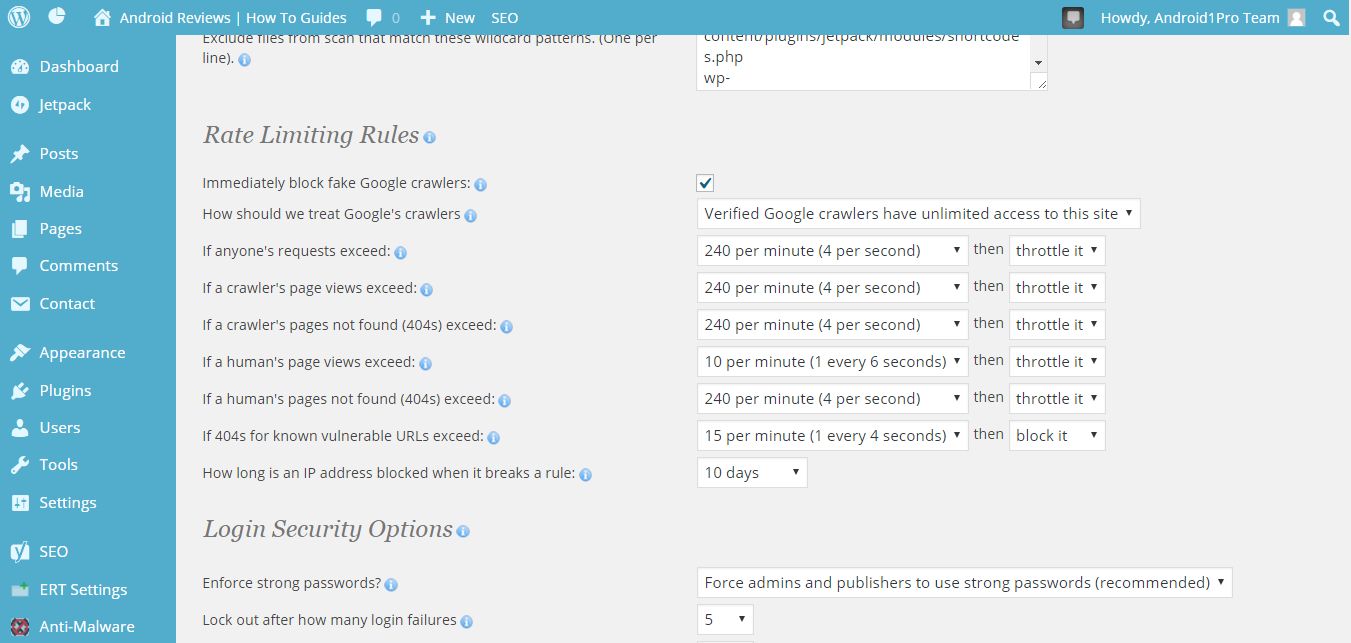
So I adjusted the setting to this
http://easycaptures.com/fs/uploaded/935/3534738049.jpg
I would really appreciate good detailed honest input on how to improve
it further
Keep up the good workI disagree
Something has changed in WF,
it used to categorize the blocking with exact reason to why block like
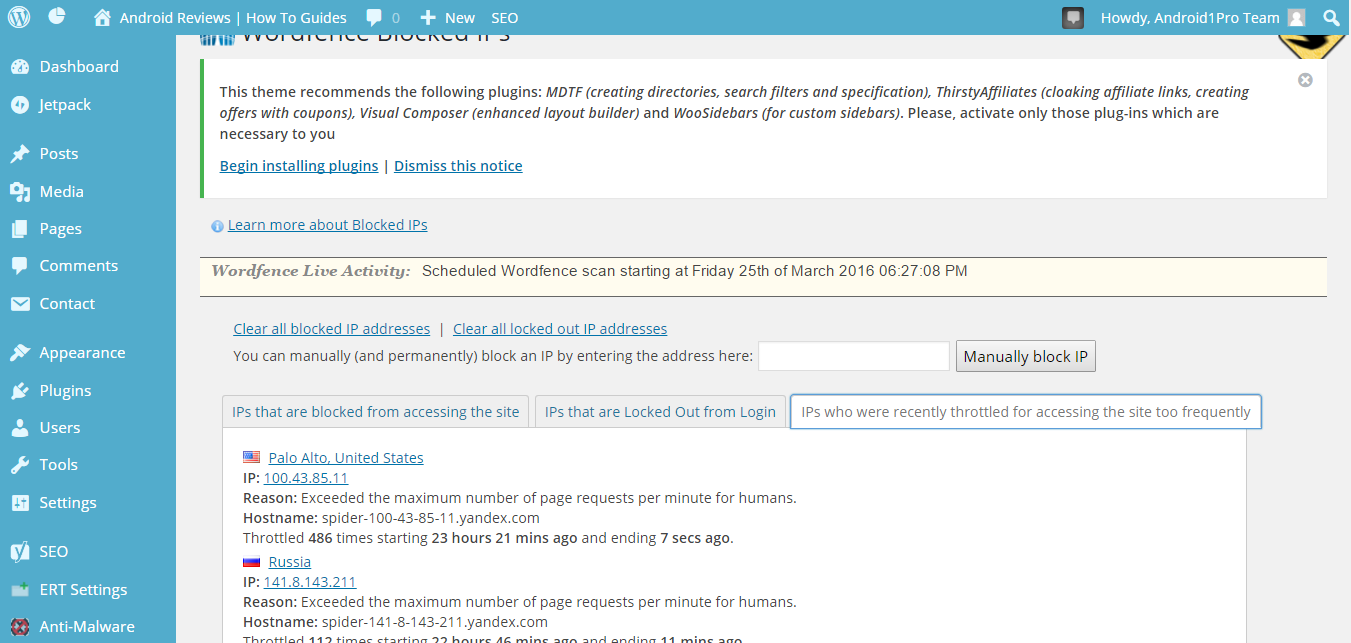
“due to use of test as user name ….etc”which is what used to be showing up under the middle tab labelled
“IP that are locked out from login”