anbluk

Forum Replies Created
-
Forum: Plugins
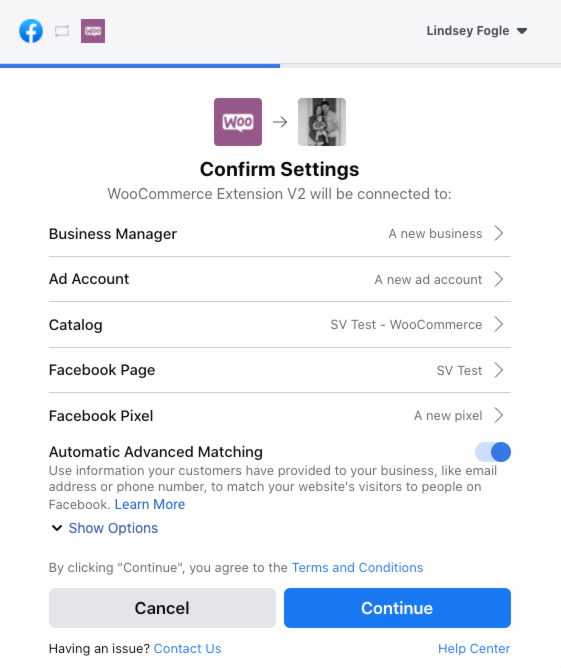
In reply to: [Meta for WooCommerce] Can’t connect Business ManagerI mean in this screen – https://s9900.pcdn.co/wp-content/uploads/2020/07/facebook-for-woocommerce-onboarding.png – I see all other business managers I’m part of, except the one I need (that owns relevant add account and pixel).
I’m admin and owner of that BM and I have access to all the assets inside.
Forum: Themes and Templates
In reply to: [Storefront] New update CSS issues (bullet points, numbers)Got it, at the end it was caused by this snippet to dequeue font awesome
add_action( ‘wp_print_styles’, ‘tn_dequeue_font_awesome_style’ );
function tn_dequeue_font_awesome_style() {
wp_dequeue_style( ‘fontawesome’ );
wp_deregister_style( ‘fontawesome’ );
wp_dequeue_style( ‘storefront-icons’ );
wp_deregister_style( ‘storefront-icons’ );
}Turned it off and it works again. It didn’t cause any problems before though.
Thanks a lot once again, much appreciated for the guidance.
- This reply was modified 5 years, 9 months ago by anbluk.
Forum: Themes and Templates
In reply to: [Storefront] New update CSS issues (bullet points, numbers)@senff That worked for the product list – I added is as a custom CSS for now, thank you so much! Any chance sharing a similar code for the numbers near photos on a product detail page, please?
https://aniball.fr/product/aniball/ vs https://aniball.uk/product/aniball/
Since we have multiple websites which are the exact same copies on multiple domains, I tested it several times and it only happens after updating to the newest Storefront 2.5.8.
I will clone the site and cycle through plugins to find the cause.
If not, I will just fix it through custom CSS. It would be really helpful if you could share the code for product images/number list.
Thanks a lot once again, really appreciated.
Forum: Themes and Templates
In reply to: [Storefront] New update CSS issues (bullet points, numbers)Thanks guys, I’m not using child theme. I only have Storefront to have some “basic” theme, the whole website is built through Elementor.
This is what I’ve found in Readme, there are some CSS changes, do you think it might cause this? In such case, should I contact Elementor support?
= 2.5.8 – 2020-06-19 =
53 * Fix â Stylesheet storefront-woocommerce-style has storefront-style and storefront-icons as explicit dependencies, so child themes can define storefront-woocommerce-style as a dependency without the risk of breaking the stylesheets order. #1369
54 * Fix â Removed woocommerce-legacy.css stylesheets for unsupported versions of WooCommerce (< 4.0). #1368
55 * Dev – Adopt RenovateBot for managing dependencies. #1363
56 * Dev – Update various dependencies, including major updates:
57 –@wordpress/babel-preset-defaultv4 #1387
58 –stylelintv13 #1390I can rollback the theme, but I would like to use the newest one so I’m always up to date. Will rollback if there is no other solution though.
Forum: Plugins
In reply to: [PayPal for WooCommerce] Wrong Order StatusHaving the exact same problem. No changes in PayPal settings, no plugin updates, just getting “Pending Payment” for all orders paid via PayPal. They are paid, I checked inside the PayPal dashboard.
Forum: Plugins
In reply to: [WooCommerce Stripe Payment Gateway] Radar?It works without Radar activated. Stripe handles it automatically and prompts 3D Secure auth if needed. If you want to be sure, enable test mode and use Stripe’s test card with 3D secure enabled.
There is nothing to be done, no need to enable any Radar rule. Payments are going through just OK. Enable test mode and test it with Stripe’s test card with 3D Secure enabled to double-check for yourself.
Forum: Plugins
In reply to: [WooCommerce Stripe Payment Gateway] 3D Secure – How to Use?I’ve written to Stripe support and according to them, nothing is needed. I asked specifically for Radar (which is paid) and they’ve said it is not needed.
I’m glad to confirm that your account is now SCA ready and no other steps or activation needed for the 3D secure to work. This will automatically adds an extra step after the checkout where the cardholder is prompted by their bank to provide additional information to complete a payment (e.g., a one-time code sent to their phone or fingerprint authentication through their mobile banking app).
I’m still not sure tho, I guess we will see next weekend.