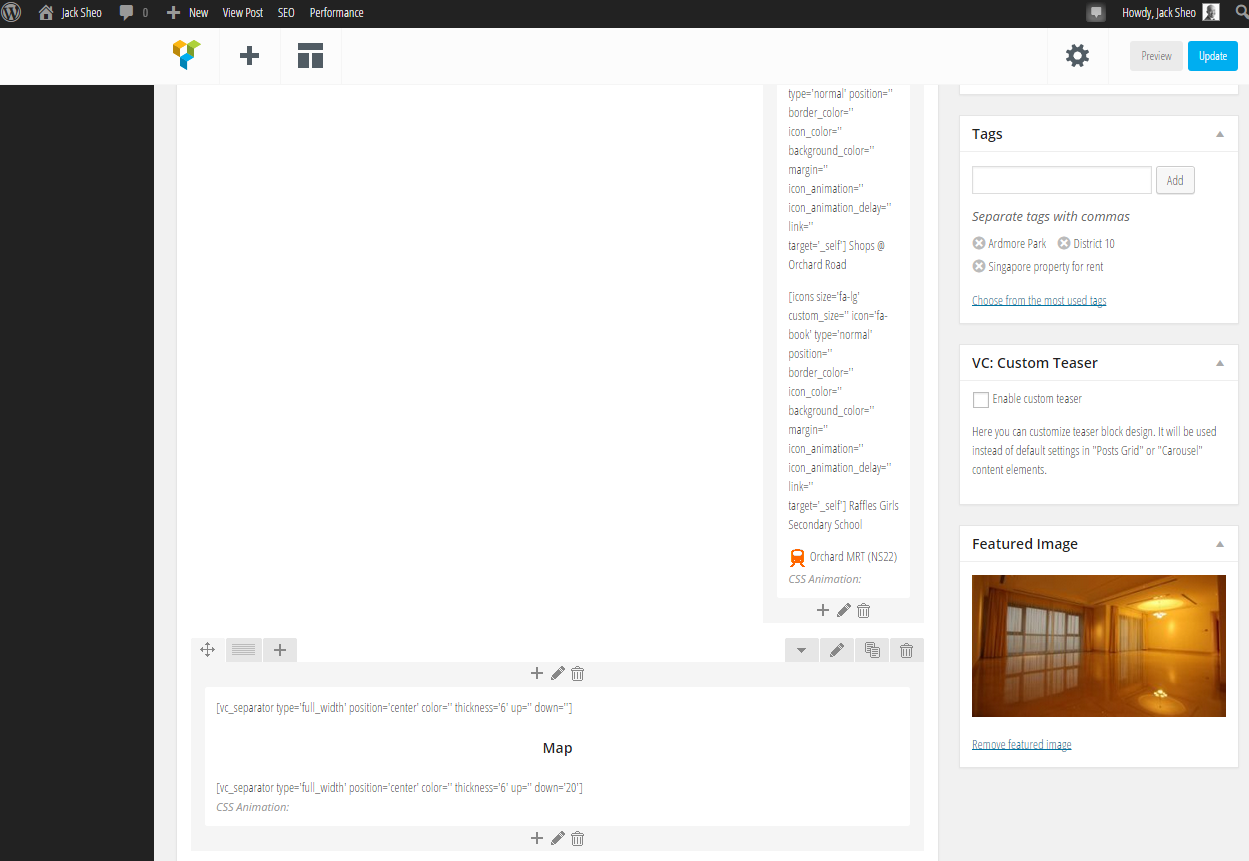
By the way, I have featured image set for the post but the thumbnail that is shown in the footer does not match the featured image that I set.
Plugin Contributor
 csonnek
(@csonnek)
Happiness Rocketeer 🚀
Can you let me know what site you’re having this problem? Once I have that information, I’ll be better able to help.
If you want it to remain private, you can also contact us via this contact form:
http://jetpack.me/contact-support/
Thanks!
Hi Carolyn,
Please see http://www.jacksheo.com – I use the top post & pages widget in the footer.
Thanks!
Plugin Contributor
csonnek
(@csonnek)
Happiness Rocketeer 🚀
It looks like you’re using the Bridge theme from Theme Forest – how does that theme set up and manage featured images? It’s a premium theme, so I can’t download to test its behavior.
It looks like the widget is using the Gravatar for the post/page author. Even if a featured image is not set, it should pull a related image from within the post/page itself and only fall back to the author’s Gravatar when no image is available. This tells me that your theme may be setting the featured image or other images in its own unique way. Can you take a screenshot of the post editor for one of those posts and show me where the featured image is set?
Additionally, two of your current top three posts/pages is your homepage (which would not have a featured image set) and your properties page (which seems to be a category archive page, which would also not have a featured image). In those two cases, the Gravatar would be used instead.
Let me know if you have any questions.
Sorry for the late reply.
Please see the image here: http://www.jacksheo.com/images/featured-image.png
In that same screenshot, you will see the orange train icon which is the featured image that is wrongly used. That section you see is visual composer.
The theme author said they are using standard WordPress featured images and are not declaring featured images in any way.
I can understand if a page makes it to the top 3 and uses Gravatar. But right now postings are not behaving correctly.
HI! Currently, I see the following 3 pages in your Top Posts and Pages widget:
http://www.jacksheo.com/about-jack-sheo/testimonials/
http://www.jacksheo.com/singapore-properties-for-sale/
http://www.jacksheo.com/
It does appear to be using the correct images (the “Home” page doesn’t have a Featured Image set with it).
If you get another post to show there, can you point me to it?
Hi Richard,
Please see http://www.jacksheo.com
One of the posts made it to the top 3 and is showing an orange train icon instead of the feature image.
I don’t seem to see this at the moment:
http://i.wpne.ws/Y8ba
The posts themselves might have changed in the past few hours, so could you send me a link to the post where the Featured Image isn’t selected in the Top Posts widget?
Thanks!
Was this issue ever resolved? I am having a similar issue on this article. Notice the thumbnail in the Jetpack “popular articles” on the sidebar is pulling in the author’s gravatar image instead of the actual featured image.
http://www.geneticliteracyproject.org/2015/05/18/myth-busting-on-pesticides-despite-demonization-organic-farmers-widely-use-them/