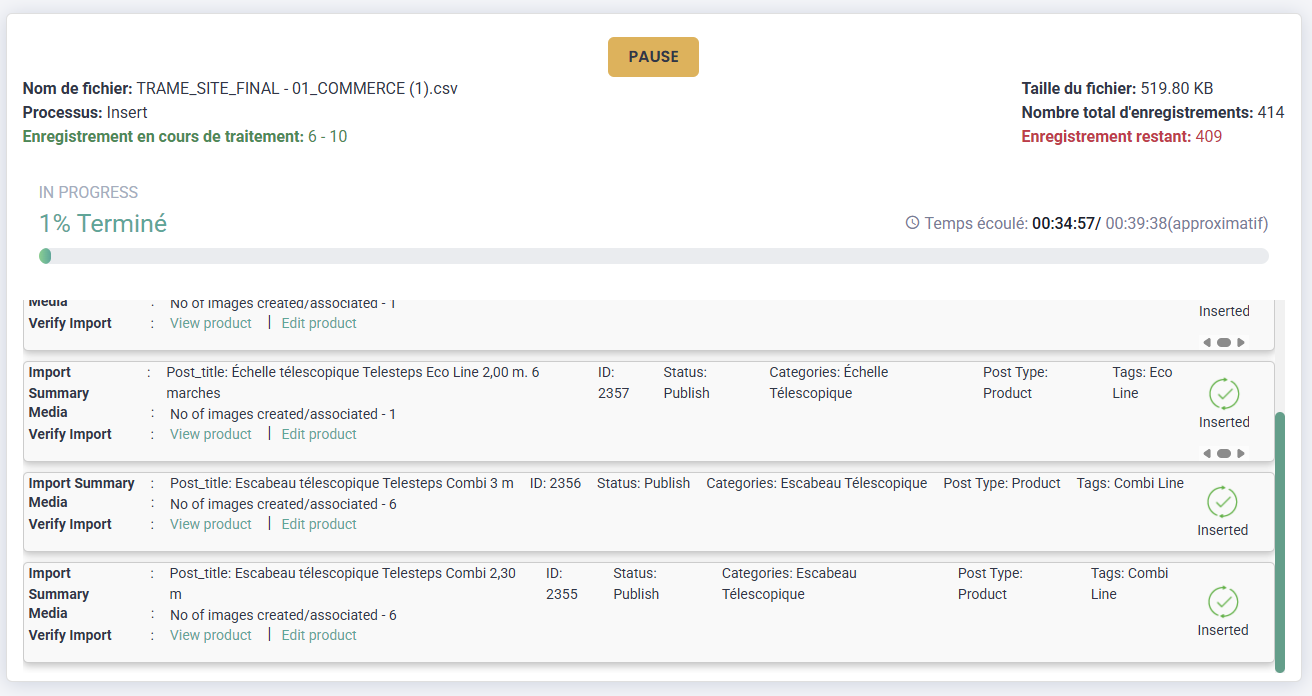
Hello, I’m having trouble importing data. I have a CSV file with over 400 products, but the import process keeps freezing. At first, it would freeze after 5 products; I restarted it, and now it freezes after 10 products. Do you know how to fix this problem?
Thanks for sharing the details. When an import stops after a few records (like 5 or 10), it can be due to several reasons, like server limits, or timeout settings.
@corentinprivas Thank you for sharing the file and screenshots.
We reviewed the CSV and noticed that it contains a large number of WooCommerce products with remote image URLs. Imports of this size can place additional load on the server during image download and product creation.
To improve handling for this use case, we have further optimized the WooCommerce import process on our side, including:
Improved remote image download handling
Better batch execution flow for large imports
Additional stability optimizations for bulk WooCommerce product imports
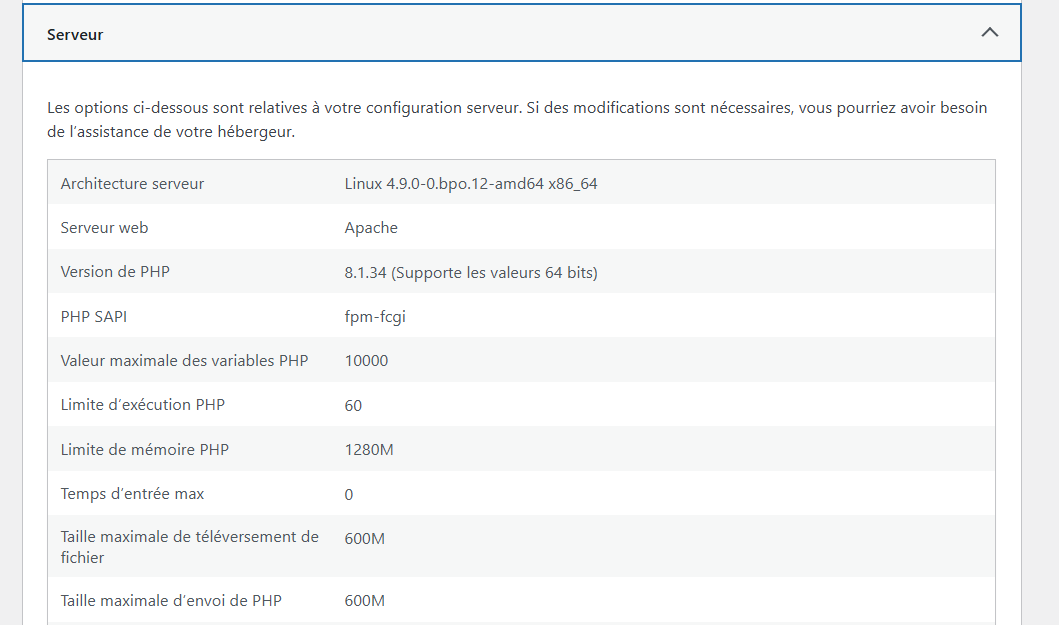
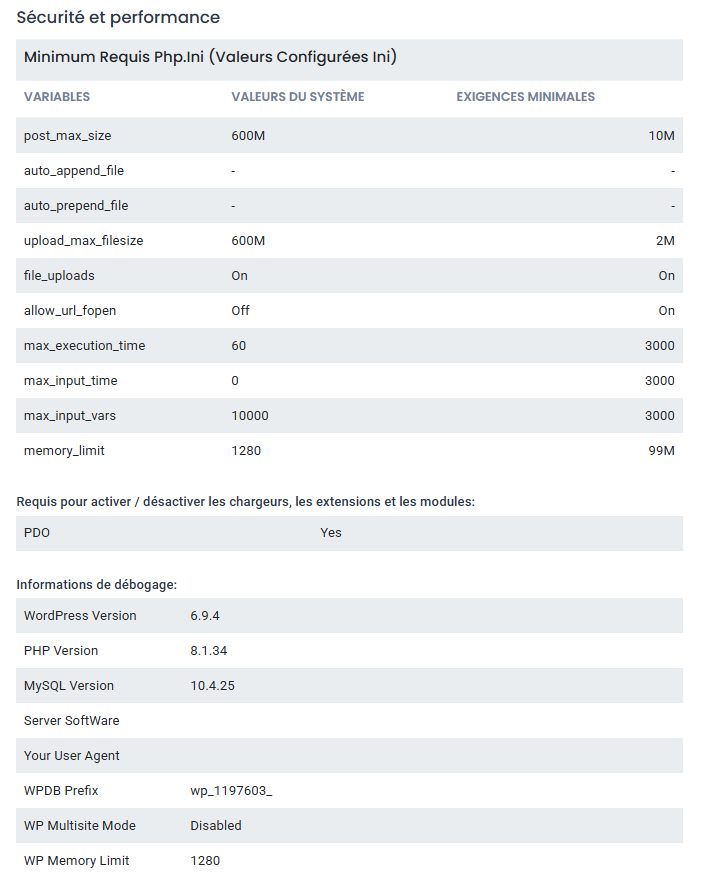
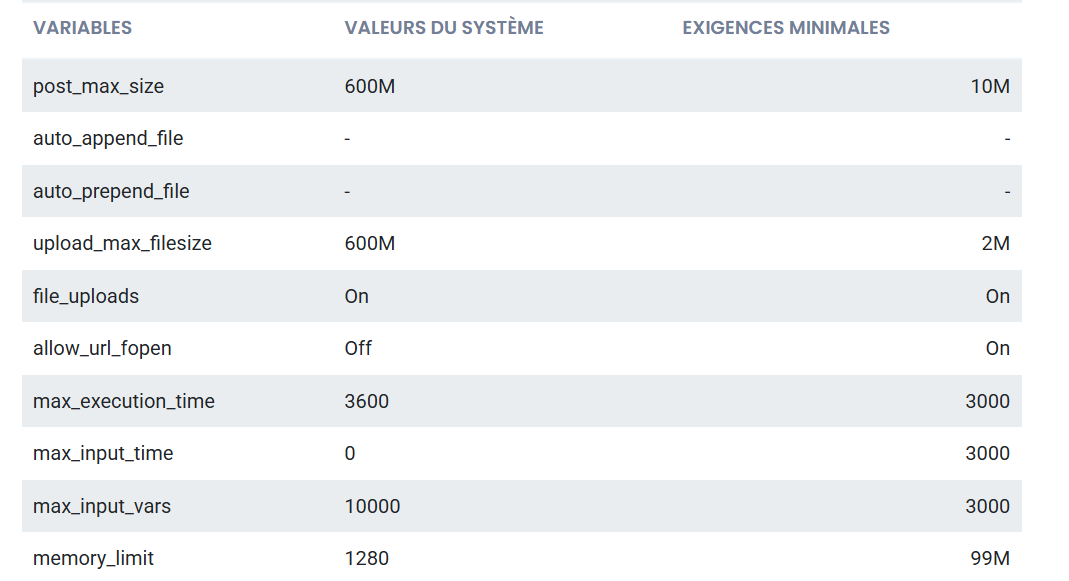
Since the import involves many products and external images, we also recommend verifying the following PHP/server settings to ensure the server can process larger batches smoothly:
max_execution_time = 300 or higher
max_input_time = 300 or higher
max_input_vars = 3000
memory_limit = 1024M or higher
allow_url_fopen = On
These settings are especially important when importing large WooCommerce datasets with remote images in a single process.
Please try the import again after applying these settings and let us know the result. If the issue still persists, we’ll continue investigating further.
@corentinprivas Thank you for your patience. Our developer has tried exactly with your environment set up and finds it working. Can you please reach out to us at support@smackcoders.com. Our team will help you resolving this.