• Resolved cowtan

    (@cowtan)


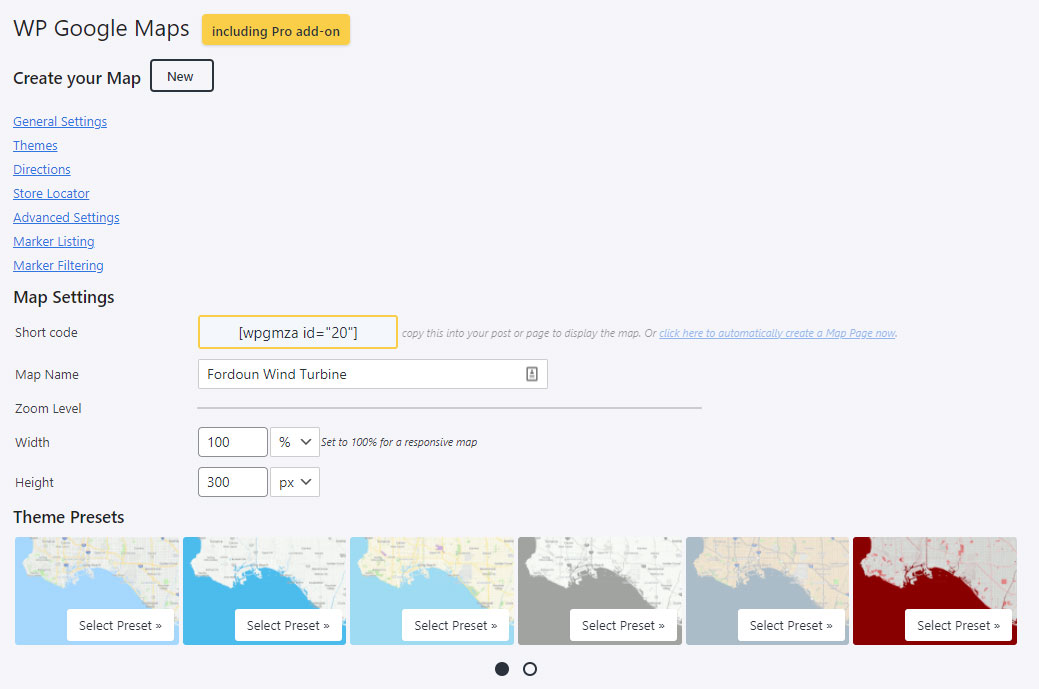
    I’m not sure when it stopped working properly but we have a problem with the page for editing maps not displaying correctly. I’m not sure when it stopped working properly, it has worked fine in the past.

    The main problem is that the save button at the bottom of the page is now obscured so we can’t edit or save any maps.

    We’re running 8.1.16 and 8.1.14 of the pro add-on, and 5.8.1 of WP. If you need any more info let me know.

    Screenshot of edit page

Viewing 2 replies - 1 through 2 (of 2 total)
  • Hi @cowtan,

    Thank you so much for getting in touch, we really appreciate your time.

    Could I kindly ask you to navigate to -> Maps -> Settings -> Advanced Settings -> Please enable “Developer Mode” -> Save the settings.

    Once complete, please deactivate “Developer Mode” and save the settings once more.

    This should essentially allow some of the files to “recompile” and hopefully help load the correct scripts and stylesheets in your admin area.

    Let us know if this helps?

    Kindest Regards,
    Steven De Beer

    Thread Starter cowtan

    (@cowtan)

    Hi @stevendebeer stevendebeer
    Many thanks for getting back to me so quickly and your suggestion has fixed it.
    thanks again,
    Gordon

Viewing 2 replies - 1 through 2 (of 2 total)

The topic ‘Problem with back-end user interface’ is closed to new replies.