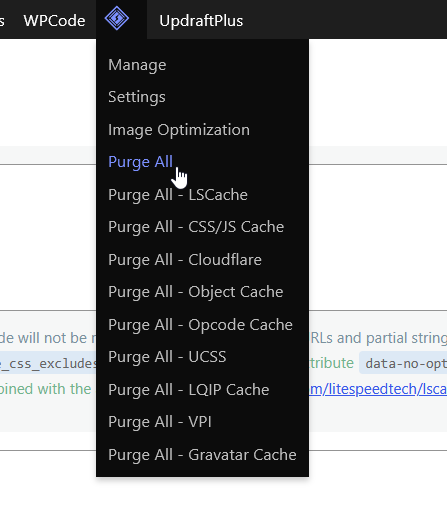
• Hello,

    For some time now I’ve noticed that the Pinterest plugin/button that allows visitors to save (Pin) images from my website doesn’t display correctly.

    If I completely purge the LiteSpeed Cache, the Pinterest button works normally for a while and is displayed correctly. However, after some time, it starts displaying incorrectly again, and when this happens, the button doesn’t work at all.

    Here are some screenshots showing the difference:

    Working correctly:
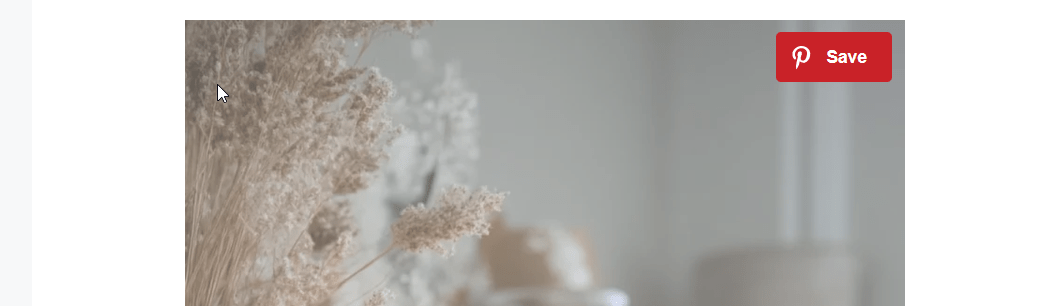
    Broken / not working:

    Has anyone experienced this issue before?

    Is there any LiteSpeed Cache setting that could be causing this behavior, or is there something I should exclude from caching?

    Last Report Number: UPVPVHYP

    Any help or suggestions would be greatly appreciated.

    Thank you!

    The page I need help with: [log in to see the link]

Viewing 15 replies - 1 through 15 (of 25 total)
  • Plugin Support litetim

    (@litetim)

    @juanwp22
    I am unable to visit the link: Cloudflare is stopping me
    From what I see the error is from JS optimization: minification OR combination.
    Try adding to JS Exclude the JS that loads Pin it button

    Thread Starter juanwp22

    (@juanwp22)

    Hi @litetim what country? To unlock 🙂

    Plugin Support litetim

    (@litetim)

    @juanwp22 Romania

    Thread Starter juanwp22

    (@juanwp22)

    @litetim Done! You can check now. Thank you!

    Plugin Support litetim

    (@litetim)

    @juanwp22 I can acess the site.
    For me the page is working. Have you changed settings?

    Thread Starter juanwp22

    (@juanwp22)

    Thanks for checking!

    Yes, I had to purge the LiteSpeed Cache, and after that the Pinterest button started working correctly again. However, this is only a temporary fix. After some time, the issue comes back, and the button becomes broken again.

    Do you have any idea what could be causing this? Is there anything I should exclude from caching to prevent this from happening?

    Thanks!

    Plugin Support litetim

    (@litetim)

    @juanwp22 If the site is working after you clean cache that means that something else is caching your site(html or other resources) and is not being cleaned when LSC is refreshing the cache.
    Make sure Cloudflare is used as CDN only, not to cache any resources or page HTML.


    Thank you

    Thread Starter juanwp22

    (@juanwp22)

    Thanks for the suggestion.

    Cloudflare is configured only as a CDN. In the Cloudflare dashboard, the Caching Level is set to Standard (see the screenshot attached).

    So, for now, you don’t recommend excluding anything in LiteSpeed Cache?

    I’ll leave this topic open because I’m pretty sure the issue will happen again later today. When it does, I’ll share any additional information that might help identify the cause.

    • This reply was modified 3 days, 10 hours ago by juanwp22.
    Plugin Support litetim

    (@litetim)

    @juanwp22 Please leave it open and I will assist in the future
    Try setting up this in LSC: https://docs.litespeedtech.com/lscache/lscwp/cdn/#cloudflare-tab

    Thread Starter juanwp22

    (@juanwp22)

    Thanks! I just enabled that option. I didn’t have it enabled before.

    Now that I think about it, I have another website where this option is enabled, and I don’t think I’ve experienced this issue there.

    One question: should Clear Cloudflare Cache be set to ON? It’s currently set to OFF.

    Thanks again for your help!

    Plugin Support litetim

    (@litetim)

    @juanwp22 Clear Cloudflare Cache set it ON

    Thread Starter juanwp22

    (@juanwp22)

    @litetim

    It happened again.

    If you visit the post I mentioned earlier, you’ll see that the Pinterest button is broken again and is displaying incorrectly.

    Plugin Support litetim

    (@litetim)

    @juanwp22 I see
    Let’s try something else:
    add /craft-ideas/easy-diy-fall-crafts-for-adults/ to UCSS Exclude URL
    Clear all cache(DO NOT CLEAR UCSS, for now).
    Test this page(CF will clear the cache too).

    If this fixes the issue, add:
    .dpsp-pin-it-wrapper
    .dpsp-pin-it-wrapper .dpsp-pin-it-overlay
    .dpsp-pin-it-wrapper.dpsp-always-show-desktop .dpsp-pin-it-button
    .dpsp-pin-it-button .dpsp-network-icon

    to UCSS Selector Allowlist
    Clear all + Clear All UCSS
    Visit the page incognito and return to https://docs.litespeedtech.com/lscache/lscwp/pageopt/#generate-ucss and run the queue.
    After the queue have run visit the page incognito.

    Thread Starter juanwp22

    (@juanwp22)

    @litetim Like this?

    Excluding what you mentioned, and after deleting it using the button I showed in the image, it now looks correct.

    • This reply was modified 2 days, 1 hour ago by juanwp22.
    Plugin Support litetim

    (@litetim)

    @juanwp22
    Perfect, then the problem is in UCSS generation

    Now follow steps to test new UCSS generation with allowlist activated.
    0) Remove link exclude from https://docs.litespeedtech.com/lscache/lscwp/pageopt/#ucss-uri-excludes
    1) Add these lines:
    .dpsp-pin-it-wrapper
    .dpsp-pin-it-wrapper .dpsp-pin-it-overlay
    .dpsp-pin-it-wrapper.dpsp-always-show-desktop .dpsp-pin-it-button
    .dpsp-pin-it-button .dpsp-network-icon

    to UCSS Selector Allowlist
    2) Purge all + Purge All – UCSS
    3) Visit the page incognito and return to https://docs.litespeedtech.com/lscache/lscwp/pageopt/#generate-ucss and run the queue.
    4) After the queue have run visit the page incognito.

    • This reply was modified 2 days, 1 hour ago by litetim.
Viewing 15 replies - 1 through 15 (of 25 total)

You must be logged in to reply to this topic.