How to display posts & in a gallery?
-
Ok so I found the shortcode to display the Patient Review Form I’ve created
But I don’t see a way or any short code to use to get these Form posts to populate?
https://www.ohiocannabis.com/patientreviews/
And preferably in a visually pleasing grid of some kind.
Is this possible?

-
I think I have a grid solution that will work if there isn’t something already built into the plugin.
Is it possible to have the attributes like Categories & other drop down boxes show within the actual published post so other users can see that particular info when they’re reading the patient reviews too?
All of the info I that needs to be entered here should also be shown/visible within the post/review.
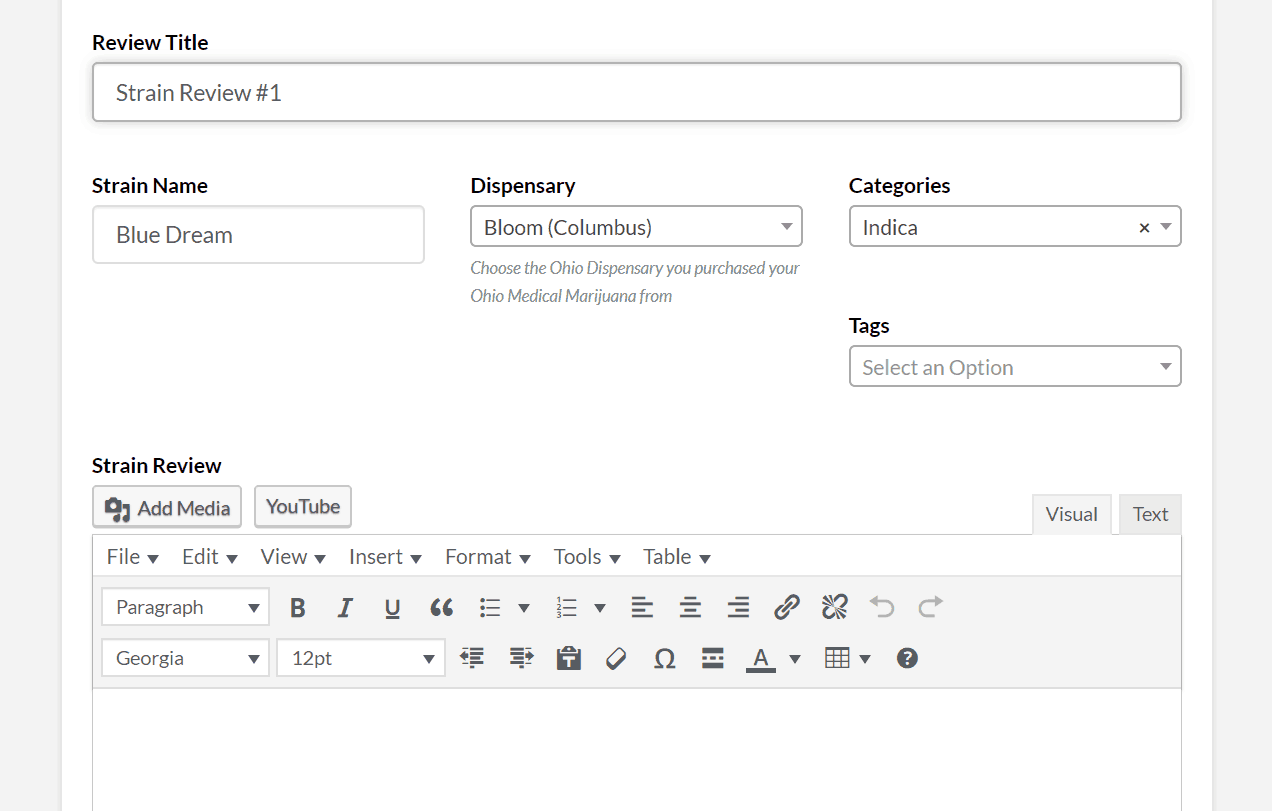
Here’s a screenshot of all of these Attributes I’d like to have populate in the published post:
https://www.ohiocannabis.com/wp-content/uploads/2019/08/Untitled000.png
Hello @johnnyscience,
Yes, it will be possible within WPUF to show the category within the post if you use a dropdown field [instead of the category field in taxonomy section] and add the category items as the options of the dropdown. Name the field as category and then set the post visible for frontend.
Please check out the video.
Regards,
Ok thank you, I will try that later this morning.
What about a way to display all of the posts in a grid/gallery so it’s visually pleasing and compact on the space?
Ahh ok, the drop down category solution worked, thank you!
Question, these Attributes look like a very basic HTML list with bulletpoints – do I need to turn a feature on to make these Attributes look visually appealing or is it all CSS?
I would like these particular Attributes to stand out with colorful buttons/tags so the user can easily and quickly identify certain attributes by seeing colorful buttons/tags
I am also allowing users to upload photos for these Patient Reviews, so I’m looking for ways for them to do that easily and then also populate it in a visually appealing way with a grid or tiles or something within the post.
I’ve added the “Image Upload” field to the Post and I like the functionality of it. But is there a way to add arrows to the images so a user can easily cycle through them when the lightbox is open? Otherwise you have to go back to see the next image instead of just cycling through them with navigation arrows.
However, now with 2 image upload options with this and the Featured Image, it seems a bit cumbersome.
Is there a way for the Image Upload option to default one of the images to the Featured Image for the Post?
And currently all new Form Posts are created with the URL of ohiocannabis.com/newpost
Is it possible to have these specific Form created Posts be created with a different URL to keep them separated from the rest of my posts?
So say http://www.ohiocannabis.com/patientreviews/newpost
Is it possible to do this?
Thank you!
Does not using the proper Category Field and this drop down replacement, affect whether posts that are tagged under these manual Categories will show up like normal when you use category attributes elsewhere in WP?
Hello @johnnyscience,
About the attributes in bullet points: If you want to change their appearance from bullet or show them in any other color, you need to add proper CSS. You can always add CSS to make necessary changes.
I am afraid, it will be unavailable to change the URL for the submitted using a specific post form by default.
When you use a dropdown field and add the categories as the options, you can select the data for this post only. It will not affect anywhere else where you use the natural category field.
Regards,
Ok I have a problem with the alternative Category drop-down option.
Since this isn’t an official “Taxonomy” it doesn’t show up as a normal post category & therefore doesn’t activate the real category and therefore doesn’t show up in my Source list for populating my Essential Grid.
So how can I utilize the Category Taxonomy, yet get a multiple option drop down, radio button, check box or anything?
I only need 5 specific Categories to populate, I do not want all of the categories registered to populate in this user chosen drop-down?
The only way to get them to populate is to select the “Tag” I added, but I can’t rely on users to enter the proper tag and that’s why I need them to pick a certain category that I pre-fill in the drop-down.
Thanks!
-
This reply was modified 6 years, 11 months ago by
JohnnyScience.
-
This reply was modified 6 years, 11 months ago by
-
This reply was modified 6 years, 11 months ago by
Hello, anything on my last post?
Thank you.
Hello @johnnyscience,
Please accept my apology for the delayed reply.
In order to fetch the custom field category data of the WPUF plugin within any third-party plugin, then you need to integrate the plugins first. Without adding proper integration, you will be unable to fetch the data within Essential Grid plugin.
Regards,
Hello, ok how do I integrate Essential Grid plugin with the WPUF plugin?
I’ve tried googling for this plugin integration you’ve mentioned and I can’t seem to come up with anything.
This is the last part that’s holding me up from getting a Patient Review section up and running. Until I can get these particular posts to populate on a certain page, I can’t use it.
And the only way and a very effective one is for me to use Essential Grid for adding blog post sections to various parts of my website.
Thanks!
Hello, any updates? I’ve been stuck on this particular issue for a few weeks now and I’ve been anxious to get this live and active and can’t until this category issue is cleared up. As soon as it is I also plan on upgrading to the Pro version.
Thank you!
Hello? Still stuck on this.
Thanks.
Hello @johnnyscience,
I am so sorry for the delay.
First of all, in order to integrate Essential addon, you will have to add the proper custom code.
I am unable to provide the custom code here for integrating WPUF with Essential Addon because it will require working on multiple forms. So it would be great if you can contact a developer or you can contact us.
Regards,
-
This reply was modified 6 years, 11 months ago by

The topic ‘How to display posts & in a gallery?’ is closed to new replies.