google map widget
-
hello ive got a problem with my google map widget (its grey)
can you help me on this
globrod.com
thankss

-
hi,
i think this topic was continued here from https://wordpress.org/support/topic/google-map-14?replies=11
(thank you for having continued this thread here in the plugin forum by the way- it makes it easier for other plugin supporters to see the thread!)
browsing to the site right now, I see it doesn’t quite seem to act quite right.
what happens if you temporarily switch to a default WordPress theme- like the twenty fifteen theme?
How does it look then?
(the idea is that if it looks good with twenty fifteen theme then it would point to a theme conflict)
i think its with the theme but i dont want to switch and have some trouble…
Is it the theme here the Sled theme?
( http://themeforest.net/item/sled-a-stylish-blogging-theme-for-sharing-stories/10522240 )Maybe try asking the theme authors for help/advice to make the theme play nicely with the Google Maps Easy widget?
yes i sent an email
Hello.
Can you please provide me with link to your site where I can see your issue with our map widget?globrod.com
🙂
Hi! How’s it going- what do you think you’ll do- keep asking the theme author for help, or switch to another theme, or?…
Regards,
mjassenheyyy i tried another plugin
check if its working
globrod.com
Hi again, Is it now using “WP Google Maps”? ( https://wordpress.org/plugins/wp-google-maps/ )
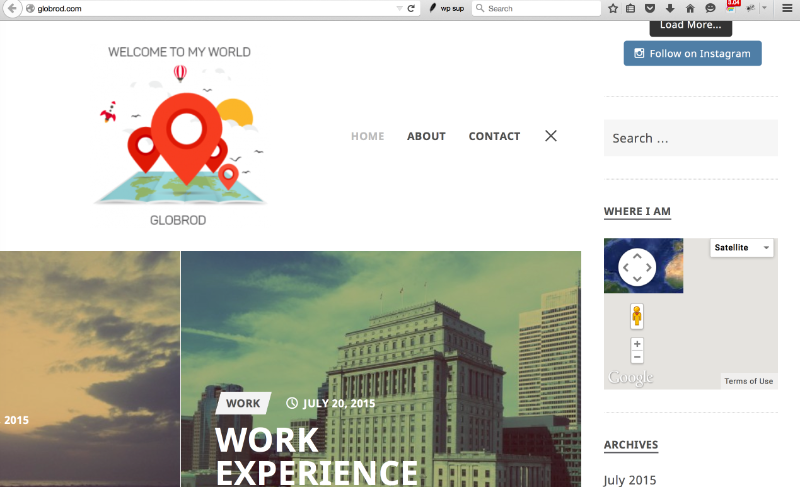
Here’s the way it looks for me now:
2015-07-24-0756-globrod-maps-sidebar.png
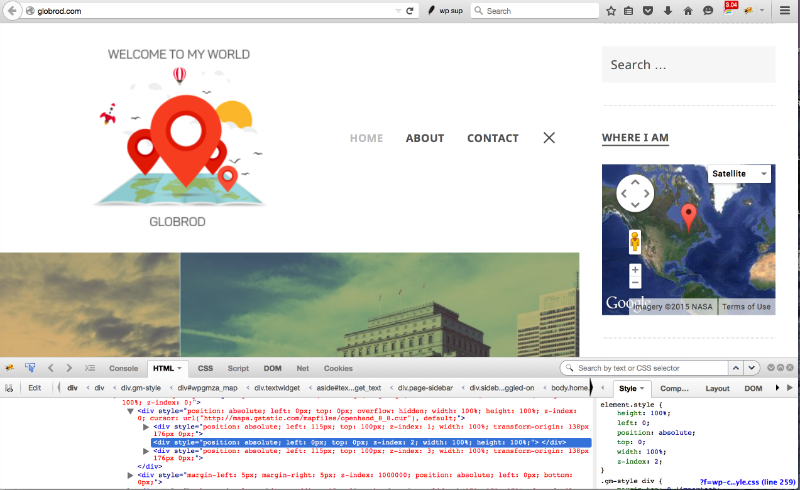
https://cldup.com/3-UpCZcEmx.pngBut I noted that about a minute later, right about the time I opened Firebug to take a look, then the map suddenly appears ok. (!!!)
2015-07-24-0756-globrod-maps-sidebar_later.png
https://cldup.com/aGLyVdXiPS.pngBut I remember it having done this with the Google Maps Easy plugin as well.
In other words, I don’t see any better off with this new plugin, but i don’t see any worse off, either.I guess that could mean that it’s a theme conflict that’s causing the symptom?
How about the Sled theme authors- to what extent have they been able to help– how is that going?
im still waiting for his answer
but thanks for your following up 🙂
Rod
Hello.
I see issue. When you open first time your widget bar – map is not ok there (it’s like on this screenshot https://cldup.com/3-UpCZcEmx.png), but try to re-size screen – and you will see that map loaded fine (it will be like on this screenshot https://cldup.com/aGLyVdXiPS.png). This is common issue, and now I try to explain. When your page load – this widget area is hidden, so google map do not know – what exactly is size of element where it need to be inserted. After you will re-size window for example – map will be auto refreshed (this is google maps feature) – and therefore it will be re-rendered fine. What you need to do – is to insert in your JavaScript code after code that open your widget bar – code that will auto re-render your map. I see that you are using not our plugin for now, so unfortunately – I can’t tell you what it need to be there. But if you will use our plugin – this should be:
gmpGetMapById(ID).refresh();
Where ID – is ID of your map in your widget area.can you give me step by step what i have to do and where please ?
im beginner 🙂
thanks
Rod
i added your plug in
Maybe, write back to the theme developer, and ask what’s the chance that they can add the Javascript code, as suggested by @supsystic?
Let me know how you go with this?!
@supsystic any news????


The topic ‘google map widget’ is closed to new replies.