Something is going on since the 7.0.1 update. Im on a fresh install no other plugins or themes. When I activate the classic editor plugin I cant create a post or page and have it save. I cant save drafts either. After saving it redirects me back to the list of post/pages and the age disappears.
I am only able to create/edit post and pages and save them if I am using the gutenberg editor. Doesnt matter if the plugin is still active gutenberg is the only thing that works. The odd thing is that not a single plugin that reverts to the classic editor or even a page build theme like wp bakery will work. They all have the same issue.
Thanks for the report @missodessa – I’m not able to reproduce this on my end. On a fresh wp install with only Classic Editor and the recent default theme active, I can create both posts and pages without issue, and updating them afterward also saves fine, no redirect/disappearing problem.
A few things that might help narrow it down on your side:
Is this also happening with the default theme of wordpress?
Is there anything unusual in the browser console (JS errors) when you hit Save/Update?
Any errors in your server/debug log (WP_DEBUG_LOG) around the time of the save?
That would help us a lot to get a better insight on what’s exactly going on.
@missodessa You’ve posted the same question about the exact same issue in several places. I’ve removed all of them except for this thread because that violates the forum guidelines.
@masteradhoc I have another server with a fresh install no other plugins or themes. I installed classic editor and the issue is the same there. I installed multiple different classic editor plugins and page builders and tested each one with the same result.
I decided to change my servers php version from 8.4 to 8.3 and now the issue went away. So I don’t think its a plugin issue but a wordpress/php 8.4 compatibility issue. I will remain on 8.3 for now I guess but the issue isn’t really solved.
@moderator My apologies at first I thought it was the specific plugin then realized it likely wasn’t after troubleshooting and there wasn’t a way for me to remove the post.
I tried to reproduce it on a fresh WordPress installation, but I wasn’t able to reproduce the error. Everything appears to be working as expected. For reference, I tested using the Classic Editor plugin: https://wordpress.org/plugins/classic-editor/
Could you please share your Site Health report along with a screenshot of the browser’s Developer Tools console? That will help us better understand why the issue is occurring in your environment.
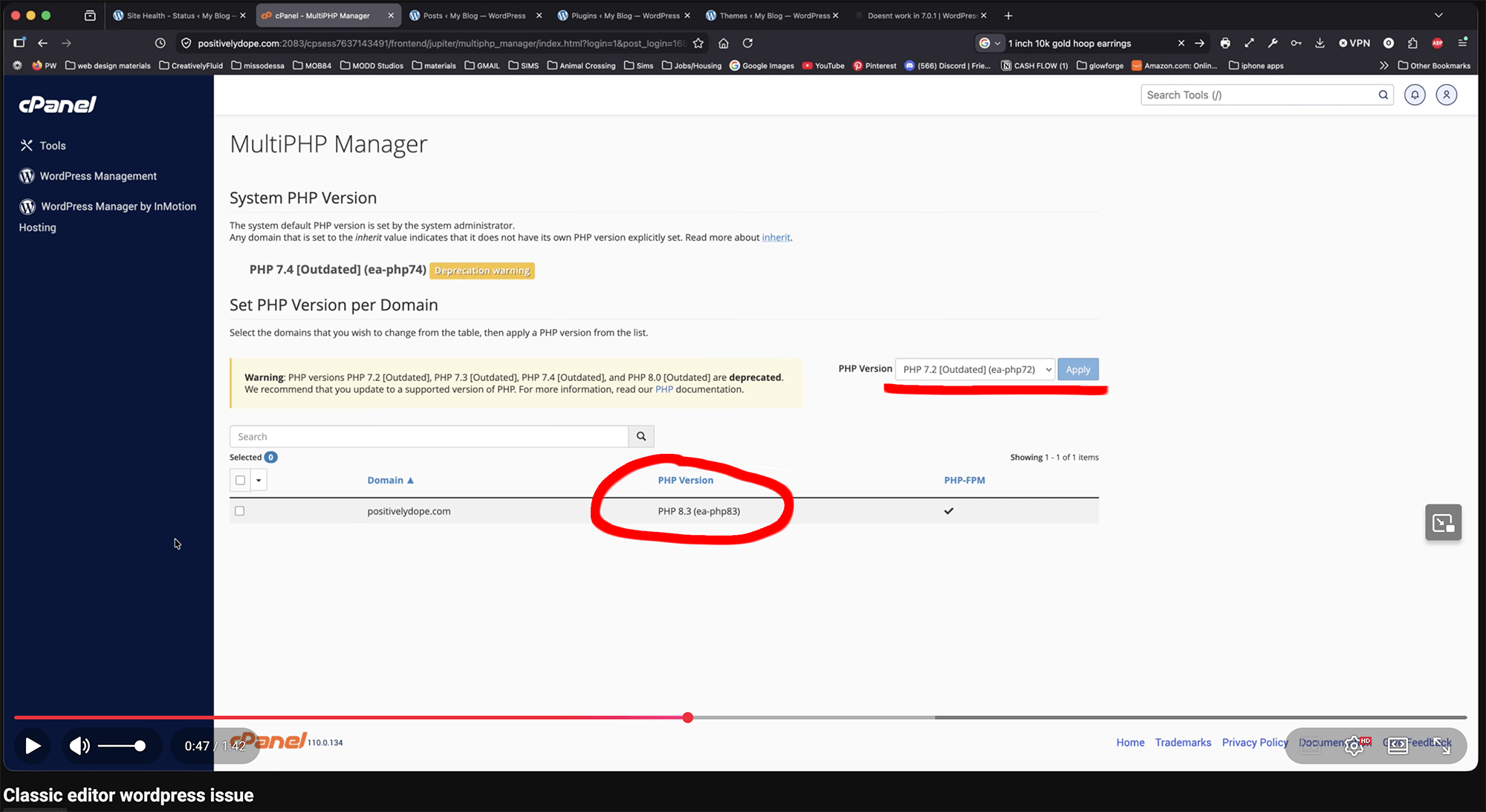
I made a typo when I said php 8.4 I meant 8.3….everything goes back to working on 8.2. I uploaded a video of the issue so you can see exactly what I mean.
According to the WordPress requirements (https://wordpress.org/about/requirements/), the recommended PHP version is 8.3. WordPress still supports PHP 7.4 for legacy compatibility, but in your video I noticed that you’re using PHP 7.2 when you get that error and it was not supported by WordPress.
That may be the cause of the issue. I’d recommend switching to a PHP version that matches the current WordPress requirements (preferably PHP 8.3) and then testing again.
Im not using wordpress 7.4 my website was on 8.3 when receiving the error, that drop down list automatically displays the earliest php version (not the version Im currently on). You can see the active php version on the list next to the domain name in the youtube video. You can see me use the drop down to change to 8.2. and then you can see the issue resolves itself and I am able to post and ad an image.
In the meantime, could you please mark this issue as resolved? If debug and found the issue in the future, feel free to reopen this issue or create a new one with the details.