• Resolved annikaamethyst

    (@annikaamethyst)


    In my document library, I should be able to hit “Add Document” and it has always sent me to the Edit Document page as show below with no problems.

    However, since the last update (1.3.0), when I click Add Document, it takes me to the screen below.
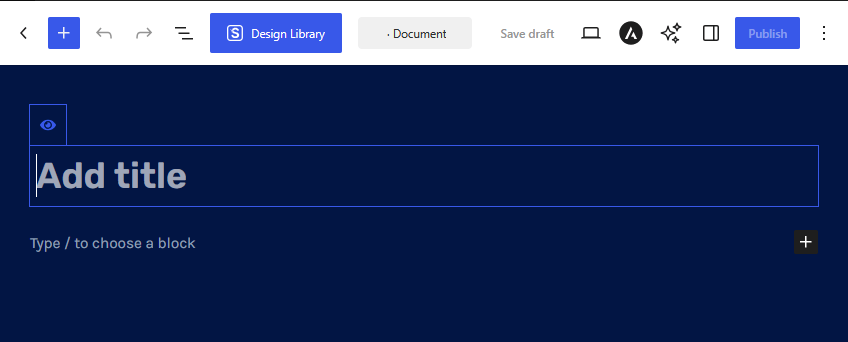
    If I try to edit a existing document, it takes to me to this page as well. I tried in the latest versions of Firefox (154.0.1) and Edge browser (152.0.4191.53). It’s as if the plugin isn’t launching properly. Using WordPress 7.1. I’m currently using another plugin to post the documents I wanted to add in another library. Any helpful suggestions would be appreciated.

Viewing 2 replies - 1 through 2 (of 2 total)
  • Hi,

    Thank you for using Document Library Lite! I’d be glad to help you with your concerns. I checked this on my end, and I wasn’t able to replicate the issue (https://share.zight.com/01a05832-0ced-72f6-8190-3d583b8c31a0). The easiest way to resolve this would be to use/install the Classic Editor plugin (https://wordpress.org/plugins/classic-editor/).

    If you do not want to use that, please disable all your other plugins and switch temporarily to the Storefront theme and see if the issue persists. If the issue is resolved, please enable your plugins one by one to see which one is causing the conflict. Then, please let us know.

    If the issue persists with all other plugins disabled and while running the Storefront theme, please contact us through our Support Center (https://barn2.com/support-center/) so that we can further assist you.

    I look forward to hearing from you.

    Carl

    Thread Starter annikaamethyst

    (@annikaamethyst)

    Installing the Classic Editor plugin worked! I can upload documents again. Thank you!

Viewing 2 replies - 1 through 2 (of 2 total)

You must be logged in to reply to this topic.