wp_sam

Forum Replies Created
-
Forum: Fixing WordPress
In reply to: Get white screen after activating child themeWell easy option for you is to install this plugin – http://wordpress.org/extend/plugins/error-log-monitor/ this will help you to monitor error.
Forum: Fixing WordPress
In reply to: wp-adminCan you paste your site URL here, I can tell you after seeing the site.
Forum: Fixing WordPress
In reply to: Edit timestamp, Visiblity & Schedule Post not workingI replace the 3.4.2 wp-admin files and wp-include files only. Then I got a message to update database and I simply did it. It was done.
Forum: Fixing WordPress
In reply to: Edit timestamp, Visiblity & Schedule Post not workingI found out that my theme is not supporting latest WordPress version 3.5 so I have now rolled back to 3.4.2. Any other suggestion.
Forum: Fixing WordPress
In reply to: Can't Acess my Wp-admin what to do ?I guess theme is not installed properly, remove the theme and try to upload again.
Forum: Fixing WordPress
In reply to: Access my website admin pageits your site address like http://www.yourdomain.com
Forum: Fixing WordPress
In reply to: How to upload large photo?increase PHP’s file upload limit. In php.ini file, change the parameter to whatever size you need (example: )
upload_max_filesize = 32MOR
add this to top of wp-config.php
define(‘WP_MEMORY_LIMIT’, ’64M’);Forum: Fixing WordPress
In reply to: Newbie QuestionI guess this plugin will help you – downloads.wordpress.org/plugin/follow-button-for-jetpack.1.0.1.zip. Note that this plugin will work with jetpack.
Forum: Fixing WordPress
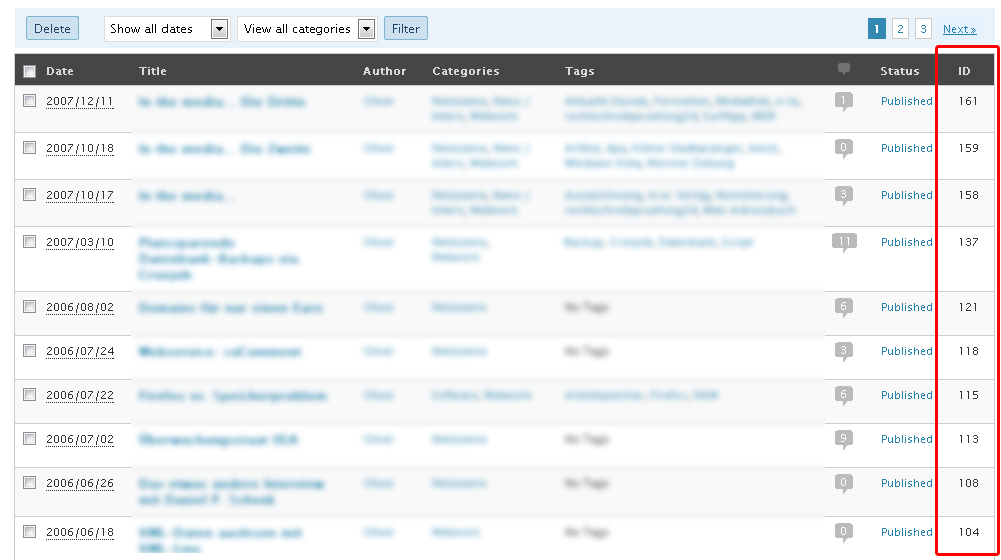
In reply to: Page IDyou need to activate the plugin & after activating go to Dashboard> Setting and click on reveal IDs option you will see a backend like this http://i49.tinypic.com/ank8jm.jpg. save the option as required.
To see IDs click on All Pages, All Posts link you will see a screen of all pages with ID like this http://www.schloebe.de/wp-content/uploads/wp-25-post-ids.gif
Hope this will help.
Forum: Fixing WordPress
In reply to: Custom CSS to hide certain images?correct @ s_ha_dum
Hey there,
I am still waiting for the response on the above queries. If someone know how to remove the popup from the Mobile site version without removing from the Desktop site, Please help me as it is brainstorming & any help for this will be highly appreciated
Thank you in advance!!!
Forum: Fixing WordPress
In reply to: page not found, 404 error on my homepageyou need to check theme option provided or try to relocate new home page via Dashboard -> Setting -> Reading and select a static page.
http://codex.wordpress.org/images/thumb/2/25/options-reading.png/640px-options-reading.png
Forum: Fixing WordPress
In reply to: Custom CSS to hide certain images?Try using display: none in CSS ID. That will help I guess.
Forum: Fixing WordPress
In reply to: Posts not displaying commentsrename plugins folder from ftp and refresh webpage to see if there is any kind of plugin conflict? If this works, re-activate the plugins one by one until you find the problematic plugin(s).
Forum: Fixing WordPress
In reply to: Page ID@ belhutch use this plugin http://www.schloebe.de/wordpress/reveal-ids-for-wp-admin-25-plugin/ hope this will help.