Virginie FAVRAT

Forum Replies Created
-
Forum: Plugins
In reply to: [FileBird Document Library] Translation is not workingHello.
Thanks for your answer, but I do not understand.
My files are already named filebird-dl-fr_FR.mo and filebird-dl-fr_FR.poForum: Themes and Templates
In reply to: [Shapebox] Light/Dark Theme Toggle on mobileYes !
It works fine on mobile and on my computer 😉
I completely forgot to empty cache before trying again after update.Thank you very much.
Hi !
It is impossible to create a ticket for free.
It ask me a Purchase Code.Please help.
Forum: Themes and Templates
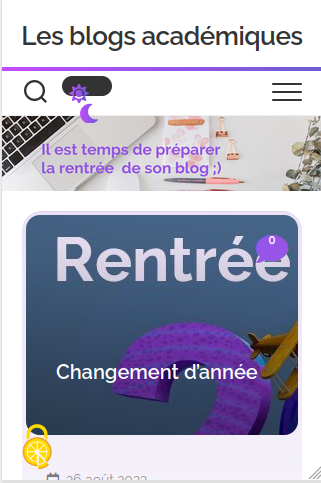
In reply to: [Shapebox] Light/Dark Theme Toggle on mobileHello.
I am using Firefox as mobile browser.
The bug has not been fixed with the new version. It is worse because it is impossible to change light or dark theme.
I also try on my computer with Firefox and I can not change light or dark theme.Thanks for your help but with Firefox Browser there is still a bug.
ScreenshotHello !
I only use Gutenberg Editor.
As you can see on my post (the link above) the block is present. As I link pictures with the media, I can click and open the pictures, but in the post the block is transparent.
I tried with several themes and the result is the same.
Thank you for investigation.
I have just tried other validation such as 10 characters max or National -> France. It is OK.
The issue is from the National -> France, Métropolitaine validation.I found the issue.
I used the validation for the phone number (France Métropolitaine) and it was disabling all visibility rules.I let you look for the solution.
For the moment I remove this validation.Forum: Plugins
In reply to: [WC Captcha] Conflict with SearchHello !
I have the same issue.
In order that you can test I install and activate your plugin on a test site : https://testdranevf.blog.ac-lyon.fr/.
The issue appears when you try to login (when you click on the button), when you search, when you want to validate a password to read a protected post…
Everything was fine before the update from version 1.2.2 to 1.3.Thanks in advance.
Sorry for this message.
I find the solution which is not an issue with your plugin.
I uninstall another plugin (Glossary) which was updated at the same time that Yoast SEO.
And I can access to the dashboard again.The bug has been fixed an hour ago.
https://wordpress.org/support/topic/fatal-error-4156/- This reply was modified 4 years, 2 months ago by Virginie FAVRAT.
Hello !
This is the export :
https://pastebin.com/bSdZNTD5I have just delete the emails.
Thanks in advance.
Virginie
I have just understood where to change it 😉
When you set the field, you can change every label.
So it will be wonderful if your developers can make it translatable.
But it is less in a hurry 😉Thanks.
Thanks for your quick answer.
But I am not sure I understand well this sentence “those are labels you can edit while creating the Post”.It is possible I explain badly my problem.
When a pupil is using the form to post, the name of each field is in English. Many French pupil do not read English words until 12 years.
So it is a difficulty to use this form.
Which is a shame because it is a marvelous form to help pupils and teachers.If you understand well my problem, I think I will have to be patient 😉
Best regards.
Virginie FavratHello !
I had the same issue.
I copy the php code in a php file in mu-plugins.
It fixes the bug.
Thanks.Will it be fixed in the next version ?
Forum: Themes and Templates
In reply to: [Baskerville] Logo and titleThanks for your quick answer.
I tried to put the logo in the header image. But it appears blurred.
For example here : https://psmstruffaut.blog.ac-lyon.fr/wordpress/Why ?
The picture used in the header : https://psmstruffaut.blog.ac-lyon.fr/wordpress/wp-content/uploads/2021/10/avec-logo-1.png
Hello.
I have this message in several browsers, several containers, several sites, two different computers, two different networks, with several install methods.
I can not find any solution.
Please help !- This reply was modified 4 years, 10 months ago by Virginie FAVRAT.