Jay Versluis

Forum Replies Created
-
Forum: Fixing WordPress
In reply to: Installing wordpress and index.htmlHi ayane9,
browsers try to load that index file by default. They will also try to load start and home files too, and it depends on the browser which file is attempted first. Furthermore, you could have an index.htm and an index.html file at the same time, and again it depends on the browser to load either one of them first.
Because WordPress is PHP based, its main file is index.php. Make sure it’s the only variation of index.* in your home directory and rename (or delete) all others, including home.* and start.*
This particular file will only be picked up if WordPress is installed in your root directory: so if it lives in a subfolder then you must navigate to the subfolder in order to load WordPress in your browser (example.com/wordpress). Do you have WordPress installed in the root directory?
Forum: Fixing WordPress
In reply to: Building my first website with WordPressI’ve been in this situation before too. In principle there are two approaches here:
1.) You pick the hosting provider and pay for it, keep the contract and charge your client ongoingly. The benefit for your client is that he has a single point of contact (i.e. you) and a single bill to pay, no matter which subsidiaries you decide to go with.
2.) You recommend a hosting provider to the client, who in turn signs up. He pays the hosting bills and gives you access to the hosting control panel. You charge for your services, and from then onwards it’s the client’s responsibility to maintain the site. The benefit is that the client has full access to the control panel and can do anything they want with it in the future.
Both approaches have their advantages, and it depends on how technically minded your client is: if they are happy for you to be the future point of contact for all web related needs, go with option 1. If they are happy to apply updates themselves, go with option 2.
There is technically no difference between “hosting” and “shared hosting”, both just mean that a remote server will take care of serving content. Specifically, “shared hosting” means that one server hosts multiple websites – it’s the most common form of budget hosting. There are other forms of hosting in which one VPS or dedicated server only hosts a single site, or hosting where multiple servers host a single site and perhaps auto scale with demands.
Forum: Fixing WordPress
In reply to: WordPress can't send mail for Forgot Password and new accountHi MrYann,
I ran into the same problem today on a CentOS 6 server. Just like in your case, sendmail was working, and other PHP mail scripts were working too.
Turns out that it was caused by SELinux which can prevent mail from being sent. To test, try this from the command line:
/usr/sbin/getsebool httpd_can_sendmailThis will show you ON or OFF. To change it, run this:
sudo setsebool -P httpd_can_sendmail 1This can take several minutes depending on the speed of the server. It solved the problem in my case.
Forum: Themes and Templates
In reply to: [P2] About editing option for contributorThat’s right, posts can only be deleted from the admin interface, not from the front page.
In regards to removing items from the admin interface, I’ve written a plugin for that called Zen Dash. With it you can selectively switch off menu items and dashboard widgets:
Forum: Themes and Templates
In reply to: [P2] About editing option for contributorHi greenfuture,
it’s a little complex, please bear with me. You must understand how WordPress handles the various user roles: only Authors, Editors and Admins can write and consequently edit their own posts. Contributors and Subscribers cannot usually publish posts. It’s explained in more detail here: http://codex.wordpress.org/Roles_and_Capabilities
P2 offers an option which lets “all users” write posts (under Appearance – Theme Options) – but the post owners are still governed by WordPress. Therefore, Subscriber and Contributor posts show up in P2, but they can’t be edited by either user role.
The solution to your problem is to make every registered member an Author. That way they will be able to edit their own posts on the front page.
Hope that explains it.
Forum: Fixing WordPress
In reply to: XML Import Fails – Internal Server ErrorInsanity! It WORKS! This was driving me crazy – a thousand thanks for sharing this, Anon!
Forum: Themes and Templates
In reply to: [P2] Blog date after titleHi fendlel,
here’s a quick fix that will swap the post title and the date. Feel free adjusting the margins to suit your taste, or add extra padding where required:
/* swap post title and date */

#main h4 {

  margin-top: 30px;

  margin-bottom: 15px;

}

#main .postcontent h2 {

  margin-top: -65px;

}
Note that results may vary on your own site – looks like you’ve made some modifications to the look and feel of P2. Good luck 😉
Forum: Themes and Templates
In reply to: [P2] P2 and JetPack 3.0 Social IconsAnytime!
Forum: Themes and Templates
In reply to: [P2] YouTube link in P@ not workingIt’s a bit pernickety:
The link needs to be on its own line, and it must not be the last line in the post. Hit return after the link so your cursor is on a new line – that should solve your problem.
Forum: Plugins
In reply to: [Disk Space Pie Chart] E-mail alerts featureThat’s a great idea – I’ll see what I can do. Perhaps I can add an option to choose when notifications shall happen, 90%, 95%, 99%, something like that?
Forum: Themes and Templates
In reply to: [P2] No embeded video controls in P2 themeJust wanted to let you know that I’ve spotted the problem on my test site too – and it seems to be really random. In the middle of the session, after a few browser refreshes and unrelated CSS tweaks, the problem occurred. Out of nowhere.
Then the next moment everything was back to normal. Sometime later, the controls were white blobs again. This happens consistently on Safari and Firefox – for seemingly no apparent reason. It’s not a browser issue. Embedded YouTube are not affected, only MP4 embeds.
I will keep my eyes peeled and see if any particular condition triggers this behaviour.
Forum: Themes and Templates
In reply to: [P2] How to place visual text editor into the post text area?Not sure if this helps, but I’ve just come across this WordPress function and thought of you:
http://codex.wordpress.org/Function_Reference/wp_editor
I haven’t tried adding it to P2 though. Good luck, and let us know if you’re successful with it!
Forum: Themes and Templates
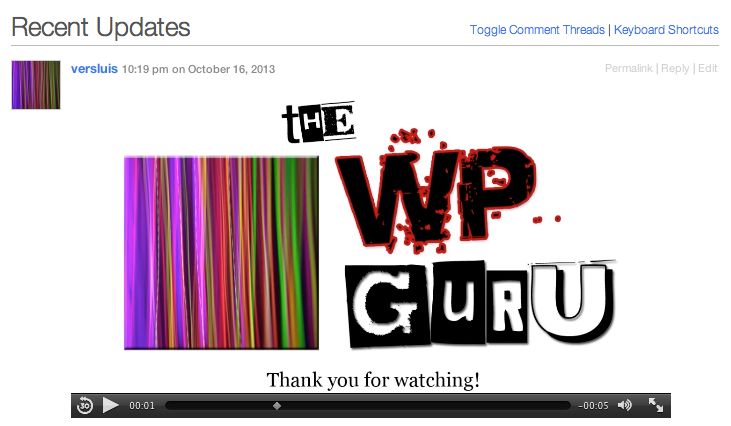
In reply to: [P2] No embeded video controls in P2 themeNone of them should impact on your site to display videos indeed. Very strange. I’ve just tested it with an MP4 video and all controls show up fine in Safari on Mac:
http://wpguru.co.uk/wp-content/uploads/2013/10/P2-mp4-screenshot.png
Here’s what I would do:
– disable all plugins, check how that looks
– with disabled plugins, upload the MP4 again and check the results
– re-install P2 and check again
– if there’s still no improvement, install WordPress againGood luck!
Forum: Themes and Templates
In reply to: [P2] No embeded video controls in P2 themeThat is weird indeed. Have you got any plugins active that may interfere? Anything like a HTML 5 video player?
Forum: Themes and Templates
In reply to: [P2] No embeded video controls in P2 themeTry to put the link to your MP4 file on its own line. This should auto-embed the video, perhaps it’ll work better. Like this:
[video src="http://sub.domain.com/wp-content/uploads/2013/10/video.mp4" /]
Works for me.