thatman115

Forum Replies Created
-
Forum: Fixing WordPress
In reply to: Some visitors getting ERR_QUIC_PROTOCOL_ERRORUnfortunately, those visitors still can’t access the website. Could it be a firewall issue? Is there any way I can open up certain ports etc?
Forum: Fixing WordPress
In reply to: Some visitors getting ERR_QUIC_PROTOCOL_ERRORThanks for the help, the theme was the one inserting the code. I have removed it, i’ll need to ask my visitors if they’re still getting the same error to confirm if it has been fixed.
Forum: Fixing WordPress
In reply to: Some visitors getting ERR_QUIC_PROTOCOL_ERRORThank you for the response. Unfortunately i’m not too savvy when it comes to web design and I have no idea what could be putting it there. Is there an easy way to check? Could it potentially be a theme?
Forum: Fixing WordPress
In reply to: Some visitors getting ERR_QUIC_PROTOCOL_ERRORI see, thanks.
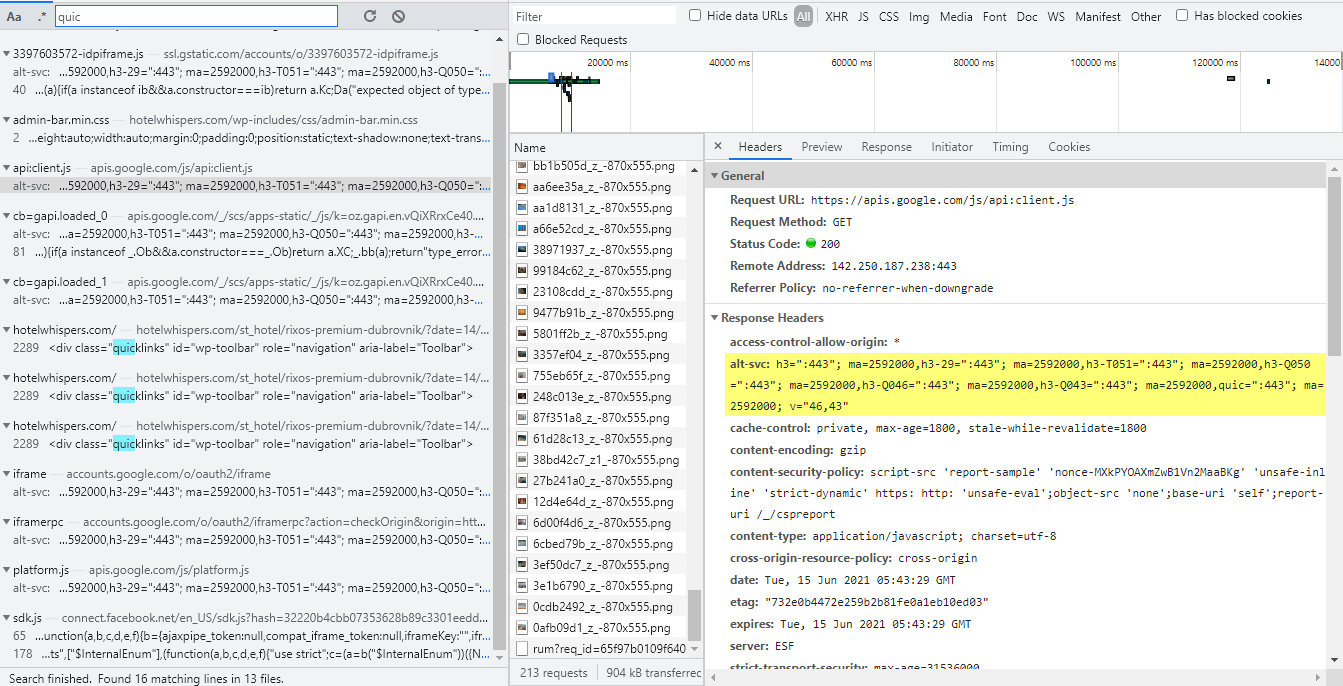
So I had a look at my Network tab and saw QUIC in various places.
I’ve also read that:
You cannot use self-signed SSL certificates with QUIC. Only trusted SSL certificates issued by a CA (Certificate Authority) work.Currently I am using Let’s Encrypt SSL. My questions now are:
1. Is there a way I can easily disable QUIC now that I know (kind of) where it’s coming from?2. If I purchase a SSL certificate issued by a CA, would that fix my issue?
Thanks
Forum: Fixing WordPress
In reply to: Some visitors getting ERR_QUIC_PROTOCOL_ERRORI’ve just spoken to me hosting again and they responded with this:
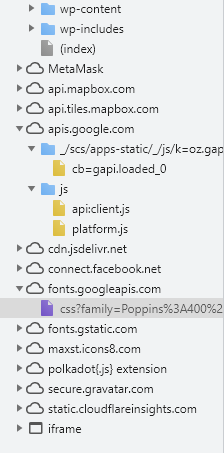
Most websites do not use the QUIC protocol at all, Tolu. It is developed by Google and it is mainly used on their websites, including Google.com and YouTube. If there are Google integrations like embedded content and videos from Google.com or YouTube QUIC will also be used on your website. There is JavaScript and fonts that are loaded from Google on your website which you can verify from this screenshot:
Could somebody advise me on how I can remove Google Javascript and fonts from my site. I’ve tried the Autoptimize plugin with no luck.
- This reply was modified 5 years ago by thatman115.
- This reply was modified 5 years ago by thatman115.
Forum: Fixing WordPress
In reply to: Some visitors getting ERR_QUIC_PROTOCOL_ERRORI’ve spoken to my hosting and they’re claiming there’s nothing they can do which I think is bollocks. I was just wondering if anybody here had this issue and maybe in fact solved it through their hosting and/or Cloudflare settings.