Startingdays

Forum Replies Created
-
Forum: Themes and Templates
In reply to: index.php isn´t showing my themeI figured out my problem. It was because of my Jetpack Plugin. I deactivated the mobile theme function and now its working.
But thank you for helping me so fast ^_^
Forum: Themes and Templates
In reply to: index.php isn´t showing my themeYes this is my index.php
<?php get_header(); ?>

<div id="page">
<!--Inhalt-->
<div id="wrapper">
<div id="left-sidebar"><?php include (TEMPLATEPATH . '/sidebar.php'); ?></div>

<!--post-->
<?php while ( have_posts() ) : the_post() ?>
<div class="entry" id="post-<?php the_ID(); ?>"><div id="headerentry">
<p class="datum"><span class="day"> <?php the_time('jF,Y') ?></span></p>
<div class="entry-top"><h1><a href="<?php the_permalink() ?>" rel="bookmark" title="Permanent Link to <?php the_title_attribute(); ?>"><?php the_title(); ?></a></h1></div> </div>
<div style="clear:both;"></div>
<div class="entry-content">
<?php the_content(); ?>
</div>
<div class="commentpost">※ <?php comments_popup_link('0 Comments', '1 Comments', '% Comments'); ?></div>

<!--post-end-->
 </div>

<?php endwhile; ?>

</div> <!--Inhalt-->
</div>
Forum: Themes and Templates
In reply to: left Sidebar is longer than the contentFixed it.
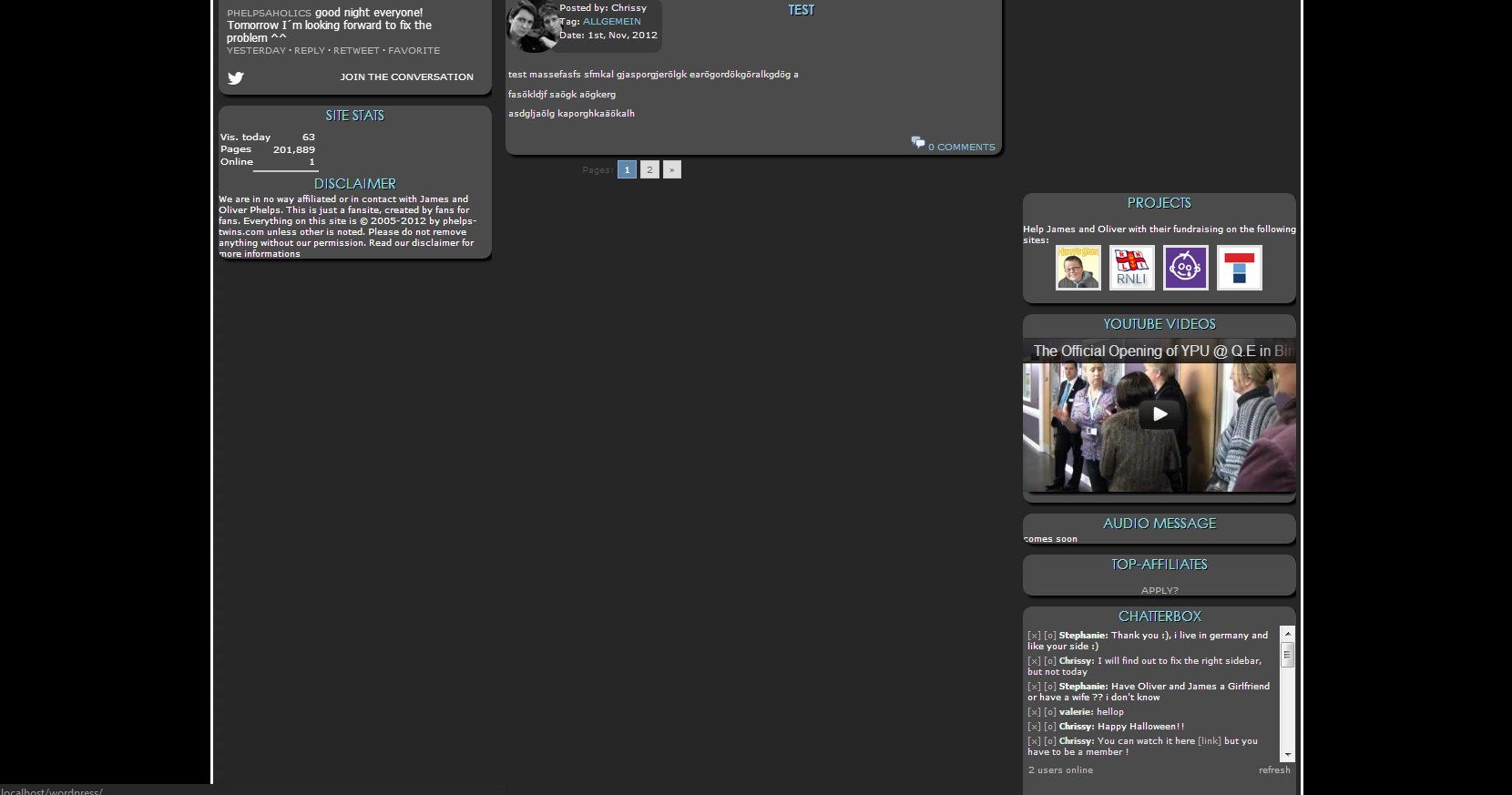
<?php get_header(); ?> <div id="page"> <!--Inhalt--> <div id="contentwrapper"> <div id="left-sidebar"><?php include (TEMPLATEPATH . '/sidebar-left.php'); ?></div> <!--post--> <?php query_posts($query_string.'&cat=-3&&order=DESC'); while (have_posts()) : the_post(); ?> <div class="entry" id="post-<?php the_ID(); ?>"> <p class="datum"><span class="content">Posted by: <?php the_author() ?><br />Tag: <?php the_category(', '); ?> <br />Date: <?php the_time('jS, M, Y') ?></span></p> <h1><a href="<?php the_permalink() ?>" rel="bookmark" title="Permanent Link to <?php the_title_attribute(); ?>"><?php the_title(); ?></a></h1> <div style="clear:both;"></div> <div class="entry-content"> <?php the_content(''); ?> </div> <div class="commentpost"><a href="http://s803.photobucket.com/albums/yy314/chrissy2504/Startingdays/?action=view¤t=comments.png" target="_blank"><img src="http://i803.photobucket.com/albums/yy314/chrissy2504/Startingdays/comments.png" border="0" alt="Photobucket"></a> <?php comments_popup_link('0 Comments', '1 Comments', '% Comments'); ?></div> </div> <!--post-end--> <?php endwhile; ?> </div><?php if(function_exists('wp_paginate')) { wp_paginate(); } ?> <div id="right-sidebar"><?php include (TEMPLATEPATH . '/sidebar-right.php'); ?></div></div><!--Inhalt--> </div> <?php get_footer(); ?>and the css to
/* Div Sidebars */
 #right-sidebar {
   overflow: hidden;
   float: right;
   position: absolute;
   left: 913px;
    top: 0;
 }
 #left-sidebar {
	 overflow: hidden;
   float: left;
   position: relative;
   margin-left: 35px;
   display: inline;
    }
Forum: Themes and Templates
In reply to: left Sidebar is longer than the content<div class=”navigation”>
<div class=”navigation”>
</div>that was for the wp-pagination and I removed one, but that was not the problem ^^
I´ve validated my site many times, but couldn´t find a minor problem. Only tags from the plugins are shown with errors. 😉
Forum: Themes and Templates
In reply to: left Sidebar is longer than the contentIts because I´m using the old css now. The problem is, when you use IE or an other browser, the right sidebar is not in the content.
http://i22.photobucket.com/albums/b346/Phelpsaholics/IE.jpgand when I use the code above it look like this
http://i22.photobucket.com/albums/b346/Phelpsaholics/new-1.jpgForum: Themes and Templates
In reply to: left Sidebar is longer than the contentThank you for your answer. I have changed the css to
/* Div Sidebars */
 #right-sidebar {
   overflow: hidden;
   float: right;
   position: relative;
    margin-right: 32px;
    padding: 0px 0px 0px 0px;
   display: inline;
  top: 0%;
 }
 #left-sidebar {
	 overflow: hidden;
   float: left;
   position: relative;
   margin-left: 35px;
   display: inline;
    }
Its now a better, but the right sidebar appears now under my content.
Forum: Themes and Templates
In reply to: Margin-left in sidebar is moving the footerthank you for helping me. I could fix the problem this morning. A div was too much in my sidebar. Now its working XD