Paul Kevin

Forum Replies Created
-
Just had a fresh look, all good, its under “Bulk Smush” and not dashboard
Hey Adam,
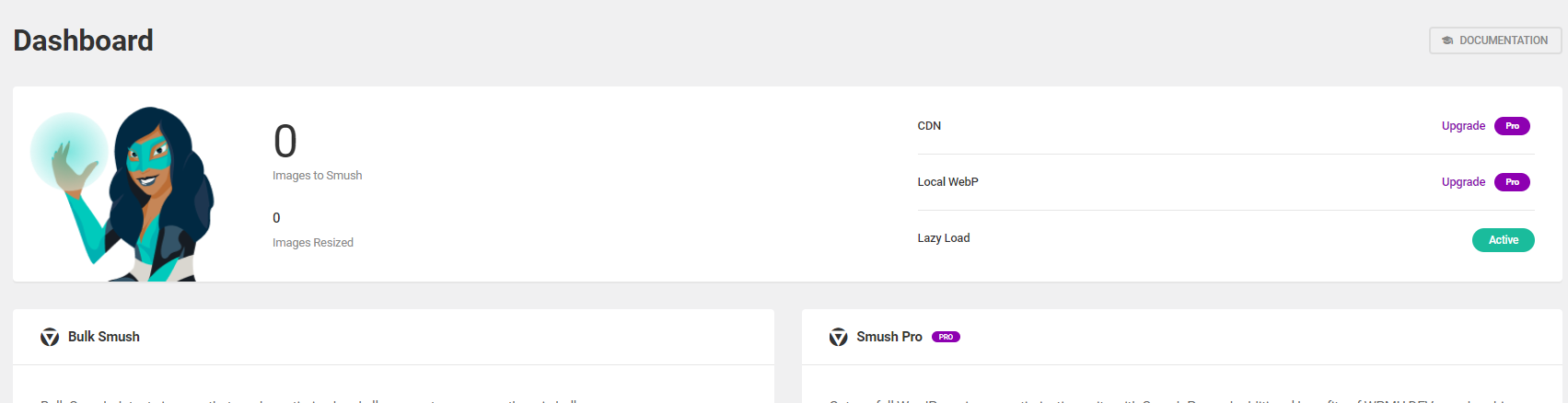
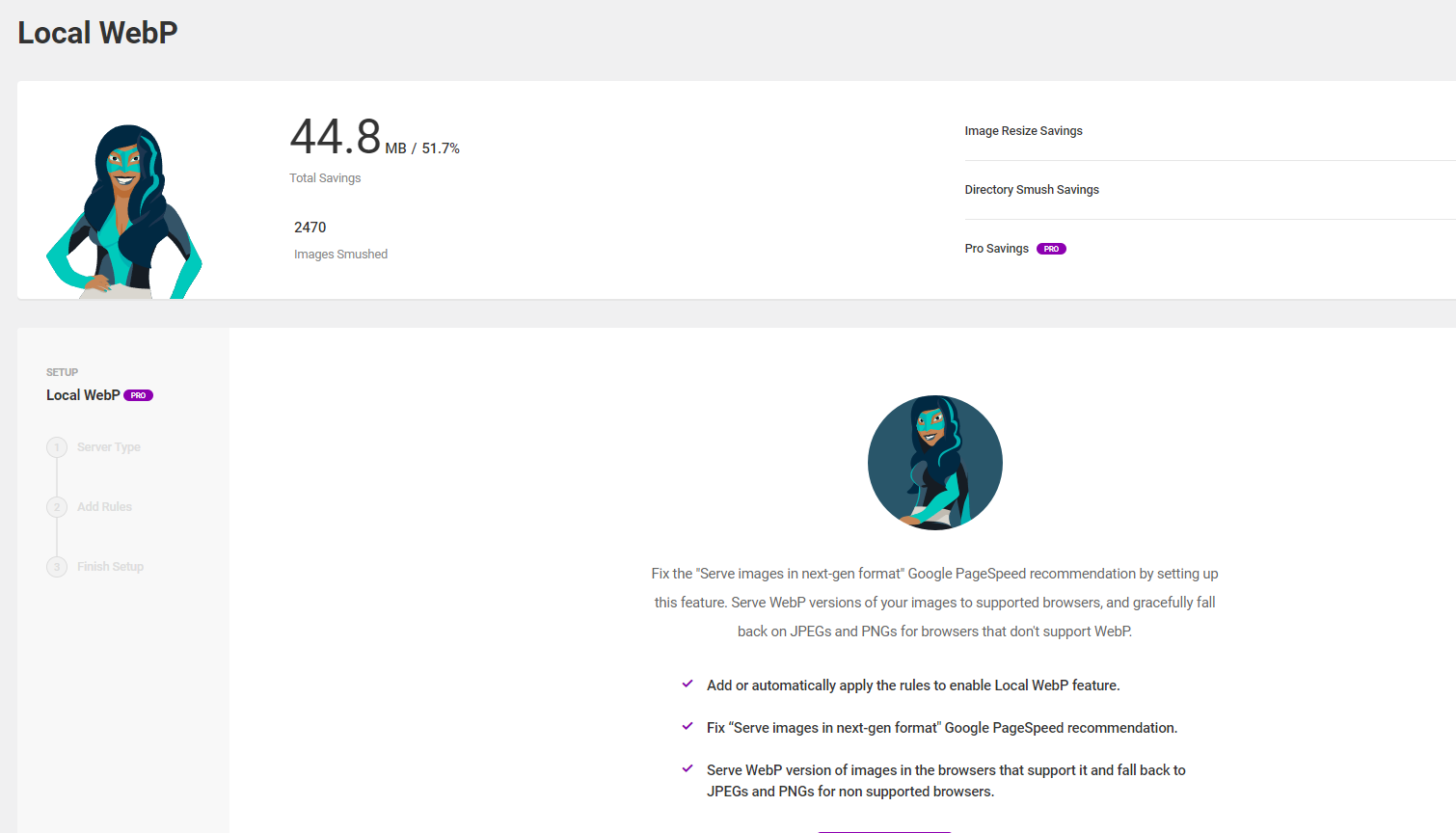
Thanks for the response 🙂 I am well, hope you are great and the rest of the WPMU DEV team. The main issue I have is the stats count is only showing on the “Local WebP” page and not the dashboard. I checked this on 2 sites and I have the screenshots. The dashboard shows like this https://static.hubloy.com/screenshots/Screenshot%202022-04-25%20173000.png and the Local WebP shows like this https://static.hubloy.com/screenshots/Screenshot%202022-04-25%20172943.png . I am using the latest free version
Hey @asimtarpo,
Thanks for reaching out. This is an issue with PesaPal and the IPN handling. On the plugin side there is not much that we can do
Forum: Reviews
In reply to: [PesaPress] Too technicalThanks for the feedback 🙂 We are working on updating the plugin to have less of form management but to integrate with other plugins that already handle forms
Hey @electronicsalm,
Which version is 2.0.0?
Hey @electronicsalm,
You can try to enable the option, save, then re-activate the plugin. Sometimes the cron schedule will not be set unless its on plugin re-activation.
Regarding setting the cron in the server, this is in the link where the server cron will manage all WordPress cron schedulesHey there @electronicsalm,
Hope this finds you well today. There is a setting in the plugin to turn on the cron to check for transactions. This uses the WordPress cron to run in the background to check transactions on your site. You can read this article https://spinupwp.com/doc/understanding-wp-cron/ on how to better setup WordPress cron to avoid failures.
Warm Regards
Paul KevinHey @kenn23,
Hope this finds you well. I am not sure how you have set this up, it will need more of a hands on approach if your setup is local. I would suggest you look at the logs of your setup to find out what the issue could be, or set up on a live server to test the live installation.
Warm Regards
Paul KevinMost welcome 🙂
Hey @youngace,
You are most welcome 🙂 You can also reach out to PesaPal via Twitter, it may be faster as they tend to be slow to communicate via email (developer[at]pesapal[dot]com or support[at]pesapal[dot]com)
Warm Regards
Paul KevinHey @youngace,
Thank you for your message. Have you talked to PesaPal on this? Loading of the sandbox may be limited to Kenya settings, kindly contact them to confirm this as the plugin does not control what PesaPal choose to show 🙂
Warm Regards
Paul KevinHey @jatelo2,
I have spoken to PesaPal and they will look into the issue
Hey @jatelo2,
This seems to be an issue with PesaPal. We send the product price and the currency to their gateway for payment. The plugin only sends the data as it is to PesaPal, PesaPal decide on the conversion and the decimal. This, unfortunately, is nothing to do with the plugin but entirely on PesaPal’s side.
Kindly reference them to this forum topic for reference as the issue is :- USD is send to PesaPal
- PesaPal Gateway converts USD to KES. This adds a decimal point and is shown to the end user for payment
On the plugin code side, there is nothing I can do to change the currency conversion PesaPal use.
Warm Regards
Paul KevinHey @jatelo2,
Hope this finds you well and happy new year 🙂 Kindly clarify if the price with decimals shows on PesaPal side or on your site.
If the decimals are on PesaPal side, you might have to raise this with the team at PesaPal on a workaround for this.Looking forward to your response.
Warm Regards
Paul KevinHey there @agauberti,
Hope this finds you well. You can add the submit button using the shortcode
[submit "Send"]as documented on this page https://contactform7.com/submit-button/ . Please check the Contact form configuration to ensure this is visible. You can do this by navigating to WP Admin > Contact > Contact Forms > “Edit specific form”Warm Regards
Paul Kevin