packingforseven

Forum Replies Created
-
Oh Man! I just noticed something even WEIRDER.
When PHoton is DISABLED, the picture looks fine in the post in which it is inserted, BUT if you load the picture directly in Chrome (by clicking the link above) it shows up Portrait, which is incorrect. I have no idea why Chrome is correctly displaying it IN the post, but when the picture is opened on its own, it is rotated incorrectly!
You can see this behavior by looking directly on this page (around 1/3 of the way down)
http://www.packingforseven.com/bird-kingdom-niagara-falls-canada/
And then right-clicking the picture of the bat and hitting “open image in new tab”. On the new tab it will be displayed incorrectly — in portrait!
I’m fascinated.
I’m sorry that I’m not more help than this… I know a decent amount of code but web programming isn’t my forte – I’m still learning and it is mostly a hobby. Maybe you’ll look at this and see why it’s doing it immediately.
Fred
OK. I’ve taken two screenshots that demonstrate the problem and uploaded them to my site. The screenshots are from the following page:
http://www.packingforseven.com/bird-kingdom-niagara-falls-canada/
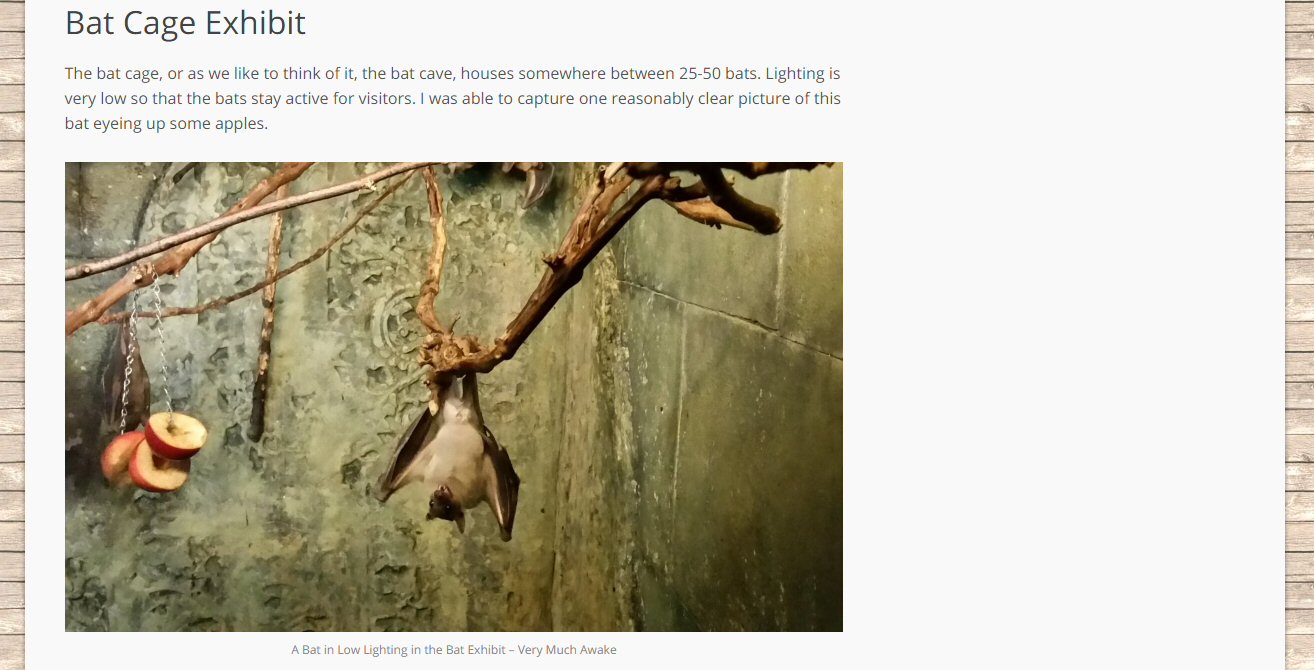
Around the middle of the page there is a picture of a bat. That picture should be landscape orientation. Here’s a screenshot of that section of the page with photon disabled:
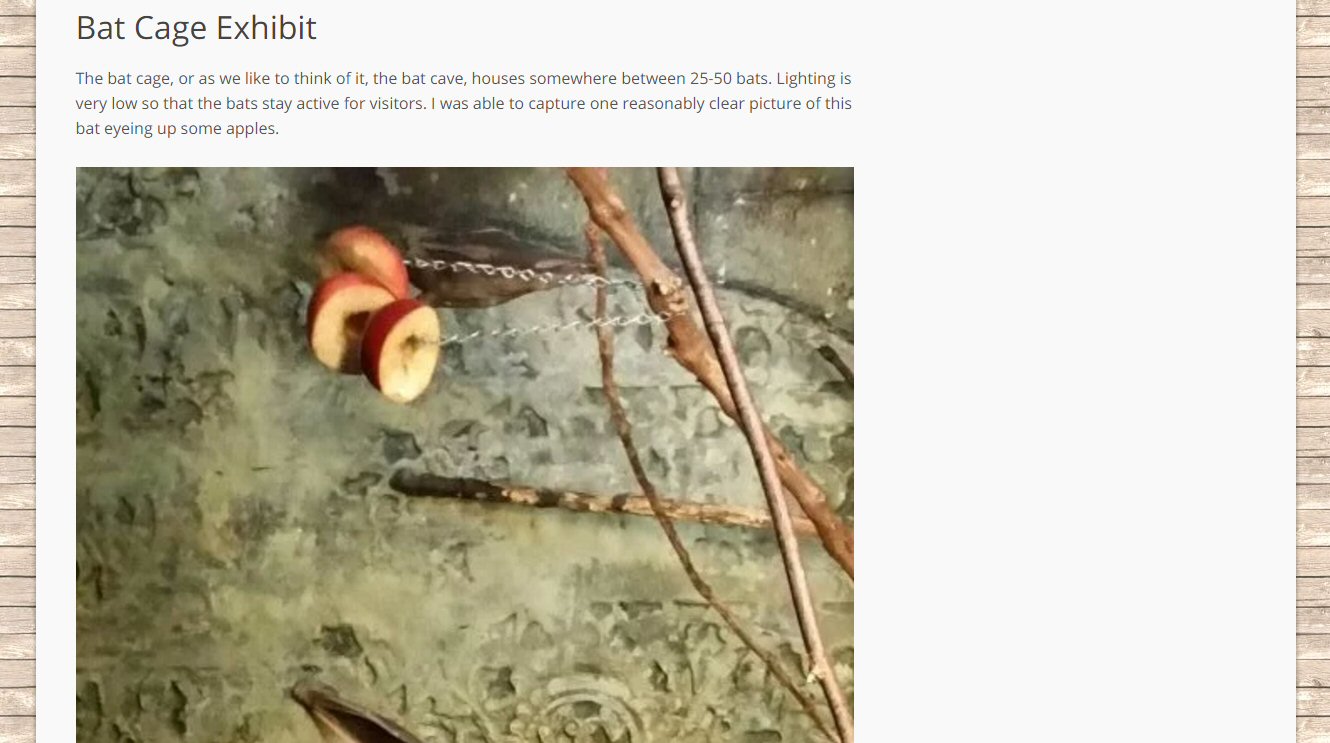
Here’s a screenshot with photon enabled: (Note, I cropped it short because my theme blows up a portrait picture very big…) You can see that the picture has been rotated from landscape to portrait.
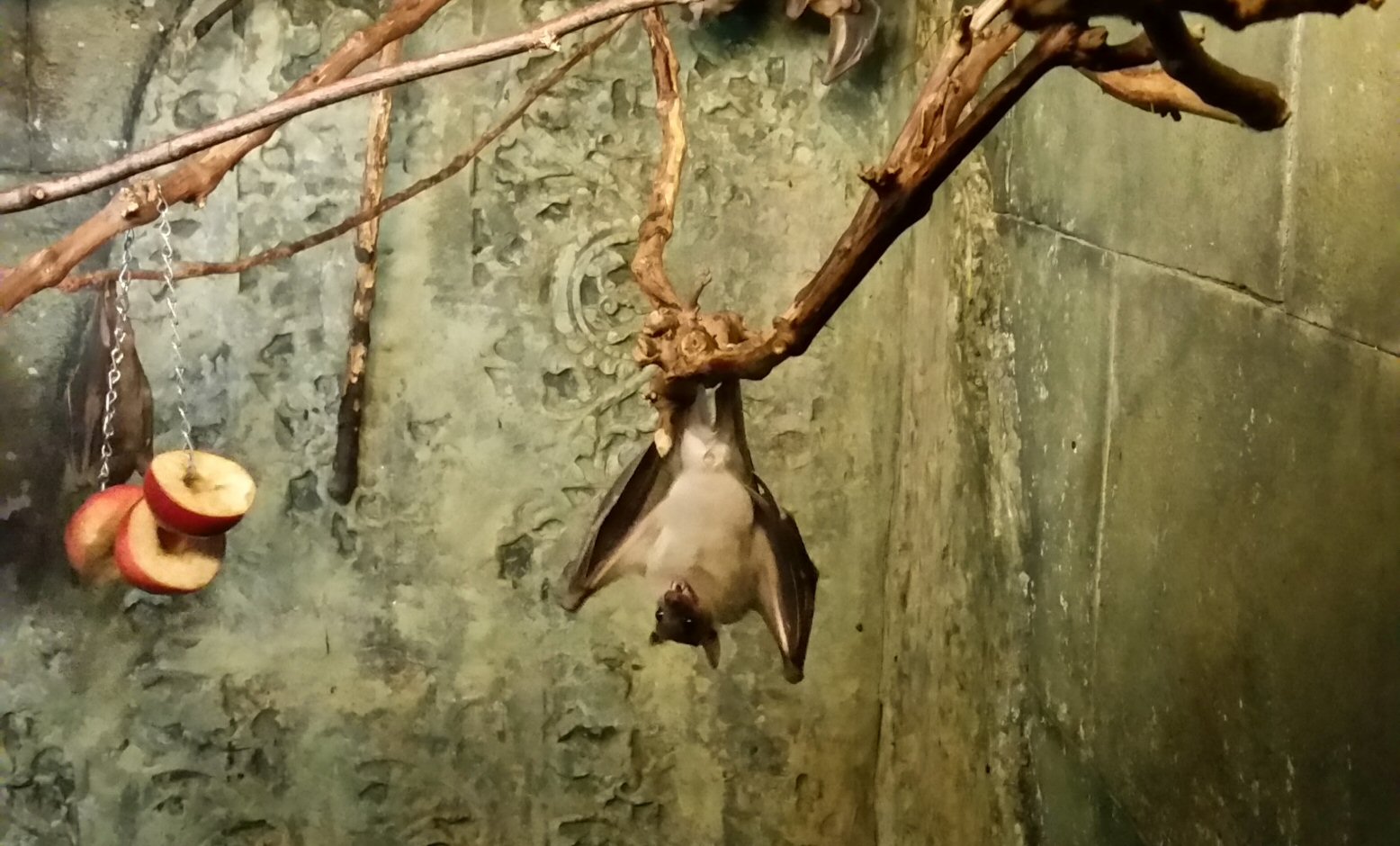
And here’s the actual, original picture file, which you can examine to see if there is strange EXIF properties.
http://www.packingforseven.com/wp-content/uploads/2016/10/bat-exhibit.jpg
I am taking this photo with a Samsung S5 phone. Then I am rotating it using Jasc Paint Shop Pro v. 8.10 (an admittedly older photo editor, but it’s served me well for my simple blogging needs).
It’s worth noting that Windows 10 ALSO thinks that the bat picture is incorrectly rotated. (Jasc PSP 8.10 shows it rotated, but windows doesn’t).
But for some reason Chrome knows how to display it properly when it is loaded directly from my page – but after processing by Jetpack, Chrome no longer loads it properly and shows it rotated. Like I said, I have found a workaround for this issue by just processing the image differently on my end, but it might be nice if Photon was able to handle this anomaly and actually repair the issue!
I am looking forward to examining the link you provided for custom cropping with Jetpack. I am very excited that this might work for me!
Fred
UPDATE:
On #3, I seem to have figured out how to fix this by changing some code in my theme. Jetpack is now selecting a better image to serve that correctly fills the page.
On #2, the cropping issue is kind of a big deal and I’m not thinking I’m going to find an easy way around this. One solution in the interim would be to enable an option so that photon simply didn’t serve up thumbnail images and instead left that to the server itself. Unfortunately, without such an option I’m kind of at a loss.