hello-from-SA

Forum Replies Created
Viewing 2 replies - 1 through 2 (of 2 total)
-
Hello,
- I confirm I’ve already followed all the steps to Disconnect Google Account through the connection-admin-page link you mentioned.
- I also went to my google permissions and removed all access permissions for WooCommerce.
- I’ve also deactivated the Google Site Kit plugin.
- I’ve updated all the plugins listed in my admin account, about 17 of them, all latest version now.
- I then performed the steps to Disconnect Google Account again (from Step 1 above).
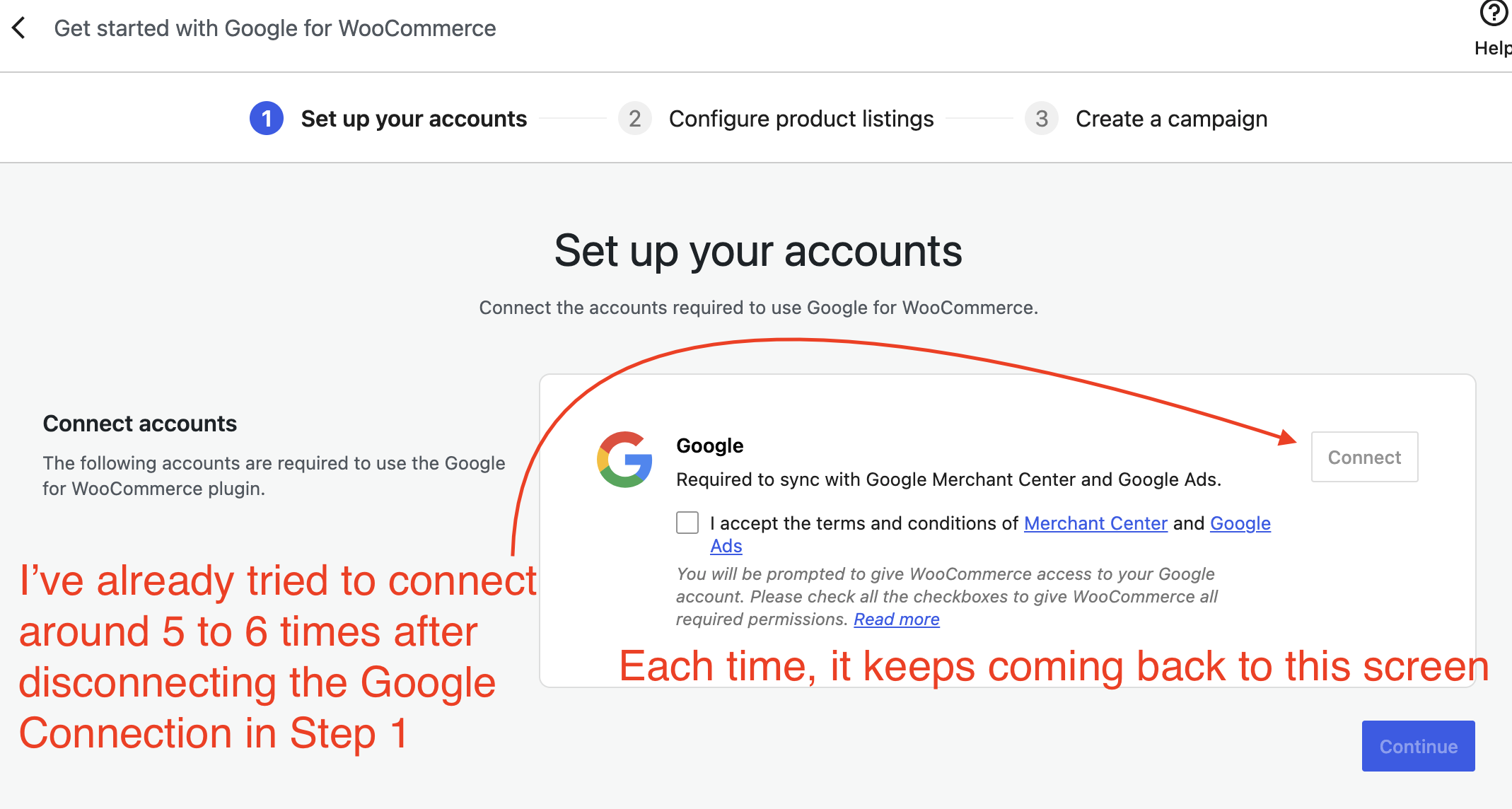
- When I tried to connect to Google Merchant Center, the authentication provided no error messages but then the next screen keeps going back to this (view image from this link below)
https://stilladulting.com/wp-content/uploads/2026/08/Google-Woocommerce-Setup-Error.png - I kept trying to connect many times after that. Still the same issue.
- WooCommerce → Status → System Status Report: https://pastebin.com/7xtfTUVL
- WooCommerce → Status → Logs: Not seeing anything worthwhile.
Can you please help me? Right now the Site Kit is still deactivated so that means I won’t be able to view my analytics data at all. I hope to fix the GMC issue soon so I can reactivate the Site Kit sooner than later.
Hello, this problem is not yet resolved. Right now I am stuck where there is a “Connect” button to the Merchant Center account but it won’t connect it. Clicking Connect does nothing. Hence, the blue-colored Continue button is still disabled for me to move forward.
I’m not able to Connect. This is already the right account after WooCommerce-Google set up created multiple accounts for me by accident.
This is the pastebin link: https://pastebin.com/EMDuBBai
Viewing 2 replies - 1 through 2 (of 2 total)