micmicwp

Forum Replies Created
-
Dear @andrewshu
I tried all the suggestions @yuriinalivaiko gave us, without result. The second directory takes the members-per-page setting that first directory has. In our 2n one, we have 15 as “Number of profiles per page” but it shows 8 per page (the 1st one setting). In addition, although you click on show filters, it shows nothing… something is not fine there, but I can not guess what it is.
Thanks anyway!
Best regards
Understood, @yuriinalivaiko !!! thank you very much 🙂
Hi, @yuriinalivaiko !!!
Many thanks for your help and support. Yes, we are using those plugins. For the forum, we finally chose Asgaros. The FIAT/IFTA did not want to use ‘Job’ word since they consider many other situations (like Trainings, Internships…) and they made us to chage the word to ‘Opportunity’. I used PoEdit plugin for that purpose. No other 3d party plugins.
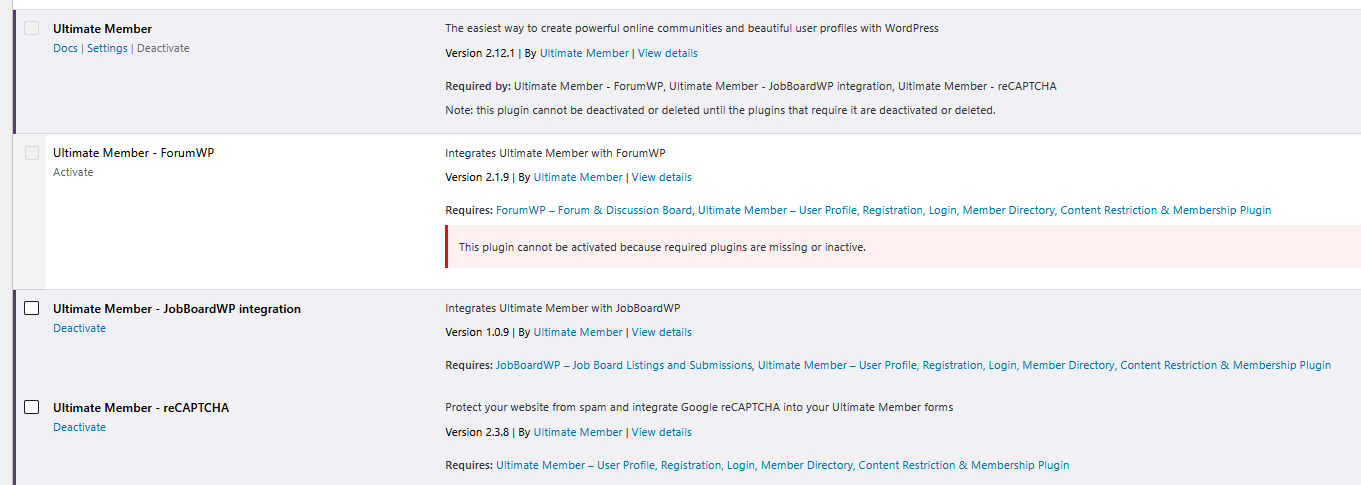
Maybe the solution could be to hide that option in Jobs menu?
I am also trying to find out if it possible to change the php name to opportunities.php (instead of jobs.php) but I suppose that is much more complicated.
Thanks again!!!!!!!
Best regards
Hi @yuriinalivaiko!
Thank you very much for your interest. I have not been able to test it, since the website is in use every working day… I will make an attempt next weekend! I will keep you informed.
Many thanks, again; and best regards!
Hi there,
Thanks you very much for your help. I am going to try your 1st and 2nd suggestions.
Regarding the 3rd, totally confirmed! Any number you put in the oldest directory settings, is applied on the other two members directories 🙁 (no matter if they have different numbers in their own settings).
In addition, the sorting function is not working properly with metakey fields (in our case, Organisation). And I have certain doubts about the filtering function… https://fiatifta.org/test/
Thanks again!
Hi @yuriinalivaiko!
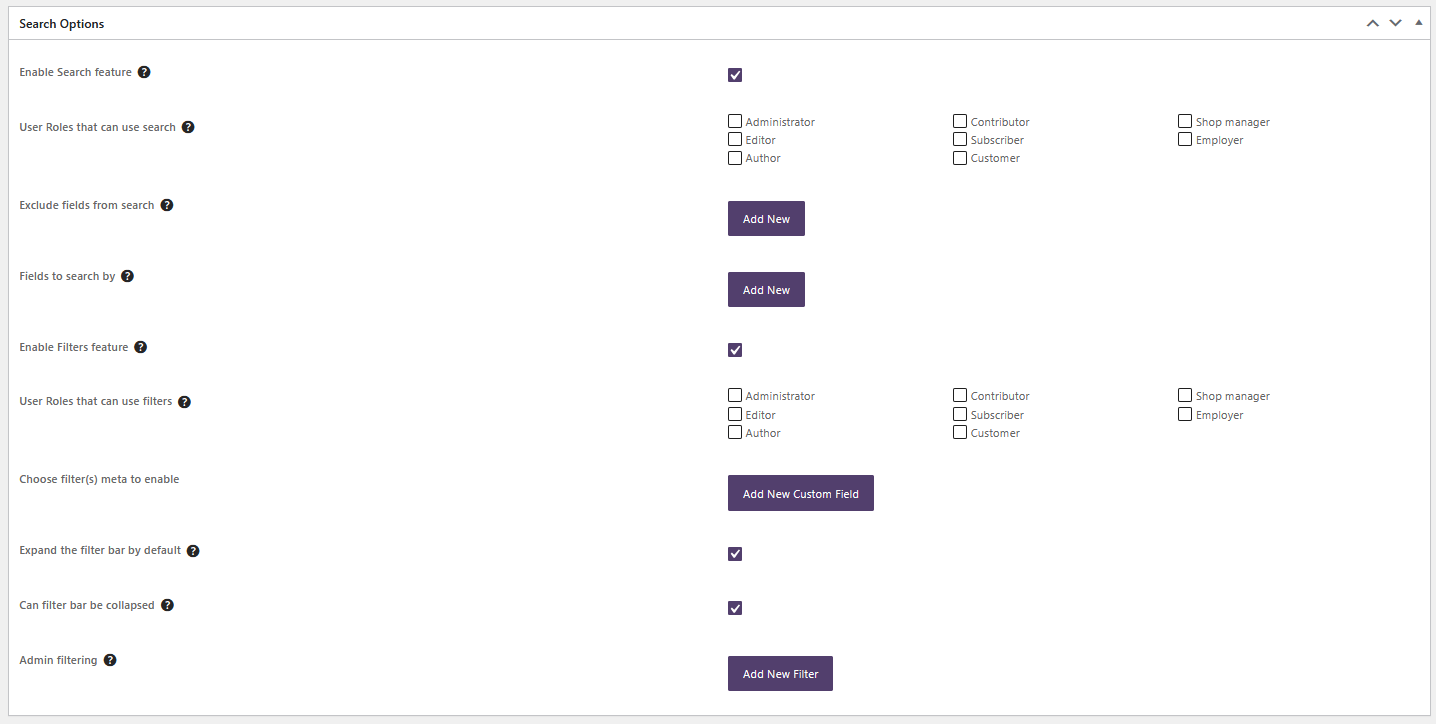
No no; I wish it were the problem… but it is not. Sorry because the screenshot did not show the whole page. Now I am attaching screenshots of the two pages: 1- members homepage and 2- members directory page. 1st one should show only eight per page and second one, 20 per page. But it does not 🙁
The number of profiles per page you insert in 1st directory is the number shown in any other directory!!!
Look, I have created a new one, and inserted it in https://fiatifta.org/test/
In this directory I put 25 members per page… and nothing! it shows 8.Thank you very much!


Hi @yuriinalivaiko,
Thank you so much for your help and answer. These codes are different and are shown on different pages (#1 on members homepage and #2, on an apart one; that is related to members directory page).
If you put in #1 settings, number of profiles per page: 4 for instance, this will be the number of items shown on members directory page!!! (incredibly). No matter if #2 has another settings configured 🙁
Herein you can find both settings. I really do not know what is happening! I have tried cleaning site cache (and of course, local cache in my browsers). The issue is other settings are not working properly, either.
Thanks again!
Best regards


Dear @missveronicatv !!!
Yesterday night Impreza support contacted me again, telling that unfortunately, it appeared to be a bug!!! they’ll fix it in one of the future updates.
As a temporary solution, they have provided me with the following code (as a snippet, or to add in the functions.php file of my child theme):
add_action( 'wp_enqueue_scripts', function () {
    if ( function_exists( 'is_checkout' ) AND is_checkout() ) {
        return;
    }
    if ( ! wp_style_is( 'select2', 'registered' ) AND function_exists( 'WC' ) ) {
        wp_register_style(
            'select2',
            WC()->plugin_url() . '/assets/css/select2.css',
            array(),
            defined( 'WC_VERSION' ) ? WC_VERSION : null
        );
    }
    wp_enqueue_style( 'select2' );
}, 502 );
And, yes!!!! this does work for my website ^^
Thank you so much for your great support, @missveronicatv
Nothing!!! It does not work :'( https://fiatifta.org/user/nacho/
Thanks a lot anyway, @missveronicatv
Dear @missveronicatv ,
Thank you so so much for your interest!!!! I have tried to insert your code as a new snippet, but I am getting an error when attempting to activate it…
:O
- This reply was modified 2 months ago by micmicwp.
Sorry the misspelling! I think it is line number 216:
$dequeue_select2 = apply_filters( 'um_dequeue_select2_scripts', false );But if have switched it to true… without success. I am not an expert but thought (or hoped) it could work 🙁
    $dequeue_select2 = apply_filters( 'um_dequeue_select2_scripts', true );
    if ( class_exists( 'WooCommerce' ) || $dequeue_select2 ) {
        wp_dequeue_style( 'select2' );
        wp_deregister_style( 'select2' );

        wp_dequeue_script( 'select2' );
        wp_deregister_script( 'select2' );
    }
One million thanks, @missveronicatv !!!!
Thank you very much @missveronicatv for your help… though none of these solutions have worked for us 🙁
I do not know what to do at this point; maybe look for a different plugin for our members area 🙁Best regards
Thank you so so so much, Nithin!!! Totally for sure, it should have been part of a test :O. The truth is I did not even realize into checking that option could be the problem 🙁
You have helped me a lot to understand your plugin 🙂 Sorry for the annoyances and thanks again!!!
Kind regards
Hi, Nebu John!
Thank you very much for your help. Here you are the form https://we.tl/t-v4EasplAJE (uploaded to WeTransfer).
As I explained before, it was working! in fact I have three more similar forms; all of them worked properly last year… I can not guess what has happened 🙁
Best regards,
Sandra
Thanks, Alex!!! It works!!!
Now I need to concat several fields to make up a unique field in our excel. I do not know if it is possible! I am starting a new topic for this issue.
Again, thanks a lot!!!