maxflexpl

Forum Replies Created
-
So any application administrator does not know where is installation dir?
Maybe one of users know the answer? 🙂I checked those:
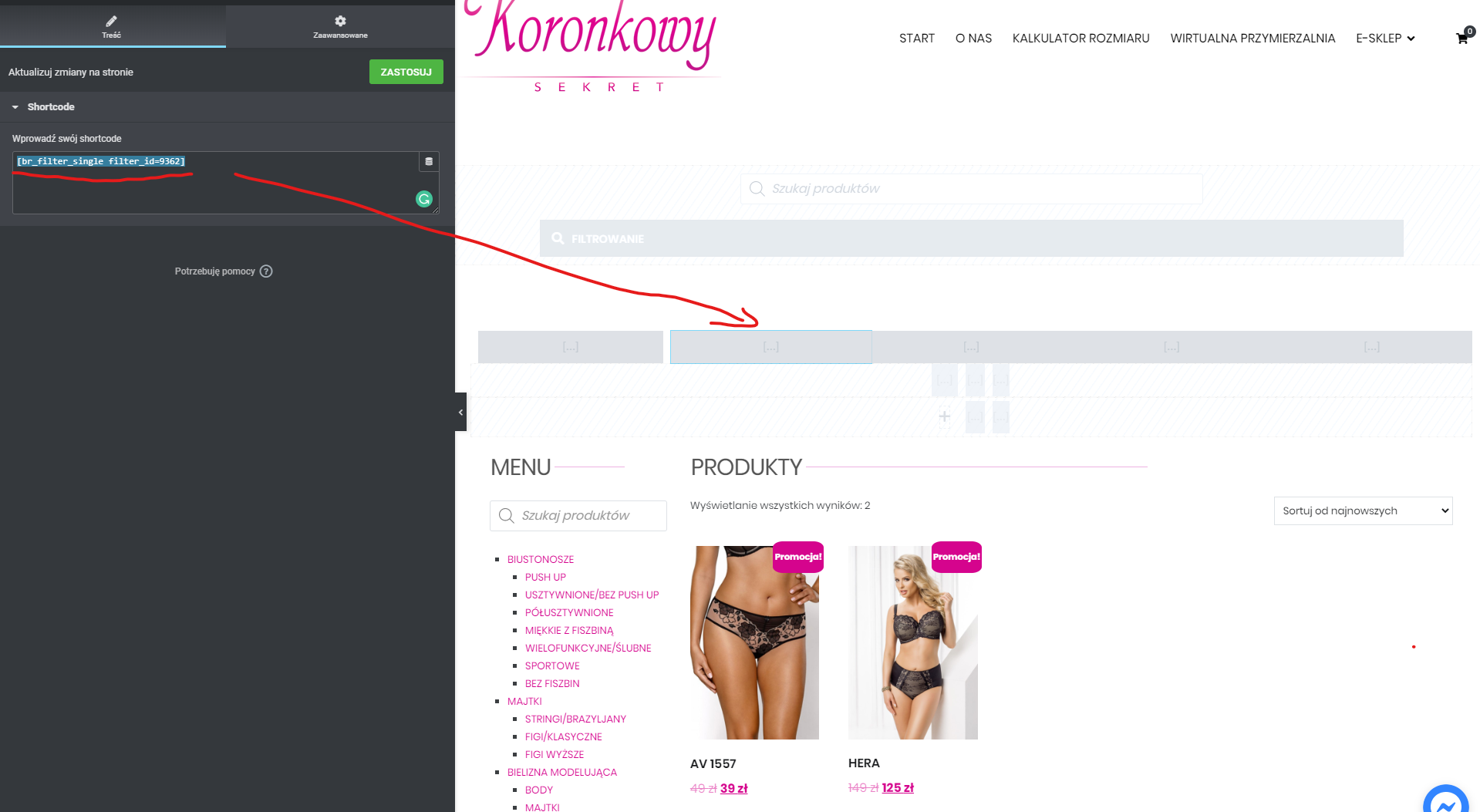
1. Filters placed on those pages – YES
https://www.koronkowysekret.pl/wp-content/uploads/2020/06/filters.png
2. Conditions on filters is correct for those pages – its that same like for others pages.Hello @razyrx
DEBUG MODE enabled 🙂
Forum: Plugins
In reply to: [Calculated Fields Form] How to build function for my calculator@codepeople – you are my savior 🙂
Again big, big thank you! 🙂_______________________________
Forum: Plugins
In reply to: [Calculated Fields Form] How to build function for my calculatorHi @codepeople 🙂
One question about function for ‘Invalid conditions’. Is there a possibility that ‘Invalid conditions’ shows only when value in F1 and F2 is put, not only in F1 or F2?(function(){ var f1 = fieldname1, f2 = fieldname2; if(f1 <= 67) { if(f2 <=72) return '60A'; if(f2 <=74) return '60B'; if(f2 <=77) return '60C'; } else if(f1 <= 73) { if(f2 <=74) return '65A'; if(f2 <=77) return '65B'; } else if(f1 <= 80) { if(f2 <=77) return '70A'; if(f2 <=79) return '70B'; } return 'Invalid conditions'; })()Forum: Plugins
In reply to: [Calculated Fields Form] How to build function for my calculator@codepeople – You ARE the MASTER!!!! 🙂 Thank You 😀 Thank You 🙂
Forum: Plugins
In reply to: [Calculated Fields Form] How to build function for my calculatorHi @codepeople 🙂
What if wanna add an additional condition in inf function for Fieldname3. Like –
add two conditions for a range of numbers (from, to).Is the following formula will be correct?
else if(fieldname2 <= 125)
{
if(fieldname3 >=119 && <122) return ‘110A (48A)’;}
Forum: Plugins
In reply to: [Calculated Fields Form] How to build function for my calculator@codepeople (again thank you 🙂 )
I added code and its works when condition are not met, but when i put for example:
F2(fieldname2)=122
F3(fieldname3)=69
Results shows 110A (48A)and its error, because there is no condition for that kind of combination of F2 and F3.
I wanna add message to the customer for that kind of situation 🙂Below function that i use:
(function(){
if(fieldname2 <= 67)
{
if(fieldname3 <72) return ’60A (28A)’;
if(fieldname3 <=74) return ’60B (28B)’;
if(fieldname3 <77) return ’60C (28C)’;
if(fieldname3 <=79) return ’60D (28D)’;
if(fieldname3 <82) return ’60E (28DD)’;
if(fieldname3 <=84) return ’60F (28E)’;
if(fieldname3 <87) return ’60G (28F)’;
if(fieldname3 <=89) return ’60H (28FF)’;
if(fieldname3 <92) return ’60I (28G)’;
if(fieldname3 <=94) return ’60J (28GG)’;
if(fieldname3 <97) return ’60K (28H)’;
if(fieldname3 <=99) return ’60L (28HH)’;
if(fieldname3 <102) return ’60M (28J)’;
if(fieldname3 <=104) return ’60N (28JJ)’;
if(fieldname3 <107) return ’60O (28K)’;
if(fieldname3 <=109) return ’60P (28KK)’;
}
else if(fieldname2 <= 73)
{
if(fieldname3 <77) return ’65A (30A)’;
if(fieldname3 <=79) return ’65B (30B)’;
if(fieldname3 <82) return ’65C (30C)’;
if(fieldname3 <=84) return ’65D (30D)’;
if(fieldname3 <87) return ’65E (30DD)’;
if(fieldname3 <=89) return ’65F (30E)’;
if(fieldname3 <92) return ’65G (30F)’;
if(fieldname3 <=94) return ’65H (30FF)’;
if(fieldname3 <97) return ’65I (30G)’;
if(fieldname3 <=99) return ’65J (30GG)’;
if(fieldname3 <102) return ’65K (30H)’;
if(fieldname3 <=104) return ’65L (30HH)’;
if(fieldname3 <107) return ’65M (30J)’;
if(fieldname3 <=109) return ’65N (30JJ)’;
if(fieldname3 <112) return ’65O (30K)’;
if(fieldname3 <=114) return ’65P (30KK)’;
}
else if(fieldname2 <= 80)
{
if(fieldname3 <82) return ’70A (32A)’;
if(fieldname3 <=84) return ’70B (32B)’;
if(fieldname3 <87) return ’70C (32C)’;
if(fieldname3 <=89) return ’70D (32D)’;
if(fieldname3 <92) return ’70E (32DD)’;
if(fieldname3 <=94) return ’70F (32E)’;
if(fieldname3 <97) return ’70G (32F)’;
if(fieldname3 <=99) return ’70H (32FF)’;
if(fieldname3 <102) return ’70I (32G)’;
if(fieldname3 <=104) return ’70J (32GG)’;
if(fieldname3 <107) return ’70K (32H)’;
if(fieldname3 <=109) return ’70L (32HH)’;
if(fieldname3 <112) return ’70M (32J)’;
if(fieldname3 <=114) return ’70N (32JJ)’;
if(fieldname3 <117) return ’70O (32K)’;
if(fieldname3 <=119) return ’70P (32KK)’;
}
else if(fieldname2 <= 86)
{
if(fieldname3 <87) return ’75A (34A)’;
if(fieldname3 <=89) return ’75B (34B)’;
if(fieldname3 <92) return ’75C (34C)’;
if(fieldname3 <=94) return ’75D (34D)’;
if(fieldname3 <97) return ’75E (34DD)’;
if(fieldname3 <=99) return ’75F (34E)’;
if(fieldname3 <102) return ’75G (34F)’;
if(fieldname3 <=104) return ’75H (34FF)’;
if(fieldname3 <107) return ’75I (34G)’;
if(fieldname3 <=109) return ’75J (34GG)’;
if(fieldname3 <112) return ’75K (34H)’;
if(fieldname3 <=114) return ’75L (34HH)’;
if(fieldname3 <117) return ’75M (34J)’;
if(fieldname3 <=119) return ’75N (34JJ)’;
if(fieldname3 <122) return ’75O (34K)’;
if(fieldname3 <=124) return ’75P (34KK)’;
}
else if(fieldname2 <= 92)
{
if(fieldname3 <92) return ’80A (36A)’;
if(fieldname3 <=94) return ’80B (36B)’;
if(fieldname3 <97) return ’80C (36C)’;
if(fieldname3 <=99) return ’80D (36D)’;
if(fieldname3 <102) return ’80E (36DD)’;
if(fieldname3 <=104) return ’80F (36E)’;
if(fieldname3 <107) return ’80G (36F)’;
if(fieldname3 <=109) return ’80H (36FF)’;
if(fieldname3 <112) return ’80I (36G)’;
if(fieldname3 <=114) return ’80J (36GG)’;
if(fieldname3 <117) return ’80K (36H)’;
if(fieldname3 <=119) return ’80L (36HH)’;
if(fieldname3 <122) return ’80M (36J)’;
if(fieldname3 <=124) return ’80N (36JJ)’;
if(fieldname3 <127) return ’80O (36K)’;
if(fieldname3 <=129) return ’80P (36KK)’;
}
else if(fieldname2 <= 98)
{
if(fieldname3 <97) return ’85A (38A)’;
if(fieldname3 <=99) return ’85B (38B)’;
if(fieldname3 <102) return ’85C (38C)’;
if(fieldname3 <=104) return ’85D (38D)’;
if(fieldname3 <107) return ’85E (38DD)’;
if(fieldname3 <=109) return ’85F (38E)’;
if(fieldname3 <112) return ’85G (38F)’;
if(fieldname3 <=114) return ’85H (38FF)’;
if(fieldname3 <117) return ’85I (38G)’;
if(fieldname3 <=119) return ’85J (38GG)’;
if(fieldname3 <122) return ’85K (38H)’;
if(fieldname3 <=124) return ’85L (38HH)’;
if(fieldname3 <127) return ’85M (38J)’;
if(fieldname3 <=129) return ’85N (38JJ)’;
if(fieldname3 <132) return ’85O (38K)’;
if(fieldname3 <=134) return ’85P (38KK)’;
}
else if(fieldname2 <= 104)
{
if(fieldname3 <102) return ’90A (40A)’;
if(fieldname3 <=104) return ’90B (40B)’;
if(fieldname3 <107) return ’90C (40C)’;
if(fieldname3 <=109) return ’90D (40D)’;
if(fieldname3 <112) return ’90E (40DD)’;
if(fieldname3 <=114) return ’90F (40E)’;
if(fieldname3 <117) return ’90G (40F)’;
if(fieldname3 <=119) return ’90H (40FF)’;
if(fieldname3 <122) return ’90I (40G)’;
if(fieldname3 <=124) return ’90J (40GG)’;
if(fieldname3 <127) return ’90K (40H)’;
if(fieldname3 <=129) return ’90L (40HH)’;
if(fieldname3 <132) return ’90M (40J)’;
if(fieldname3 <=134) return ’90N (40JJ)’;
if(fieldname3 <137) return ’90O (40K)’;
if(fieldname3 <=139) return ’90P (40KK)’;
}
else if(fieldname2 <= 110)
{
if(fieldname3 <107) return ’95A (42A)’;
if(fieldname3 <=109) return ’95B (42B)’;
if(fieldname3 <112) return ’95C (42C)’;
if(fieldname3 <=114) return ’95D (42D)’;
if(fieldname3 <117) return ’95E (42DD)’;
if(fieldname3 <=119) return ’95F (42E)’;
if(fieldname3 <122) return ’95G (42F)’;
if(fieldname3 <=124) return ’95H (42FF)’;
if(fieldname3 <127) return ’95I (42G)’;
if(fieldname3 <=129) return ’95J (42GG)’;
if(fieldname3 <132) return ’95K (42H)’;
if(fieldname3 <=134) return ’95L (42HH)’;
if(fieldname3 <137) return ’95M (42J)’;
if(fieldname3 <=139) return ’95N (42JJ)’;
if(fieldname3 <142) return ’95O (42K)’;
if(fieldname3 <=144) return ’95P (42KK)’;
}
else if(fieldname2 <= 115)
{
if(fieldname3 <112) return ‘100A (44A)’;
if(fieldname3 <=114) return ‘100B (44B)’;
if(fieldname3 <117) return ‘100C (44C)’;
if(fieldname3 <=119) return ‘100D (44D)’;
if(fieldname3 <122) return ‘100E (44DD)’;
if(fieldname3 <=124) return ‘100F (44E)’;
if(fieldname3 <127) return ‘100G (44F)’;
if(fieldname3 <=129) return ‘100H (44FF)’;
if(fieldname3 <132) return ‘100I (44G)’;
if(fieldname3 <=134) return ‘100J (44GG)’;
if(fieldname3 <137) return ‘100K (44H)’;
if(fieldname3 <=139) return ‘100L (44HH)’;
if(fieldname3 <142) return ‘100M (44J)’;
if(fieldname3 <=144) return ‘100N (44JJ)’;
if(fieldname3 <147) return ‘100O (44K)’;
if(fieldname3 <=149) return ‘100P (44KK)’;
}
else if(fieldname2 <= 120)
{
if(fieldname3 <117) return ‘105A (46A)’;
if(fieldname3 <=119) return ‘105B (46B)’;
if(fieldname3 <122) return ‘105C (46C)’;
if(fieldname3 <=124) return ‘105D (46D)’;
if(fieldname3 <127) return ‘105E (46DD)’;
if(fieldname3 <=129) return ‘105F (46E)’;
if(fieldname3 <132) return ‘105G (46F)’;
if(fieldname3 <=134) return ‘105H (46FF)’;
if(fieldname3 <137) return ‘105I (46G)’;
if(fieldname3 <=139) return ‘105J (46GG)’;
if(fieldname3 <142) return ‘105K (46H)’;
if(fieldname3 <=144) return ‘105L (46HH)’;
if(fieldname3 <147) return ‘105M (46J)’;
if(fieldname3 <=149) return ‘105N (46JJ)’;
if(fieldname3 <152) return ‘105O (46K)’;
if(fieldname3 <=154) return ‘105P (46KK)’;
}
else if(fieldname2 <= 125)
{
if(fieldname3 <122) return ‘110A (48A)’;
if(fieldname3 <=124) return ‘110B (48B)’;
if(fieldname3 <127) return ‘110C (48C)’;
if(fieldname3 <=129) return ‘110D (48D)’;
if(fieldname3 <132) return ‘110E (48DD)’;
if(fieldname3 <=134) return ‘110F (48E)’;
if(fieldname3 <137) return ‘110G (48F)’;
if(fieldname3 <=139) return ‘110H (48FF)’;
if(fieldname3 <142) return ‘110I (48G)’;
if(fieldname3 <=144) return ‘110J (48GG)’;
if(fieldname3 <147) return ‘110K (48H)’;
if(fieldname3 <=149) return ‘110L (48HH)’;
if(fieldname3 <152) return ‘110M (48J)’;
if(fieldname3 <=154) return ‘110N (48JJ)’;
if(fieldname3 <157) return ‘110O (48K)’;
if(fieldname3 <=159) return ‘110P (48KK)’;
}
return ‘Rozmiar nie istnieje’;
})()Forum: Plugins
In reply to: [Calculated Fields Form] How to build function for my calculator@codepeople Thanks again – i used your function and its works 🙂
One question, what kind of function create to show information – message to the customer, when conditions are not met?Forum: Plugins
In reply to: [Calculated Fields Form] How to build function for IF with many fieldnamesBig, big thanks 🙂 its working 🙂
RazyRx (@razyrx)
You have an absolute right – I deleted “last added products” and now its works 🙂
Thank youYour plugin is one of the best
Hi,
url: https://www.koronkowysekret.pl/
example product page: https://www.koronkowysekret.pl/kategoria-produktu/biustonosze/Thank you 😉
Forum: Themes and Templates
In reply to: [Fashionistas] translation is not workingHi Rajat,
i also tried this method but it didn’t change enything 🙁
<?php
/**
 * The base configuration for WordPress
 *
 * The wp-config.php creation script uses this file during the
 * installation. You don't have to use the web site, you can
 * copy this file to "wp-config.php" and fill in the values.
 *
 * This file contains the following configurations:
 *
 * * MySQL settings
 * * Secret keys
 * * Database table prefix
 * * ABSPATH
 *
 * @link https://codex.wordpress.org/Editing_wp-config.php
 *
 * @package WordPress
 */

// ** MySQL settings - You can get this info from your web host ** //
/** The name of the database for WordPress */
define('DB_NAME', 'exactly_wp1');

/** MySQL database username */
define('DB_USER', 'exactly_wp1');

/** MySQL database password */
define('DB_PASSWORD', 'L@]nT3nB9rDo6CxUCw*97]#5');

/** MySQL hostname */
define('DB_HOST', 'localhost');

/** Database Charset to use in creating database tables. */
define('DB_CHARSET', 'utf8');

/** The Database Collate type. Don't change this if in doubt. */
define('DB_COLLATE', '');

/**#@+
 * Authentication Unique Keys and Salts.
 *
 * Change these to different unique phrases!
 * You can generate these using the {@link https://api.wordpress.org/secret-key/1.1/salt/ WordPress.org secret-key service}
 * You can change these at any point in time to invalidate all existing cookies. This will force all users to have to log in again.
 *
 * @since 2.6.0
 */
define('AUTH_KEY',         'EvgfjO8R7IAGStC6I8Ni16gPm7NRaPqWML8Fm84rnLSbMJhS9gOdPlv8Vsw6V9Uo');
define('SECURE_AUTH_KEY',  'b2LTwTMlSow1CIL4wOFMENCXtX1EBwY3sqMtIYPhJToIDZY34O9CGlAMdvfKI3Rc');
define('LOGGED_IN_KEY',    'nhsbWP6X9IKBJeDrQTwWvjvifpfIMazdjX49x6hTa5xHjGcqD8KV5J0SLoS2CIR9');
define('NONCE_KEY',        'QLtK8cnrkCAIFpvp6mWlauxeIcWmqRV4BkgN5WIw3Znx2yzsUKBitegcdb5Xpty4');
define('AUTH_SALT',        '7OveOSZiTkOzACTHbECmc43TFbLTfb7HjeNFhX7FeCU0PbBsGJTjQoEMV2x16PSn');
define('SECURE_AUTH_SALT', 'mjpUHgTn82J4e6h2GctX7FhhkCKinkH3QhC7viCRsinyZoV6XAkyRHPJMIt4iXqe');
define('LOGGED_IN_SALT',   'nd7h6Kxsw1D9BLH7QpGBJFQfpQkBfOSdvLtAVF68M194pivDUH7TR7nwXSVtj32E');
define('NONCE_SALT',       '6w0yPPs1p2abjVmehjzwnR35JP2I1vSqYfmRApebdFxoZM70RN5zsTx3k8633XMK');
define ('WPLANG', 'pl_PL');
Forum: Themes and Templates
In reply to: [Fashionistas] Logo Quality is PoorHi elkinsts,
Few days ago I started useing this thame and I also noticed that logo details is pure/low quality issue so I tried one thing. As logo I added high qulality pic – png file (converted with help adobe illistrator from .ai file to .png so I saved high quality ang vot file with size 300kb). Next thing I did was change css code. I added that line:
.site-branding {
float: none;
Width: 150px; [size of my logo]
Margin-left: auto;
Margin-right: auto;
Text-align: center;
}Try this and give me a feedback.😊
Good luckForum: Themes and Templates
In reply to: [Fashionistas] translation is not workingHi all,
I have that same problem as staszek. I tried to translate theme to polish. I used poedit, added file to ftp. I also tried swap main file at lang folder-file name: _s.pot (ealier I changed all data inside a file from eng to polish but it didn’t work.
Someone resolved problem with translation?