mariahfernnn

Forum Replies Created
-
Forum: Plugins
In reply to: [Social Media Share Buttons & Social Sharing Icons] LinkedIn follow buttonIt fixed the issue, thanks again @karolinauv!
Forum: Plugins
In reply to: [Social Media Share Buttons & Social Sharing Icons] LinkedIn follow button@karolinauv it works, thank you!
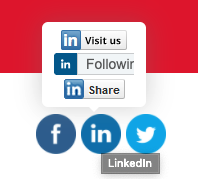
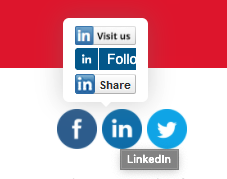
However, now I have a similar issue after a user clicks on the follow button. The button changes from ‘Follow’ to ‘Following’ and the text no longer fits the screen. (http://www.grey-box.ca/wp-content/uploads/2021/11/Screen-Shot-2021-11-04-at-9.28.02-AM.png)
I tried the following in Inspect mode but when I add the code in the theme’s CSS section, the changes do not apply:
.following-btn–no-count {
font-size: 11px !important;
font-weight: bold;
}Please help!
- This reply was modified 4 years, 6 months ago by mariahfernnn.
- This reply was modified 4 years, 6 months ago by mariahfernnn.
Forum: Plugins
In reply to: [Social Media Share Buttons & Social Sharing Icons] LinkedIn follow buttonForum: Plugins
In reply to: [Social Media Share Buttons & Social Sharing Icons] LinkedIn follow buttonYes I do, where do I upload it or send it to?
Forum: Plugins
In reply to: [Social Media Share Buttons & Social Sharing Icons] LinkedIn follow buttonJust activated it, let me know if you can see the issue.
Forum: Plugins
In reply to: [Social Media Share Buttons & Social Sharing Icons] LinkedIn follow buttonHi Nick,
Thanks for your response. I disabled the follow option for LinkedIn because it was the one that was off-screen. I would like to use it but has this issue been resolved?