lukosovan

Forum Replies Created
-
Hello @michu0000.
Please read this https://wp-filter.com/howto/pagination-doesn-work-what-to-do/
It looks like you’re not using standard pagination, this can also cause a problem.Hello @spiritvn.
This is standard woocommerce behavior.
You can disable my plugin, and try to select products(on page 3) using the woocommerce price slider.
But we will try to solve this problem.Hello @karlosuccess.
Under each product category, we need to display only relevant terms. – Yes you can do this with our plugin. You should activate this options -http://prntscr.com/nx0ew1, but it can only on premium version of plugin.
Hello @jaggedtouchstudio.
I added the search by text – I have not found our extension on your site.
Also, is there a way to default the category? – you can use the shortcode [woof_products] and its settings taxonomies=product_cat:9,12
Is there a way to change the hover overlay to the short description of the product? – You need css customization
landing page would have an image for greeting cards, art prints, downloads, etc… – this is not related to the plugin. Try to use native shortcodes woocommerce or customizer settings.
Hello @vishalsingh24.
It seems that you are mistaken support, I do not see my plugin on your site.
Hello @ceylonthemes.
In the next version we will fix it.
Hello @ajayghaghretiya1.
Please check this option – https://c2n.me/41OmVlN.png
Hello @nickjonz.
Welcome.
Hello @kerryoc.
Ok, greate.
Thank you for cooperation.Hello @kolumb55.
You can do this in the paid version of the plugin.
Unfortunately in the free version you can work only with a limited number of product attributes, you can read more in the description of the plugin https://wordpress.org/plugins/woo-bulk-editor/ in the section FIELDS POSSIBLE TO EDIT IN FREE VERSION OF THE PLUGIN.Hello @evgeniypro.
Please try this soulution:
Try in index of GS Pinteres plugin paste this code –
if (isset($_GET[‘page’]) AND $_GET[‘page’] == ‘woobe’) {
return;
}Hello @nickjonz.
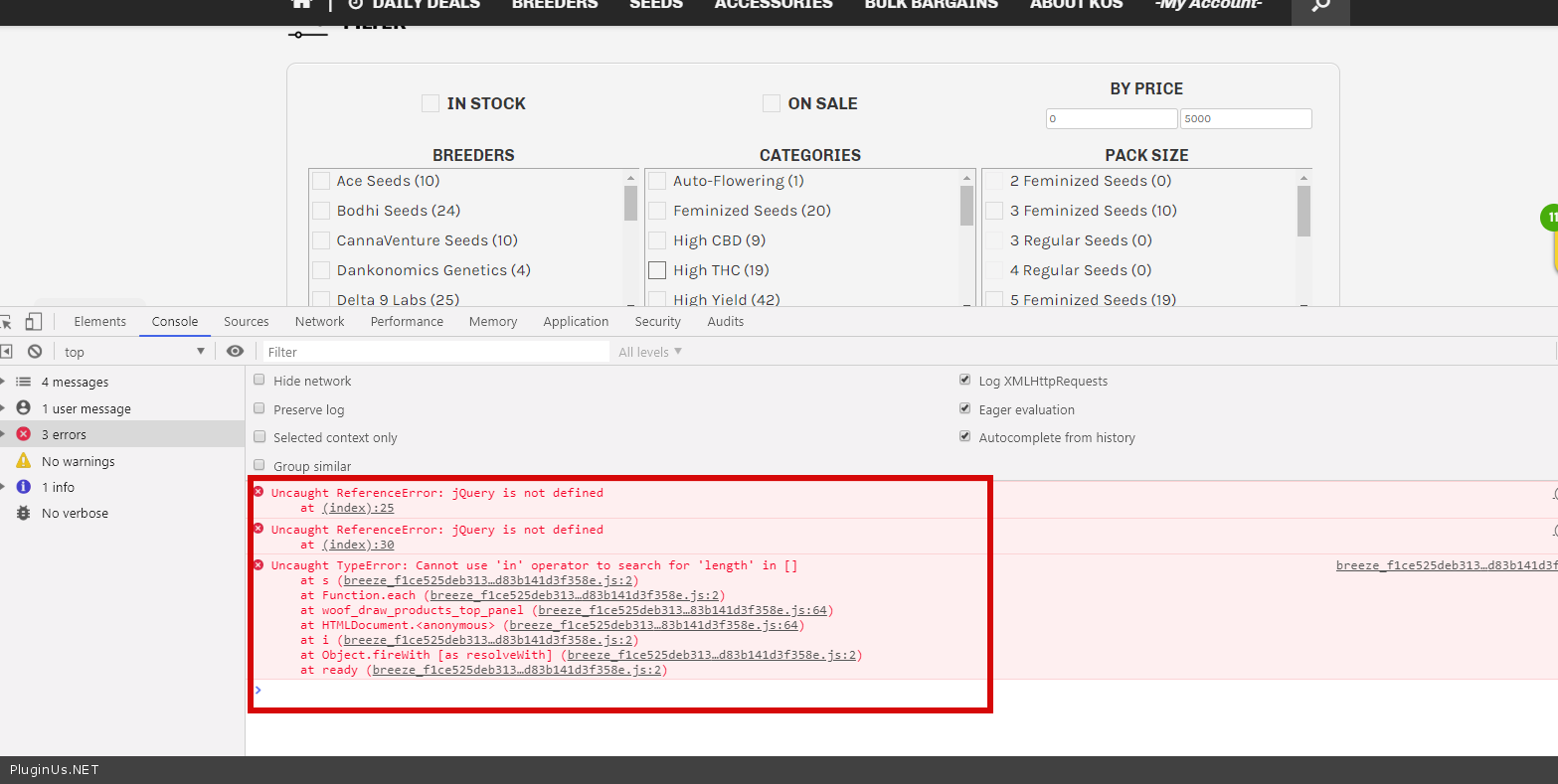
Try to solve these errors first – https://c2n.me/41LxRdZ.png
Try to disable js optimization, if you need filter optimization, try this option -https://clip2net.com/s/41M2uyn (Product Filter->Advanced(tab)->Options(tab)->Optimize loading of WOOF JavaScript files->Yes)Forum: Plugins
In reply to: [HUSKY - Products Filter for WooCommerce Professional] tool tip problemHello @shawtky.
Welcome:)
Hello @mirda1983.
Unfortunately the plugin does not have this function and does not affect the sorting of products.
You need code customization.Hello @kerryoc.
Unfortunately the plugin does not have this function.
You need code customization.