losvincent

Forum Replies Created
-
Forum: Plugins
In reply to: [W3 Total Cache] w3-total- cache/Cache_ File Cleaner_ Generic.php on line 58@vmarko pls just tell me which shall i delete from disable_function list in php.ini
mine is vps,not a virtual host,they don’t help thisForum: Plugins
In reply to: [W3 Total Cache] w3-total- cache/Cache_ File Cleaner_ Generic.php on line 58why no respond????
@vmarko
disable_functions = passthru,system,chroot,chgrp,chown,shell_exec,popen,proc_open,ini_alter,ini_restore,dl,openlog,syslog,readlink,symlink,popepassthru,putenvwhich show i delete from the php.ini to solve this?
Forum: Plugins
In reply to: [W3 Total Cache] Error while ‘Purge all caches’ – Call to undefined function@vmarko hi,so what shall we tell the host provider?and Which function needs to be enable?
Forum: Plugins
In reply to: [W3 Total Cache] Error while ‘Purge all caches’ – Call to undefined function@botnop hi my friend,i meet the same problem like you,did you solve this?
Forum: Plugins
In reply to: [W3 Total Cache] w3-total- cache/Cache_ File Cleaner_ Generic.php on line 58@vmarko ,hi,how can i solve this?
@wpmudev-support1 thanks,see device condition now
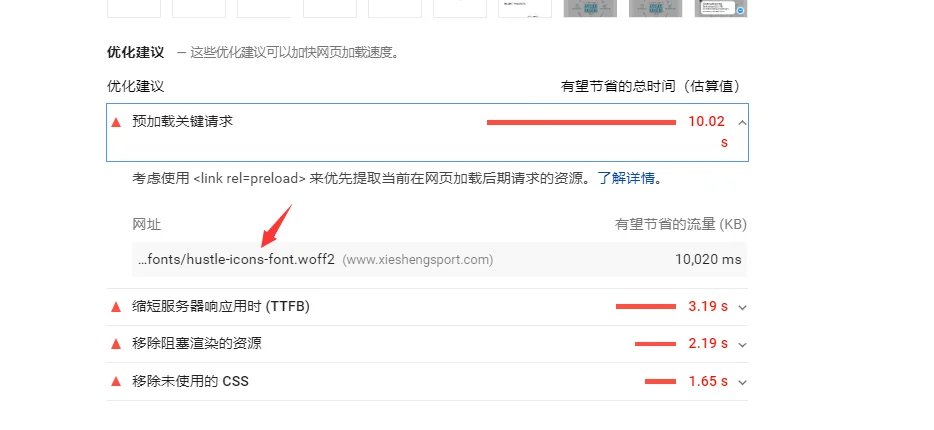
and what’s about the font loads said before now,it seems hustle release a new version ,did it solve this?@wpmudev-support1 one more question,how to set the popup box hide on mobile device?thanks
Forum: Plugins
In reply to: [W3 Total Cache] w3-total- cache/Cache_ File Cleaner_ Generic.php on line 58@vmarko ,hi,PHP version is 7.3.8,and this error seems only occurs when purge all pages,it works fine in purge current page,no error
@wpmudev-support1 thankyou very much,hope will be solved in future version
@wpmudev-support1 using popup,pls see photo in : https://sc01.alicdn.com/kf/Hf2b94eecd2a64fb0b948258981724481Z/228833802/Hf2b94eecd2a64fb0b948258981724481Z.png
- This reply was modified 6 years, 9 months ago by losvincent.
@karzin hi,thanks for your code.i’ve tried $position = ‘add-to-cart’ and =’After add to cart button’,it not works
i don’t know what should i set in $position = ‘the-position-you-want’;@karzin thanks,i may not try premium version now for my site is small at begain
i’ll appreciate your custom code help,so how to do this?@karzin hi,i’ve tried this four option,no the position i want
how can i customized the position?
thanks