JohnnyScience

Forum Replies Created
-
Forum: Fixing WordPress
In reply to: Google Fonts lowering gtmetrix score – please help optimizeOk thanks, I posted on my themes support for help with this based on your suggestions!
Forum: Fixing WordPress
In reply to: Google Fonts lowering gtmetrix score – please help optimizeOk, so how do I enable these font stacks site-wide and also then disable all of the webfonts slowing the site down?
I assume these are attached to various plugins, so do I need to target the individual plugins font file?
Forum: Plugins
In reply to: [WooCommerce] Google Search Console error over wcpcsu-custom-postYes I’ve come to realize it’s being created by WooCommerce Product Carousel, Slider and Grid Ultimate plugin by @aazztech
https://wordpress.org/plugins/woo-product-carousel-slider-and-grid-ultimate/
I really liked this plugin’s carousel, but it seems to be hitting my website’s gtmetrix score pretty good too.
Is there any woocommerce option that’s faster and lighterweight that does a nice carousel of products? I don’t think there is any shortcode in woocommerce itself for that is there?
I’ve posted over in the develops plugin forum to see if they had any insight into speeding up this plugins load time, but I’d still prefer something lighter-weight that’s already built into woocommerce itself if possible.
- This reply was modified 5 years, 12 months ago by JohnnyScience.
Forum: Fixing WordPress
In reply to: Need help building a proper Directory based websiteHello, yes I am using the CDN from WMPU.
Bold Themes didn’t necessarily say that it wasn’t compatible, just that they can’t guarantee it is because they’ve never ran tests for it. They also couldn’t suggest a Directory plugin that was compatible with their Theme.
And after trying a couple of different ones out, I’ve come to like Web Directory 2.0 plugin as it allows me to present my Dispensaries & Doctors the way I’d like to visually with a map and individual profiles in columns & rows.
But even this one is giving me major speed issues on the website.
Is there any way I can create a columned list with profile info & pictures in a visually appealing way, without having to use a Directory plugin?
What I want really isn’t difficult I don’t think and I have less than 100 entries/profiles between Dispensaries & Doctors.
I’ve tried stripping a lot of the plugins out for now to try and increase speed as I rebuild things. But that flip-side to that is now my website has less functionality that I’d like/need it to.
I’m not tied to Woo-Commerce, but I honestly don’t know what a good alternative would be. They seem to have the market cornered for e-commerce within WordPress.
What would your suggestion be? I don’t plan on carrying tons of products, probably less than 20 overall. So I could run a very light-weight e-commerce solution.
As far as all of the images, I’m trying to make my site very visually appealing with graphics and art. How can I attempt this without bogging my site down?
For instance, the text that I have as images; Upcoming Events, Ohio Cannabis News & Shop CBD Products (I’ve sinced removed Upcoming Events & Ohio Cannabis News, but Shop CBD is still on my home page as an image. So how can I optimize this design concept?
I made these look really cool with a gradient in photoshop.
Is there any way to create the text with a gradient outline like I did without making it an image that slows the site down?
I’m also still having issues with background images on my home page being a major problem for the speed of my website.
For whatever reason, the way that X Themes Content Builder works and I added those images to the background, Smush Pro can’t seem to Smush any of the background images I have on my home page.
What is a more optimized size I can re-upload the background images on my homepage with?
I’ve tried playing with the scale within the content builder, but it always just ends up blurring the image or not scrolling the image with the Parallax effect properly.
I’d like to keep the resolution/presentation the way the images currently populate, with the scrolling image with the Parallax effect as they currently are. I think it adds a really nice visual touch to the website.
However, if it’s one of the reasons the website is bogged down, I will get rid of itt.
I know this is bit winded and complicated and I REALLY appreciate any help & insight into fixing my websites load time.
Thank you!
- This reply was modified 6 years, 2 months ago by JohnnyScience.
Forum: Plugins
In reply to: [WooCommerce] How to email admin when orders get canceled?Yes I had tried placing an order after I had the log installed and did not receive any notification by email or the log showing an email was triggered.
However, since then I have received other emails from my WordPress for comments on articles or New Entries via WP Contact Form and these are in fact showing up in the log.
So it has something specifically to do with Woo-commerce I would imagine.
Do you still think it’s worth contacting Microsoft support?
Or now that we’ve determined WP is sending me other emails, we need to go deeper on Woocommerce?
Regarding the app:
Weird, I was logged in and able to view my store, but after deleting and reinstalling it I can no longer login as it is requiring a Jetpack account, which I do not have because I offer CBD products on my website and Jetpack shut me down.
There seems to be another app available by MonkeyData called “Order Alert for WooCommerce”
This is all I’m really in need of, but I’m not sure if it offers notifications for Canceled or Failed orders, but I’m going to look into it.
Any other ideas or options?
Thank you for all your help!
Forum: Plugins
In reply to: [WooCommerce] How to email admin when orders get canceled?Ok so I’m continuing to miss orders because I am not getting these emails and this is really starting to become a problem.
My email is Microsoft Office 365 through godaddy and my website hosting is with hostgator.
Both of them have confirmed that everything with my email passes all tests and checks and neither saw any issues.
Hostgator suggested I contact Microsoft since my email is technically through it.
I’ve disabled and enabled the email for Canceled and Failed orders settings, but I doubt that will help anything.
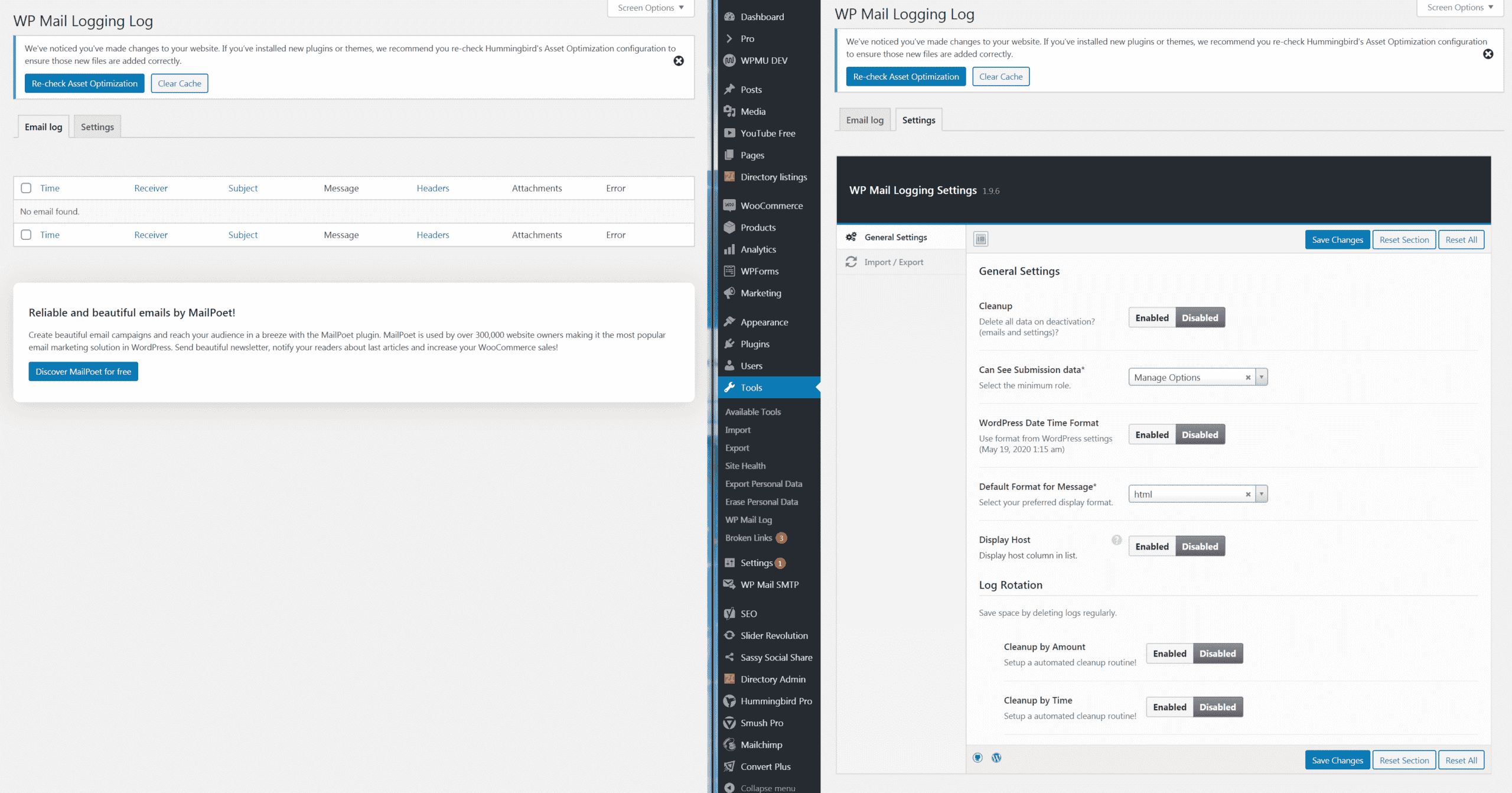
I downloaded the WP Mail Email logger but it’s not logging any emails? But as far as I can tell, it is setup right.
Here’s a screenshot:
https://www.ohiocannabis.com/wp-content/uploads/2020/05/WP-email-logger.png
I haven’t tried installing the WP Mail SMTP plugin yet, that’s my next step.
Based on the WP Logger not logging anything since Woocommerce/Wordpress isn’t dispatching these notifications emails properly, the SMTP Plugin probably wouldn’t help would it?
Now I’m running into another problem with the app and not being able to turn on any type of notifications. The Woocommerce app does not show up under Notifications on my iPhone 10s. I also can not see to find any notifications options in the app itself.
Any idea what I’m missing?
Forum: Fixing WordPress
In reply to: Need help building a proper Directory based websitewhoops sorry typo:
Forum: Fixing WordPress
In reply to: Need help building a proper Directory based websiteHello it is: https://www.ohiocannabs.com
Thanks!
Forum: Plugins
In reply to: [WooCommerce] How to email admin when orders get canceled?Hmm after reviewing that section, my admin email was already attached to Canceled & Failed Orders, yet I’ve never gotten a single email for either.
And yes I also closely monitor my spam box as well.
Any idea why I wouldn’t be receiving them even though my admin email is entered correctly?
Well Hypur & I have been running test transactions, but we’ve been running into a problem when hitting the final checkout button. I posted a thread about it here:
upon clicking the final pay with Hypur button the redirect is taking me back to our site to log in again, i'm thinking the final pay with Hypur button might have the wrong redirect URL attached as normally I would be brought to a Success or Confirmation page after this button, but it has myself in an endless loop of logging in currently.What do I not have set properly so this endless login loop stops and the order can be finalized/confirmed?
Thanks!
Bump…
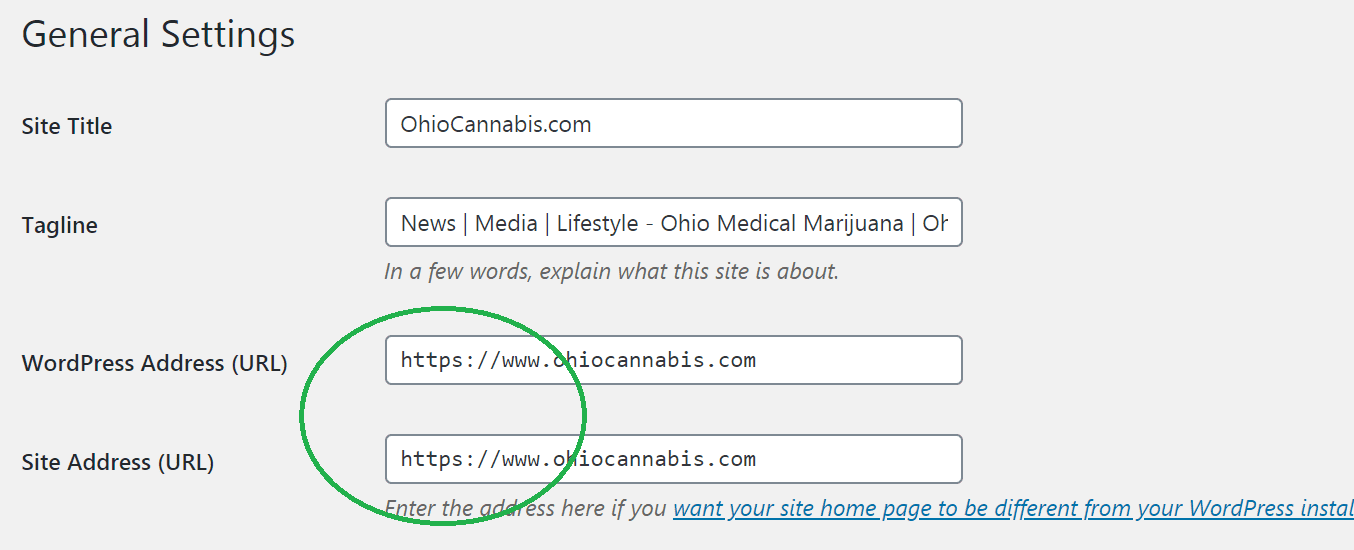
Yes I have them both set to HTTPS:
https://www.ohiocannabis.com/wp-content/uploads/2020/02/Untitled11.png
@3sonsdevelopment I will forward that info to Hypur and see if they can pin point it.
Will this affect checkout and transactions in the mean time?
Anyone? Still stuck on this issue.
Thanks!
Hmm.
Yes I do have an SSL installed on the site.
And yes I have both the the site URL & WordPress Address URL set to HTTPS:
I’m not sure why you aren’t seeing it when you looked at the site?
Hello, ok yes I did upgrade to Smush Pro and have submitted a ticket for some help.
The plugin seems great and so does the support team!
Thank you!