cetian

Forum Replies Created
-
Forum: Fixing WordPress
In reply to: Cannot edit Social Network icons’ links@contentiskey Ty so much lisa, that’s it. It was as the secondary menu, I’m able to edit it.
Ty so much for your help 🙂Forum: Fixing WordPress
In reply to: Cannot edit Social Network icons’ linksTy for your suggestion threadi.
I went to Appearance > Widgets and everything is there except the social icons.
This is what I see:
Ty for your suggestion threadi.
I went to Appearance > Widgets and everything is there except the social icons.
This is what I see (as per image below):
(in any case I did try to add an Instagram icon with its link, I updated the widget and it changed nothing)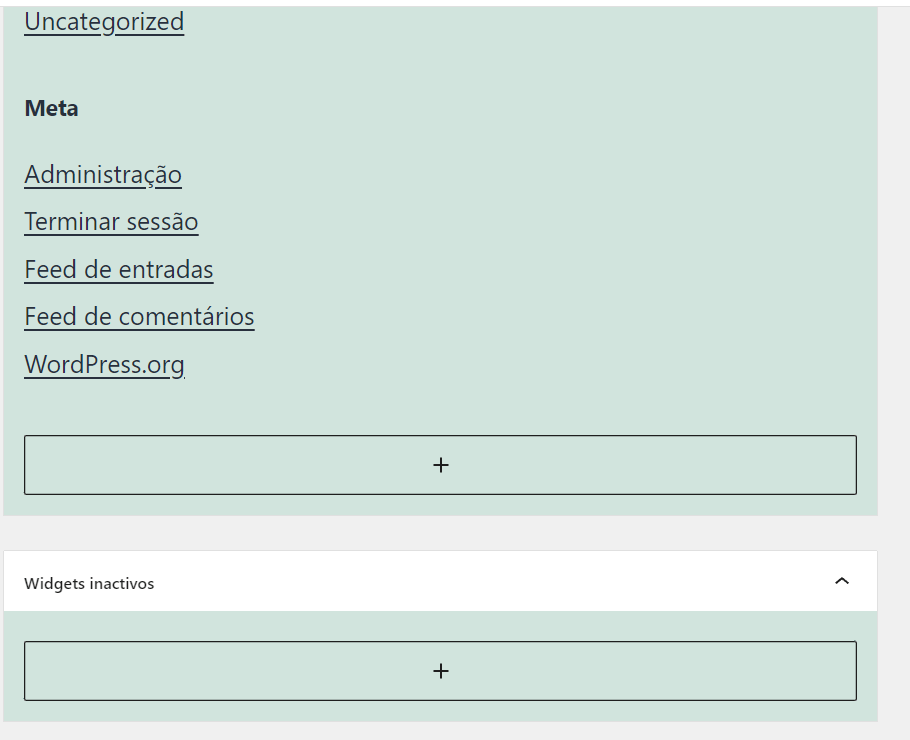 Forum: Themes and Templates
In reply to: [Spearhead] How to center a page or all pagesThank you @jerrysarcastic, indeed that was my mistake. It worked!
Thank you also @aleone89 for providing the resolution.Have a great week 😀
Forum: Themes and Templates
In reply to: [Spearhead] How to center a page or all pagesThank you @aleone89 for your answer.
That option does not seem to be available in this template. (Only the option to choose “Fill” or “Outline” style).
You can see it in the screenshot I link here.
http://urbo.pt/no%20justify%20available.PNGForum: Themes and Templates
In reply to: [Spearhead] Font size not workingForum: Themes and Templates
In reply to: [Spearhead] Font size not workingSorry for the confusing post above.
In short, you can go to the page: https://urbo.pt/discografias/
You will find 2 sentences just bellow the page title:“This is an example with XL size
This is an example with Default size”And as you can see there is no difference in size bettween them.
Thanks in advance for your time.Forum: Themes and Templates
In reply to: [Spearhead] How to change the excerpt link textThank you @jerrysarcastic
I will check that.
Forum: Themes and Templates
In reply to: [Spearhead] Font size not workingThank you for your time, @macmanx
In the meantime, I needed that page live.
I leave again with the text, until tomorrow.
Then I wil either use a solution or the images with captions, as I did.You can go there now, please check text:
“<!– wp:paragraph {“align”:”center”,”fontSize”:”xl”} –>
<p class=”has-text-align-center has-xl-font-size”>This is an example with XL size</p>
<!– /wp:paragraph –><!– wp:paragraph {“align”:”center”} –>
<p class=”has-text-align-center”>This is an example with Default size</p>
<!– /wp:paragraph –>”The copy paste with code was accidental but I will include it as it clearly shows that XL size is chosen.
please check: https://urbo.pt/discografias/
Forum: Themes and Templates
In reply to: [Spearhead] How to change the excerpt link textThansk you @jerrysarcastic for your suggestion.
I wish I had the time to help with the translation.What I was looking for, though, would not work with a translation.
Since I don’t want to just translate “More” into Portuguese.What I would like is to is use that link as any other piece of text.
And put arrow characters, text, change it when I need to.Forum: Themes and Templates
In reply to: [Spearhead] Center the site logoWorked perfectly, thank you so much Jerry.
And thank you @aleone89 too.Forum: Themes and Templates
In reply to: [Spearhead] Center the site logoHello,
because we are already live, I had removed it.
If you go there now, you will find it.But in about 10h I will have to remove it again, if it’s still misaligned.
Thank you a lot for your help.here’s the logo:
https://urbo.ptForum: Themes and Templates
In reply to: [Spearhead] Center primary menu+social menu and post excerptThank you so much, it worked perfectly!
