bisdanner

Forum Replies Created
-
Hi @wpmudevsupport11 ,
Thanks for the tips and hints. I could do some tests and figured out what the problem causes.
The WP Custom Admin Interface plugin had some (unused) old settings that did not match the newly updated plugin menus (especially Forminator). A restet of the plugin settings or deactivation of it helped.
Thanks again for your support.
BR
ThomasHi @wpmudevsupport11 ,
I had installed several Plugins which defines custom roles (Adminimize, WP Custom Admin Interface and User Role Editor). But non of them changes the admin user role of users capabilities.
But I will try your suggestion, thanks.
BR
ThomasHi @wpmudevsupport14 ,
Thank you for addressing the issue.
This is the users view. I have just added a Testadmin user. And logged in with this account.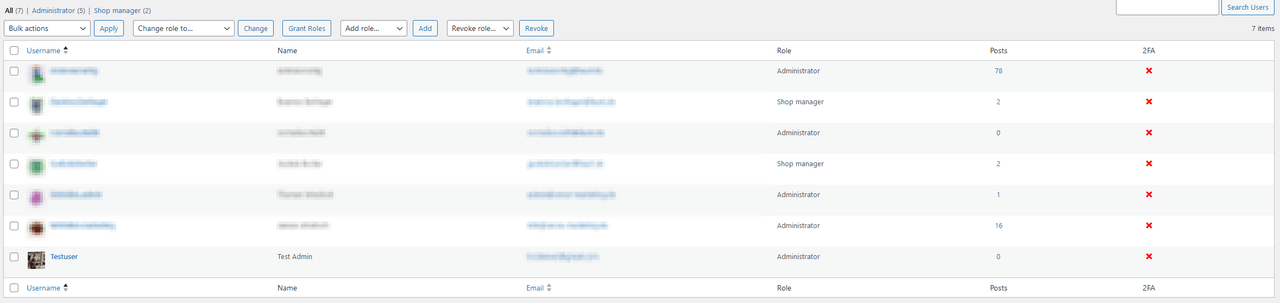
I can do everything except edit.

Afer clicking on the Edit button the access denied paged appears:

And the Settings->Permissions page you want:

As the first administrator, I can set up and edit everything. Only other admins can’t.
Furthermore, only as the first admin can I see the new menu entry Templates and the additional discount information for the Pro version.
As first administrator:

If not the first admin:

I hope the information helps me to find the problem.
Thanks.
BR
Thomas- This reply was modified 1 year, 10 months ago by bisdanner.
Hello Saurabh,
thanks for reply and the update from SLS.
I’ve added the code in mu-plugins and used{post_image}macro in my email notification.
Now it works pretty well. The image is embedded into the email message and not into the attachment, but that’s okay with me.Thanks a lot for the fast reply and offering a solution. Great work, great plugin, great support.
Best regards
BisdannerMany thanks @davidanderson and @pushlabs
Greets
ThomasForum: Plugins
In reply to: [UpdraftPlus: WP Backup & Migration Plugin] 1.22.16 Update Crashes My SitesHi,
same here. 1.22.16 crashes my site too.
Not using the Photocrati, but problem causes by the plugin “Video Background” (https://pushlabs.co/docs/video-background/)
Thomas
Thanks Jarno,
Just now I saw it under Installed Plugins overview too.
I’ve tried the feature, but it doesn’t seem to be working as hoped. After I activated ‘Consent per Service’, only the placeholder text had changed (btw the line in the translation is still missing here).
I have an Instagram social wall that I activated/deactivated with the marketing cookies. Here ‘Consent per Category’ worked very well.
I was able to help myself now by activating ‘Consent per Service’ and completely deactivating the marketing cookies. So the cookies from Google Maps and Instagram are no longer connected. For both services I’ve added div-blockers in the ‘Script-Center’ (btw here I still have to/can select the category?!).
If there is a way to activate Google Maps per service (by div blocker), i.e. independently of a category, while still retaining the category option for the marketing cookies, that would be great.
Maybe adding a new ‘category’ in Script-Center named ‘no category’ beside marketing and statistics.
EDIT
After clicking “I Agree” the placeholder will be removed but the content will not be shown yet. This only appears after a reload.Is it possible to automatically reload after clicking?
/EDITBest regards,
Thomas- This reply was modified 4 years, 3 months ago by bisdanner.
Hi Rogier,
that are good news. Thank you.
I took a look at github but not sure where I can find a release or a tag of the version 6.1.
Best regards
ThomasSame here.