amylenzo

Forum Replies Created
-
Forum: Plugins
In reply to: [Contact Form 7] Fatal Error after Updating to latest WP (4.6)Resolved.
Forum: Plugins
In reply to: [Contact Form 7] Fatal Error after Updating to latest WP (4.6)That worked! Thank you Takayuki.
Forum: Plugins
In reply to: [Contact Form 7] Fatal Error after Updating to latest WP (4.6)Thank you for responding Takayuki! Your plugin is brilliant!
I think the plugin is fully installed since it was working great until this last WP core update (4.6)…I have a number of forms already designed that I wouldn’t want to lose unless that’s the absolute last resort. I would lose them if I deleted the plug-in and reinstalled, right? Maybe I can retain the work I’ve already done if I ftp the plugin and replace the old one without deleting it first?
Forum: Plugins
In reply to: [The Events Calendar] Event Calendar activation caused my site not to loadHi Geoff,
I am indeed running the latest version of the Events Calendar (3.11.2), and didn’t revert back to the earlier WordPress version.
I did however, call my server and increased the allocation of php memory for the site, which seemed to be impacting some other issues.
Something strange is happening with this site – apparently it is not registering changes right away (I’m noticing it on ccs and widget changes, not so much page or post content or menu changes). Anyway, I decided to leave this for a few hours and see if it resolved itself, and it did! 🙂
Thanks for all your help in troubleshooting this, and for your obvious good nature.
Amy
Forum: Plugins
In reply to: [The Events Calendar] Event Calendar activation caused my site not to loadIn case it isn’t obvious :-), I am not a developer, and am not sure what I need to do in the functions.php file to fix this…
Forum: Plugins
In reply to: [The Events Calendar] Event Calendar activation caused my site not to loadThanks so much George.
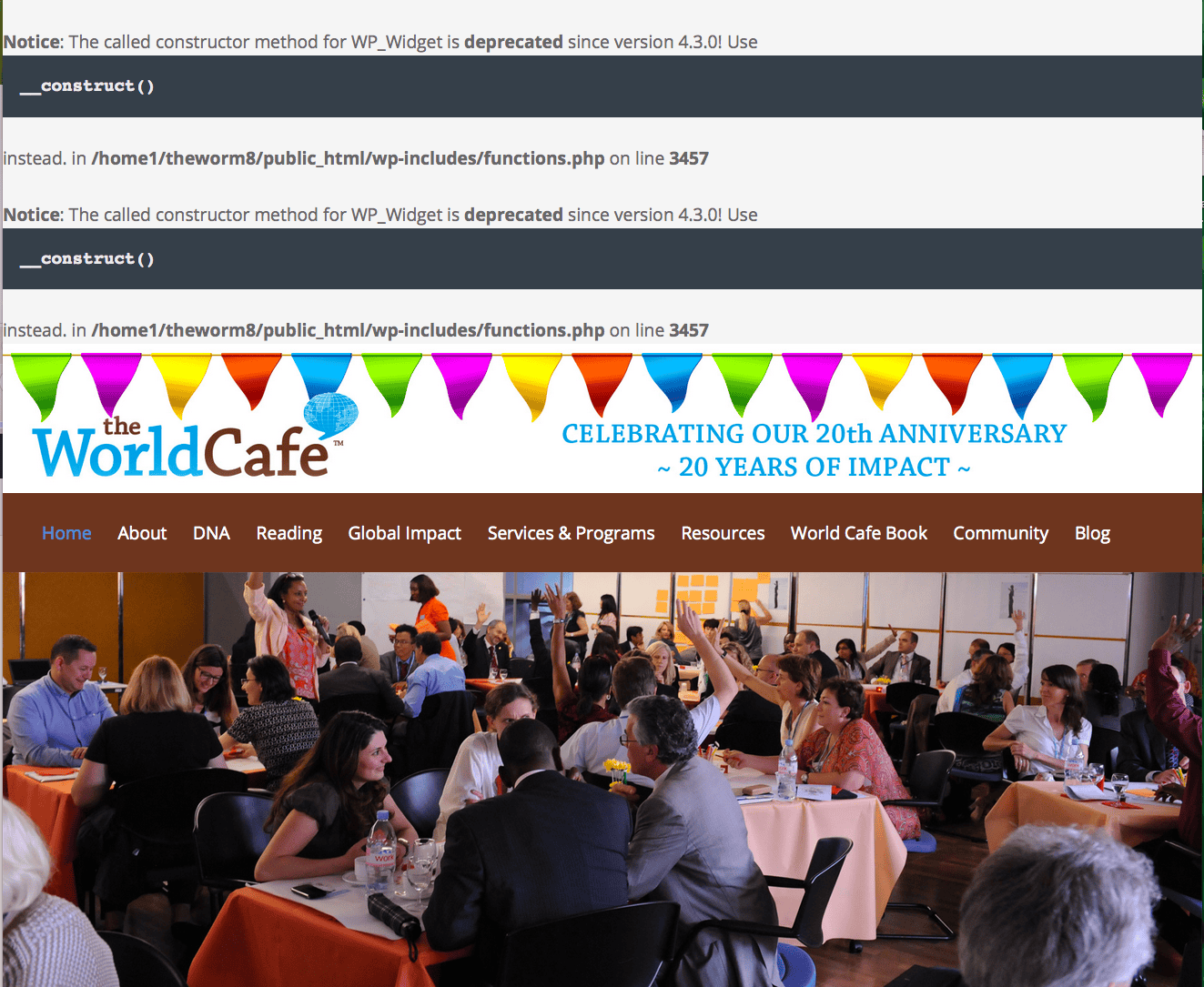
I did what you suggested and this time (with the Event Calendar activated) the front-end actually loaded, but there was an error code above the front page image, AND at the top of the back-end dashboard.The error code on both pages was:
Notice: The called constructor method for WP_Widget is deprecated since version 4.3.0! Use__construct()
instead. in /home1/theworm8/public_html/wp-includes/functions.php on line 3457
Here’s a link to the front page graphic:
http://www.theworldcafe.com/wp-content/uploads/2015/08/ScreenShot2015-08-21.pngAmy
Thanks for your help – I got through to the nextgen-gallery website with your last link, but the process just opened up a whole new world of mess (don’t even ask) and I still haven’t gotten through to someone who can help with my question (which doesn’t seem complicated enough to require such difficulty), but I am hopeful that I will eventually get an answer.
I’m sorry – the link you gave above doesn’t resolve for me – it just hangs.
(moved somewhere else since this thread is resolved)
Forum: Fixing WordPress
In reply to: site title not showing up in browser barThank you! That worked!
Forum: Fixing WordPress
In reply to: site title not showing up in browser barSorry, I guess I wasn’t clear about what I would like to happen.
On the home page, I would like the site title to show up ONCE in the browser bar, and not at all above my custom header.