Da

Forum Replies Created
-
Forum: Plugins
In reply to: [WooCommerce] Longer productcategories boxTried that in functions.php
But that doesn’t change the product image to get it bigger.Forum: Plugins
In reply to: [WooCommerce] Longer productcategories boxIt is in the admin area.
It’s the ‘all products’ tab.
On the left site on the ‘all products’ you can see there is a small image of the product.
I want to make that bigger.Forum: Plugins
In reply to: [WooCommerce] Longer productcategories box1 more question.
Is there also a CSS to make the image in the ‘all products’ tab 2 times as big?
Now the images are very small.Forum: Plugins
In reply to: [WooCommerce] Longer productcategories boxWe had the snippits plugin in the past, but that crashed a lot.
I found it also in my theme.
I put it there and now it’s working good! 🙂- This reply was modified 1 year, 5 months ago by Da.
Forum: Plugins
In reply to: [WooCommerce] Very long product urlsOur site is not new and is there for a few years.
But I don’t want to change the structure, I want to remove the very long product url text behind the product title url.I understand that you can not help us with this, so we will ask a SEO expert.
Forum: Plugins
In reply to: [WooCommerce] Very long product urlsI get a warning that I never must change the permalinks because it has serious influence on the visabilty for search engines like Google.
Another warning that I get is to never change it on a live site.The permastructure now is ‘messagetype’
The Product permalinks is now custom base ‘/product/’Forum: Plugins
In reply to: [WooCommerce] Longer productcategories boxTried it.
But I get red error text.The word ‘echo’ is in red, also #product_cat-all and ‘style’ in red.
It also says ‘Markup is niet toegestaan in CSS.’I have the same issue and there is already a topic on Google search Central.
The problem is not related to Google but to Yoast.
Yoast didn’t give update information about categories, product title and meta descriptions.This problem is for months already.
How do I know that?
The newly created categories are not in the site index by Yoast and didn’t send the update information to the sitemap and not to Google.The ONLY solution for now is to manually add every product link/categorie to Google search index and ask for a validation.
This is really not good for Yoast and need to be fixed.Same problem here.
You can only change it to upload the link to Google search console.
Do a URL inspection and do a new validation.
In a few days you have the new text of the meta title and SEO title.Same here.
Sitemap didn’t update from the Yoast XML for months.
I discovered the problem because a lot of categories are not indexed by Google.
ALso the SEO titles as you descibed are not updated.Update.
Seems there is a problem with the Yoast plugin sitemap.
I see that a LOT of categories are NOT in the sitemap.I check that in Google search console and add a categorie link in it.
It says that the URL is not indexed by Google.
The link is there for more then a year already….For what I can see is that the link is not in the Yoast sitemap.
How can I update the sitemap from Yoast?
In Google search Console is the sitemap last see today.
But it miss a lot of categories and I think also the new updated SEO titles from the last months.Forum: Plugins
In reply to: [WooCommerce] Products didn’t automaticly updateThank you for your message back.
We have already a Google’s Search Console API for years.
Also we contacted already with Google search Console.
They say that the problem is not related to Google Search Console and need to be fixed by Woocommerce itself.Looks everyone send me to another place….
Our site can be much better with the updated product SEO titles and descriptions, but Google shows only the ‘old’ ones even when they are crawled everytime.Forum: Plugins
In reply to: [Google for WooCommerce] Google for WooCommerce need to fulfill it?Thank you 🙂
- This reply was modified 1 year, 5 months ago by Da.
Forum: Plugins
In reply to: [WooCommerce] Products didn’t automaticly updateI opened a few months already a topic on Yoast.
But they say the same that it is not the ‘problem’ from Yoast.
https://wordpress.org/support/topic/problem-with-show-the-correct-text-on-google/Yes that is possible.
But it’s get a mess with the ‘new’ update from Woocommerce.
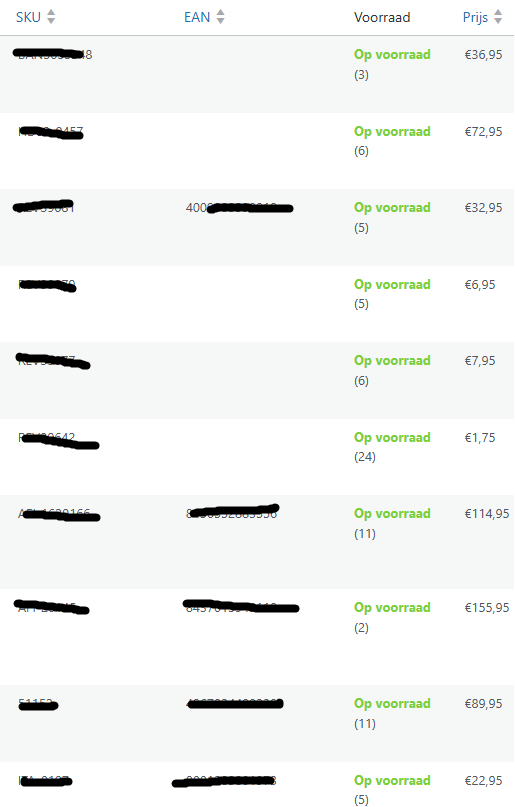
When I click on new product and go to the ‘stock’ tab there are now GTIN, UPC, EAN or ISBN.
But in the overview is a good result that you looking for.
https://i.ibb.co/3Yf2JHYc/EAN-SKU.png