Da

Forum Replies Created
-
Forum: Plugins
In reply to: [WooCommerce] There are no product prices on Google search resultsYes it was a lot of work, but needed to be tested 🙂
I just disable the Yoast’s Schema Framework and did a new Rich Result test.
When I checked the test results I see this: https://i.postimg.cc/JnNwYctt/Test-results1.png
If I open the broodkruimels (breadcrumbs) there are no product schema, offer or price or what so ever.
I see ‘detected item’ (nameless item)
If I open that I see the Itemlistelement, but nothing related for Google that it is a sellable product.It looks like that disable the plugin and disable the Yoast’s Schema Framework didn’t make any difference?
The products/pages that are not listed in Google are already indexed in Google Search Console in the pages tab.
But let focus first on this problem before we combine mulitple problems 🙂Forum: Plugins
In reply to: [WooCommerce] There are no product prices on Google search resultsToday I checked 200 products on Google and copy/paste the exact title.
Some of the product do have a price, but mostly they don’t.
First question, why did some products have prices and most don’t?
Here are 2 screenshots:https://i.postimg.cc/QdZWXVhv/Search1.png
This screenshot doesn’t have any descriptions, but on the webshop the product have a description, also in the Yoast plugin.
Second question, why didn’t Google show product descriptions? (mostly)https://postimg.cc/CzJK7hZC
On this screenshot there is a price, but no product photo.
Third question, why isn’t there a product photo?
All products have product photo’s because that helps customers to buy a product.Around 165 of the 200 that I checked aren’t in the search results.
For example this: AFV 1:35 M40 SELF-PROPELLED GUN
Google didn’t show my product in the Google search.
Fourth question, why didn’t Google show our products in the search results?
I checked all the pages, even with our webshop name in the search bar.I checked the feed, and all products have descriptions, shipping info, stock status, prices, SKU/EAN numbers etc etc.
Forum: Plugins
In reply to: [WooCommerce] There are no product prices on Google search resultsI deactivate the plugin.
Tried a retest with the link I showed before.
Tried it with rich results.
But I can not find the product schema in the rich results.
Where can I find that?
Here is what I see: https://postimg.cc/vcg4Y13jForum: Plugins
In reply to: [WooCommerce] There are no product prices on Google search resultsThank you again for the information.
If I check the structured data plugin there are 0 schema themes.In Yoast SEO plugin I see different schemes.
The Schema aggregation endpoint is turned off.
The Schema Framework is turned on.Is it better to turn the Schema Framework off?
In the structured data plugin I see data type ‘organization’
I can only choose that, or ‘person’
Here is that screenshot: https://ibb.co/0jySKPMS
Maybe better to disable that plugin to and retest using Google’s Rich Results Test?Forum: Plugins
In reply to: [WooCommerce] There are no product prices on Google search resultsThank you again for all the information.
I will try to tell you.1. Something is wrong there already.
Because my webshop is not a Localbusiness, organization or review and has to be a dedicated product with offer.
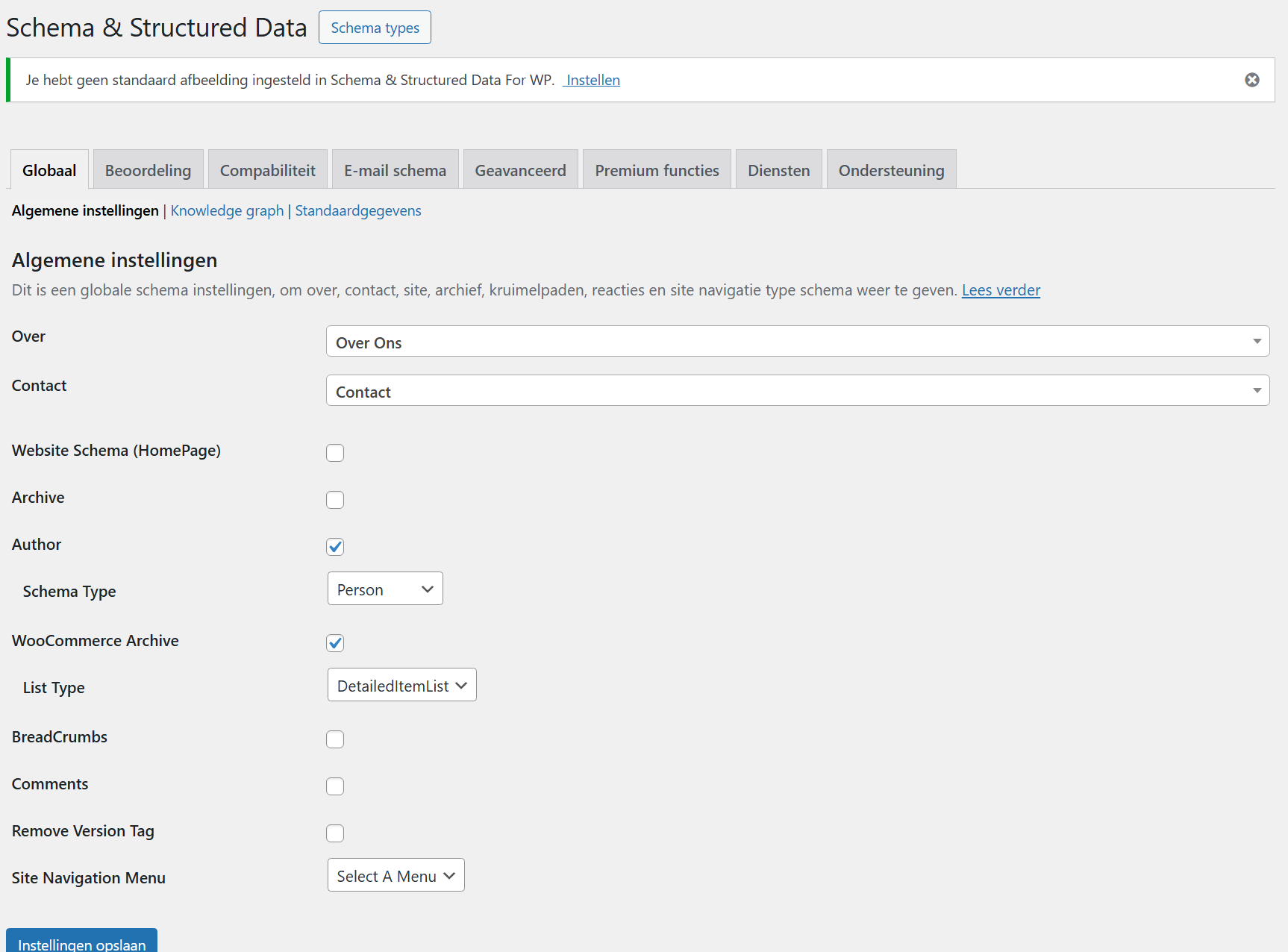
How can I change that so Google can see that my webshop is a shop?2. I didn’t make the shop, but I see that there is a plugin called ‘schema & structured data’
Here is a screenshot what’s inside that plugin: https://i.ibb.co/TqWY7kPz/Structured.png3. Well the problem is there for 9 months I think, because then the webshop is changed in frond and back-end.
I can confirm:
1. Schema & structured data is the plugin that we use.
2. We use Yoast SEO pluginHere are some extra screenshots from the Schema & structured data:
https://ibb.co/HDYLjGVZ
https://ibb.co/0jySKPMSAdditional: All my products have a SKU and EAN number in Woocommerce.
In the feed from the plugin CTX feed I checked end the SKU and EAN are there.
So that is for Google also ‘proof’ that it is a product.Forum: Plugins
In reply to: [WooCommerce] There are no product prices on Google search resultsThank you for your message.
1. For example this url: https://model-kits.nl/product/gecko-models-116-princess-and-dog/
2. Here is a screenshot from the Google’s Rich Results: https://postimg.cc/SnmyPgvK
3. Here is the result from that product URL: https://validator.schema.org/#url=https%3A%2F%2Fmodel-kits.nl%2Fproduct%2Fgecko-models-116-princess-and-dog%2FWe only have a online webshop, no local business/fysical shop.
A casino website?
I upload the screenshots.
If you click on the link it send me to the screenshots.
I didn’t see a casino website.To bad that you can not help me with this.
I will ask the support team.Forum: Plugins
In reply to: [WooCommerce] Basket page showing “Shipment 1”Well, it is not solved.
LovingBro say that it is also on Github.
But after weeks there is no new update or fix for it.Thank you for your fast message.
1. This is how it looks:
https://postimg.cc/gallery/NYzKmNP/cd559e0a2. This is the productdescription in Woocommerce:
https://postimg.cc/gallery/NYzKmNP/cd559e0a3. https://model-kits.nl/product/tamiya-ts-82-rubber-black-100ml/
Forum: Plugins
In reply to: [WooCommerce] Woocommerce update ‘Shipment1’ appears on cart + checkout pageI keep looking, but there is no change on the github page.
Also there was last Monday a new update for Woocommerce (WooCommerce 10.6 Beta 1)
Didn’t get that update.
Did that fix the problem?Forum: Plugins
In reply to: [WooCommerce] Woocommerce update ‘Shipment1’ appears on cart + checkout pageYesterday was the new Woocommerce update on schedule.
Is it extended? because we don’t have a new Woocommerce update with a fix.Forum: Plugins
In reply to: [WooCommerce] Error in version 10.5.0 and 10.5.1Same problem here.
The code works only on the checkout field but not on the cart page.
Also, when you go to the checkout field you see that -after you use de code- the ‘1’ dissapears.
So it is still visable for customers for a second or so.Same problem here.
The code works only on the checkout field but not on the cart page.
Also, when you go to the checkout field you see that -after you use de code- the ‘1’ dissapears.
So it is still visable for customers for a second or so.
Is there a fix already because more people have this bug.Forum: Plugins
In reply to: [WooCommerce] Basket page showing “Shipment 1”Same problem here…
Also after the update from Woocommerce.
Hope there is a fix soon because it doesn’t look professional.