Hello Arne,
Thanks for reaching out to us.
Can you please let us know which version of our plugins & WPML you are using?
Also, can you please share with us links to the page where we can test the form in English & Dutch?
Hello there,
I’m using the following versions:
https://gyazo.com/79fe3b2dbfc0f64f339f597348030e92
Here is a link to the form in dutch:
https://www.inesbouwen.com/nl/ (scroll to the bottom, right)
Here is a link to the form in english:
https://www.inesbouwen.com/en/ (scroll to the bottom, right)
Hey Arne,
Can you please let us know if you are using any WPML plugin related to ours? If you are not sure, can you please share with us a screenshot of your plugins list?
Hello there,
In the message above I posted a screenshot of every plugin I’m using related to Mailchimp For WordPress.
https://i.gyazo.com/79fe3b2dbfc0f64f339f597348030e92.png
What exactly is the information you need?
Hey Arne,
The issue could be related to the “MailChimp for WordPress Multilingual” plugin you are using. I would suggest reporting the issue with them. This plugin was created by another company (WPML).
The other plugin you are using “MC4WP – WPML” was created by us to quickly send user details to the different list based on the language they are using? I would not recommend using them together.
Hello there,
I indeed found the latter plugin to do the exact thing you tell.
We only use the “MailChimp for WordPress Multilingual” for the thing it’s description is describing it to do:
This ‘glue’ plugin makes it easier to translate with WPML content provided in MailChimp for WordPress plugin.
So is there no way to make these plugins work together? Since I really need Dutch & English subscribers go to different MC lists.
Hey Arne,
This 3rd party plugin, creates a new form ID which is why it does not work well with our WPML extension. I would suggest using our premium version to create a different form for each language.
Just the Mailchimp for WordPress Premium version?
Hello,
Yes, with the premium version, you can simply create 2 different forms.
Hello there,
I just tried the following:
I disabled this plugin:
https://i.gyazo.com/e3ba98930dcf8ac82e6ece16eb3ce533.png
So I’m only left with the following two plugins:
https://i.gyazo.com/3feb8b20d2d505645f44f9058fc6187d.png
This time both coded by ibericode so no conflict possible.
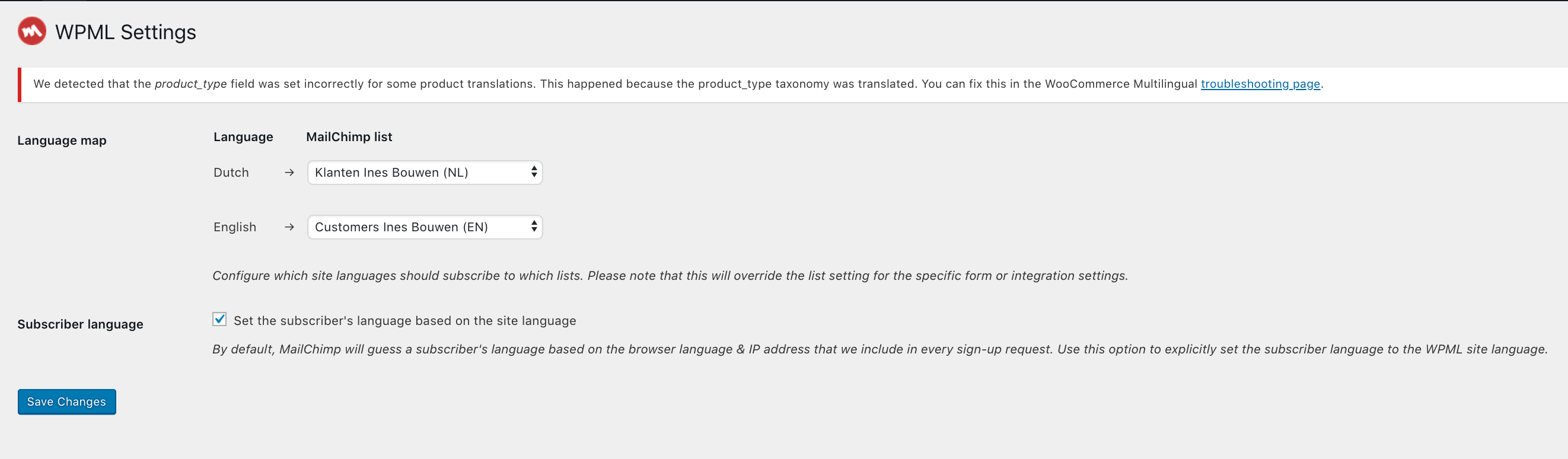
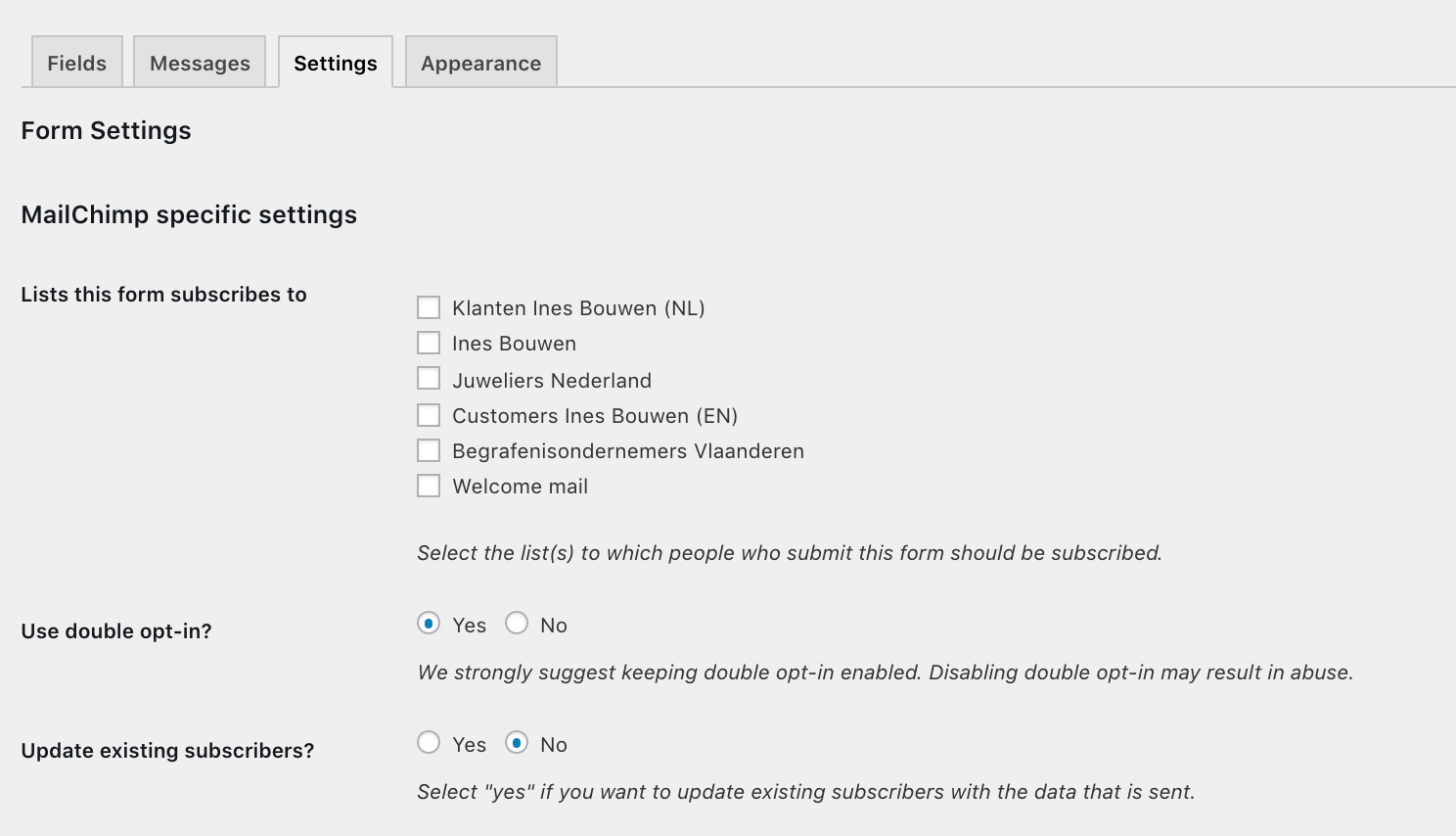
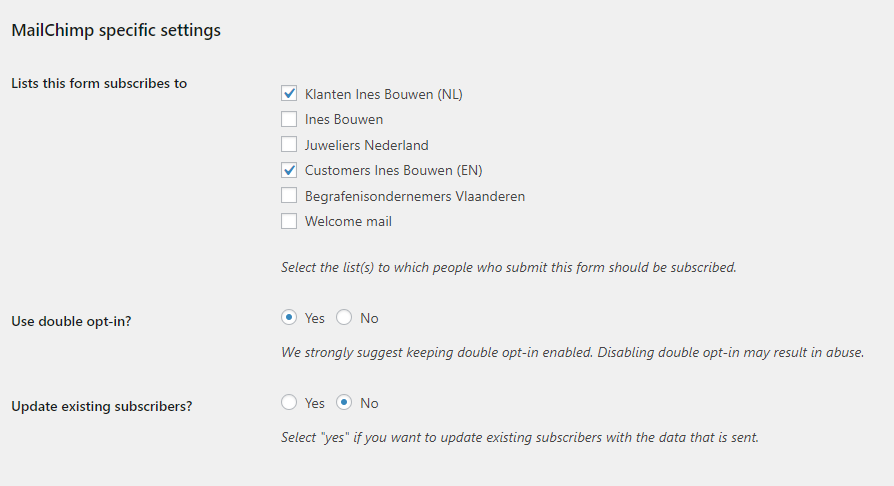
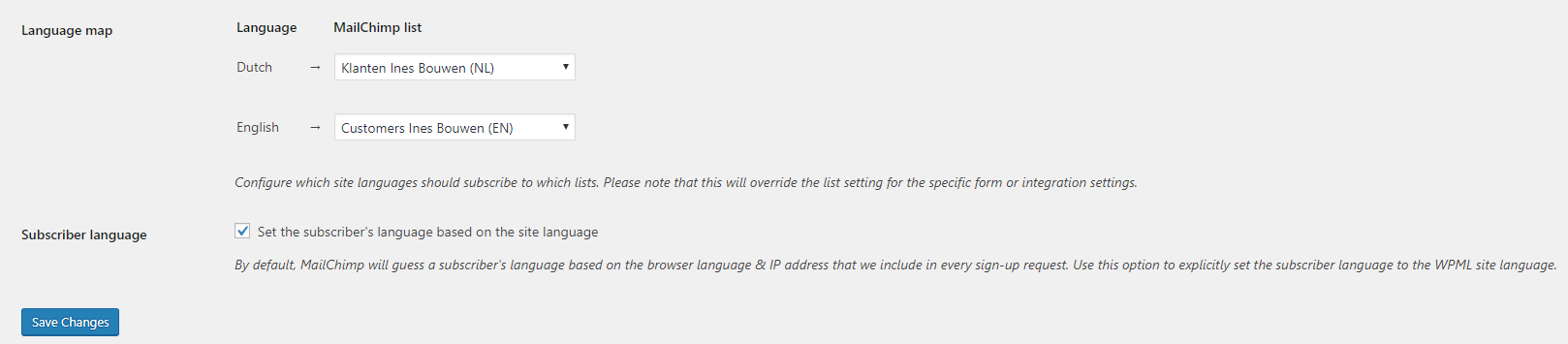
These are my settings for the WPML integeration:
https://i.gyazo.com/df26800abb267bd1650f78116455a7a0.png
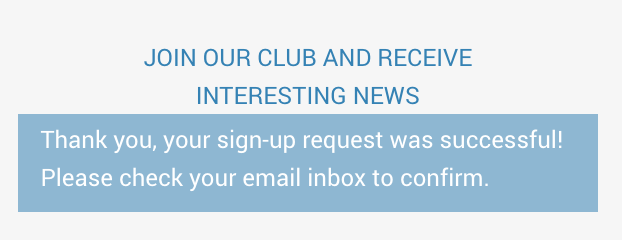
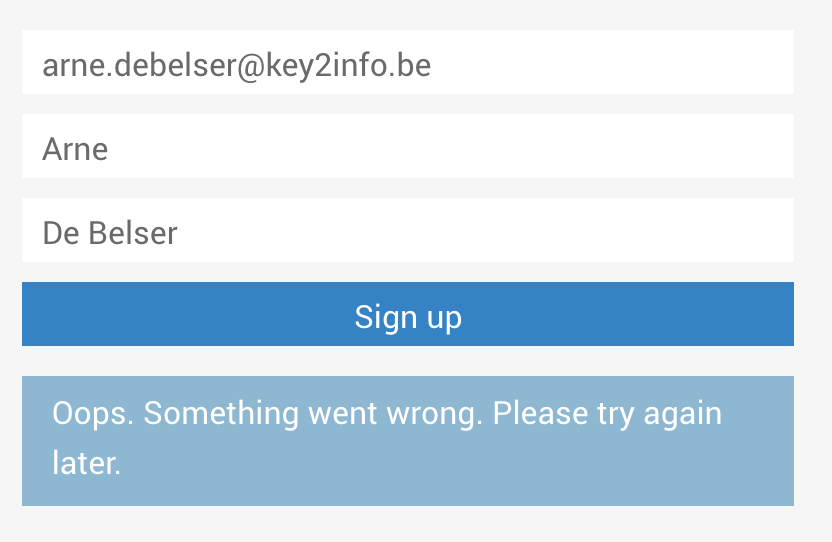
The first “dutch” lists works and I can subscribe when my website is (/nl/) but when I try to subscribe from domain (/en/n) I get the following error:
https://i.gyazo.com/acb33549524ae884744761ed97fdfa46.png
So there seems to be a problem with this plugin:
https://wordpress.org/plugins/mc4wp-wpml/
Could my strain of thought be correct or am I missing something?
Hello,
Can you please go to the “MailChimp for WP > Others” page and share with us the errors listed there? Please do not copy the errors directly here, instead use a 3rd party service like pastebin.
Hello Harish,
The problem seems to has arisen by me. I was trying to use an emailaddress that I had earlier unsubbed. Aparently this email address can only be reimported via MailChimp hosted forms, which I’m not using.
Prety weird, so the assumption I make is that when a user unsubs (for reasons) and then later decides to resub, they can’t resub via the form on my website.
The log did indeed shed some light on the situation and I’m happy you told me about the logs. (didn’t know about this).
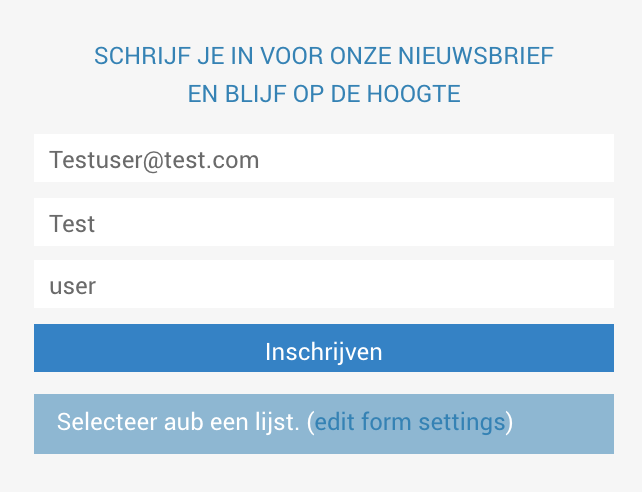
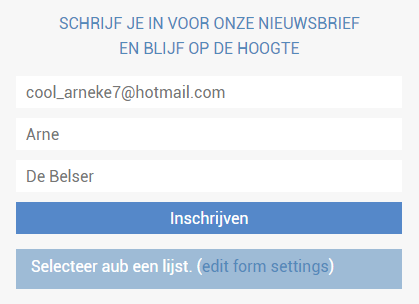
Know the problem still persists, when Trying to subscribe to the dutch list, I get:
https://i.gyazo.com/ba852d8b046b32ac43f0c7a1d1083099.png (it says “please select a list”
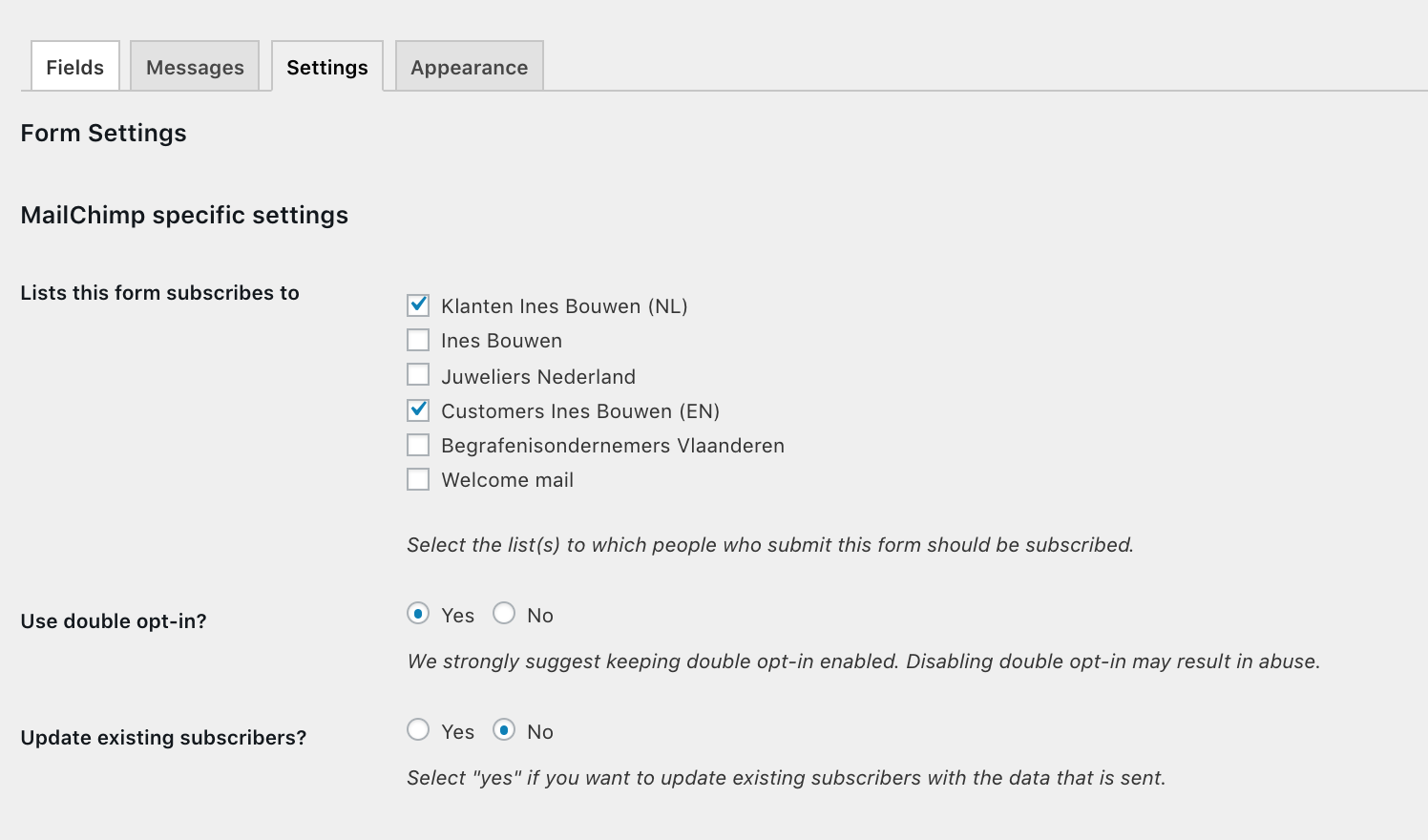
These are my settings:
https://i.gyazo.com/690049a16900b356a17358ff6f7f2ae5.png
https://i.gyazo.com/7bbc54013df48bb5f501db27f22cff34.png
And the log! 😀
https://pastebin.com/d8QHi3Zj
The first log is where I sub to the english list, second log is trying to sub to the dutch list.
This time I was using an email address which hasn’t been used before. I made sure.
Hey Arne,
Can you please email us at “support@mc4wp.com” so we can look into this? Please also share a link to this post in your email.
Hey Arne,
I’ll mark this as resolved here since you confirmed it’s resolved in our private support channel.