• Resolved winterzoo

    (@winterzoo)


    Hello,

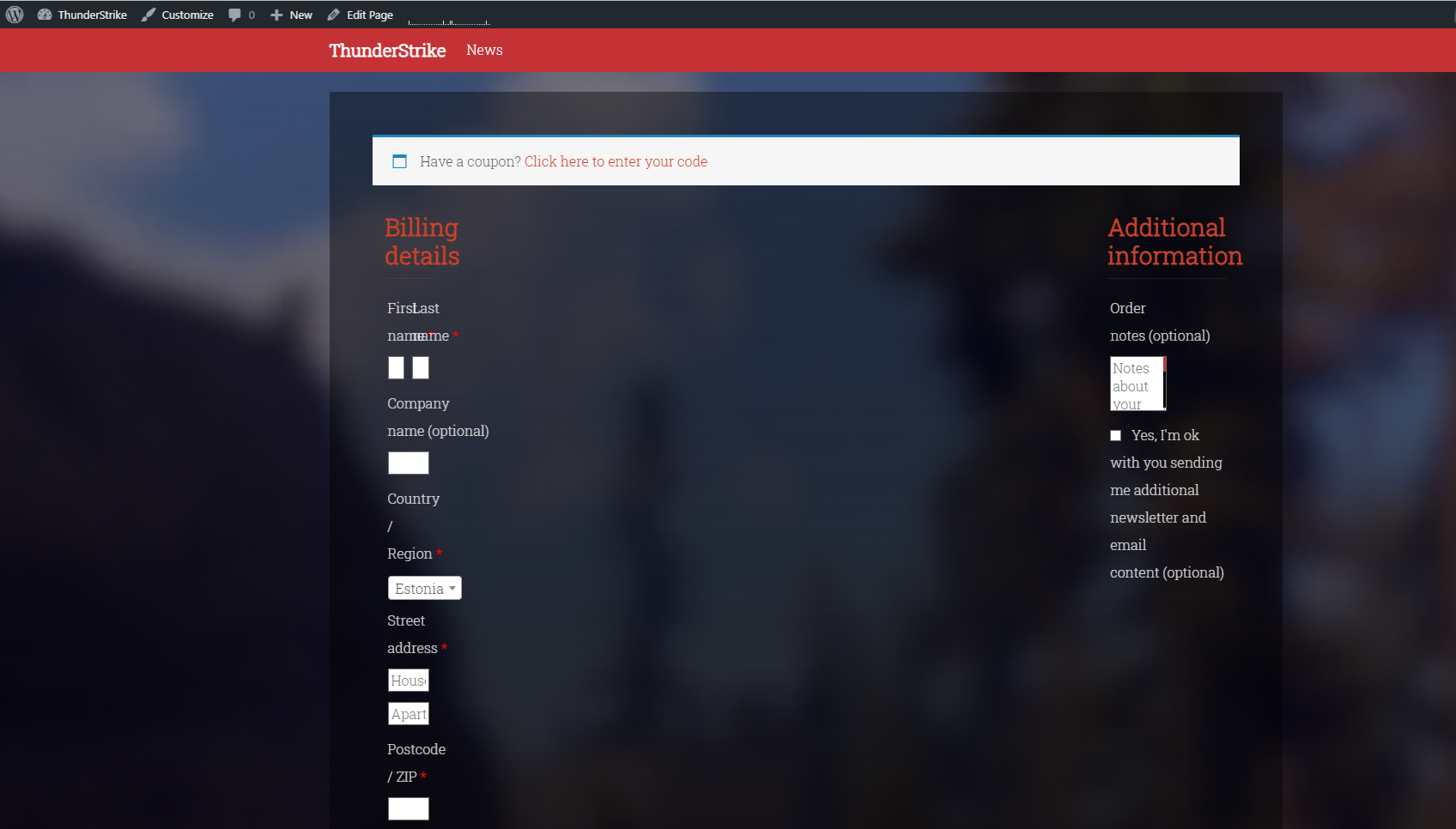
    I’m having an issue with the plugin where it bugs the checkout layout.. maybe someone is able to help with this, I’m not entirely sure what is wrong. I’m using wordpress custom theme by Kirill Krasin, however the checkout page for woocommerce is completely glitched, and the fields where to type, are not wide /big enough to see what is in them.

    Screenshot: https://i.gyazo.com/55c1ba5ad23955bb4413d11093a6811a.png

    The page I need help with: [log in to see the link]

Viewing 2 replies - 1 through 2 (of 2 total)
  • Plugin Support Senff – a11n

    (@senff)

    Hey @winterzoo

    The reason for that is that your checkout page is divided into 2 columns, with each column having a maximum width of 8.3333%.

    A quick fix would be to add this CSS code:

    
    .woocommerce-checkout .col-1,
    .woocommerce-checkout .col-2 {
      max-width: 100%;
    }
    

    However, it’s best to check this with your theme’s support team/developer for any additional help or why it was coded like that.

    Hi @winterzoo

    We’ve not heard back from you in a while, so I’m marking this thread as resolved. If you have further questions, please feel free to open a new topic.

Viewing 2 replies - 1 through 2 (of 2 total)

The topic ‘Woocommerce checkout layout bugged’ is closed to new replies.