WooCommerce Cart Text Format Issue
-
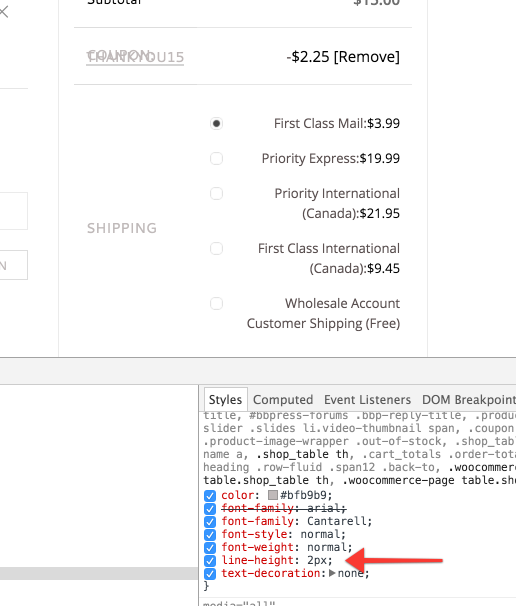
Hi – I just updated the plugin to ver2.5.2 (I know its long overdue), everything in general seems to work fine except for one small glitch.
In my website’s shopping cart page, AFTER a coupon code is applied, on the right side where the itemized costs/amounts are listed out, the actual text for “Coupon” and the the text for the code itself are overlapping on top of each other, as opposed listing the two words on individual line/row as it did before I updated. It’s a format/spacing issue. I would think there is a quick fix, but I couldnt find any mention on the forum about it specifically. Could someone could provide guidance on how I can fix this spacing issue? I am a beginner WP user (but have access to FTP if I need to change code, but need instructions how to do so).Appreciate it and thank you!


The topic ‘WooCommerce Cart Text Format Issue’ is closed to new replies.