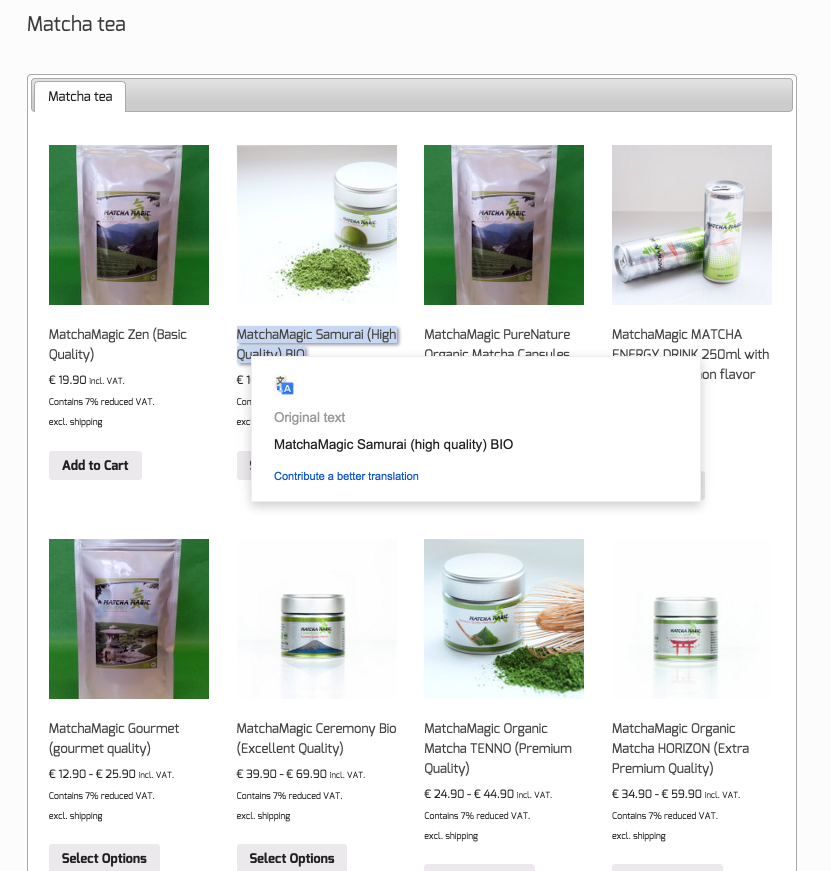
I am having the same issues since updating to the new version of wordpress and woo commerce. I have found that If the product is on sale it adds a line to the bottom of the product that then throws then out of alignment. I cannot so far find a fix.
Mike, Can you have a look at my link.
https://www.deliciousbuds.com.au/product-category/all-gifts/page/2/
The miss alignment is towards the bottom of the page
It seems as the Ferrero bomb is on sale the sale price creates a new line under the product and then throws the products below out of alignment. if I remove the sale price the alignment fixes itself. I don’t know anything about code and this has only happened since the update. Any help would be greatly appreciated
deliciousbuds your’s is a theme styling issue. It is not ‘clearing’ the row. So contact the theme author or add your own clear fix. And again, please stop posting in other user’s threads.
Mike,
Once again I am sorry if I have done something wrong. I have never been on a forum before.. All I was after was some help as I had no idea where to start
Thanks for your answers
To Thschmitt,
I am sorry I have been told I have hihacked your tread, I’m sorry I didn’t realise I was doing this (whatever it is)
My apologies, Im happy to delete however I don’t know how to.
I have never been on a forum before
@deliciousbuds Don’t worry about it 🙂
There is nothing wrong with that. Each has a different amount of content so the buttons below will never line up exactly.
I’ve created new products to the store, then when I click on the product to get more information I get an error 404 for example. http://barelyusedfashionoutlet.com/http://barleyusedfasionoutlet.com/shop/product-category/teen-top-by-hard-rock-couture/
Can you tell me what I have to do to have the descriptions to show up?
I see there is a permalink problem – never mind I just changed the permalink settings.. maybe this will help someone else. It’s working now.
Hi Mike,
well, it looks really ugly and user-unfirendly. If I were a potential customer I would NOT buy in my shop.
Ain’t there a possibility to align it, independant of the amount of letters?
Regards
Thorsten
Thschmitt – you would need to set a fixed height for each product element with CSS to have them align. This isn’t a core WC problem though. It would be easier to align if you didn’t have all the excl shipping text etc on all prices as well.
Thanks Mike.
Is there an option to remove this shipping and tax text?
Looks like you added it via the suffix option in tax settings?
I was able to remove the text right after the price, but not the whole stuff under the price. Also it has no influence on the alignment 🙁