Hello @jmccrone,
Thank you for reaching out,
I didn’t quite catch the main point of your issue.
Would you please provide us with some screenshots, a short video, + URL of the issue you faced, step by step?
Also, kindly tell us how you would like the section to look like, so we can understand and check it better.
* You can share the steps of the issue with us so that we can reproduce the issue on our end, somewhere other than your website. Then we’ll find a solution for it.
Please upload your files to one of the following online services:
https://postimages.org
https://loom.com
https://drive.google.com
Or any other service you know.
Please keep us posted.
Thank you
Best Regards
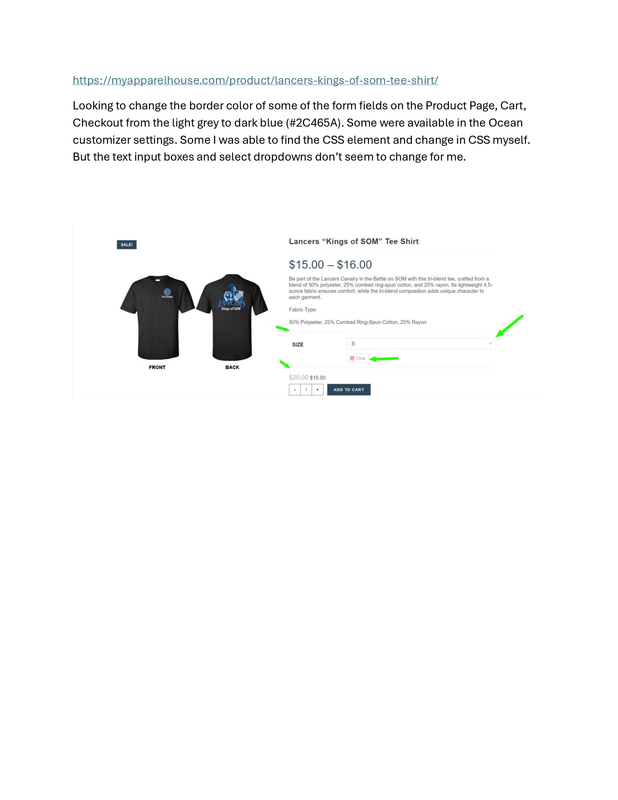
Hi. Trying to change border color of some of the form fields on Woo pages. See screenshot at https://i.postimg.cc/Qtn6qj3H/screenshot.png
Thanks
Hello @jmccrone,
Thank you for reaching out,
All border styling is available in the different settings, which you can find them in the attached screenshots at this link: https://postimg.cc/gallery/jJDP1wJ.
I hope it helps.
Best Regards
https://i.postimg.cc/SKg81zLV/new-screenshot.png
Set the customizer styling, but only the main border (divider) lines are changing color. Form fields border did not update. I was able to change border color for Qty +/- boxes and coupon input field on cart page with custom css below…
.quantity .plus {
border-color: #2C465A;
color: #2C465A;
font-weight: 600;
}
.quantity .minus {
border-color: #2C465A;
color: #2C465A;
font-weight: 900; }
.coupon .input-text {
border-color: #2C465A!important;
}
Can’t find the correct selectors for the product variation select (dropdown) boxes border color.
Hello @jmccrone,
Thank you for reaching out,
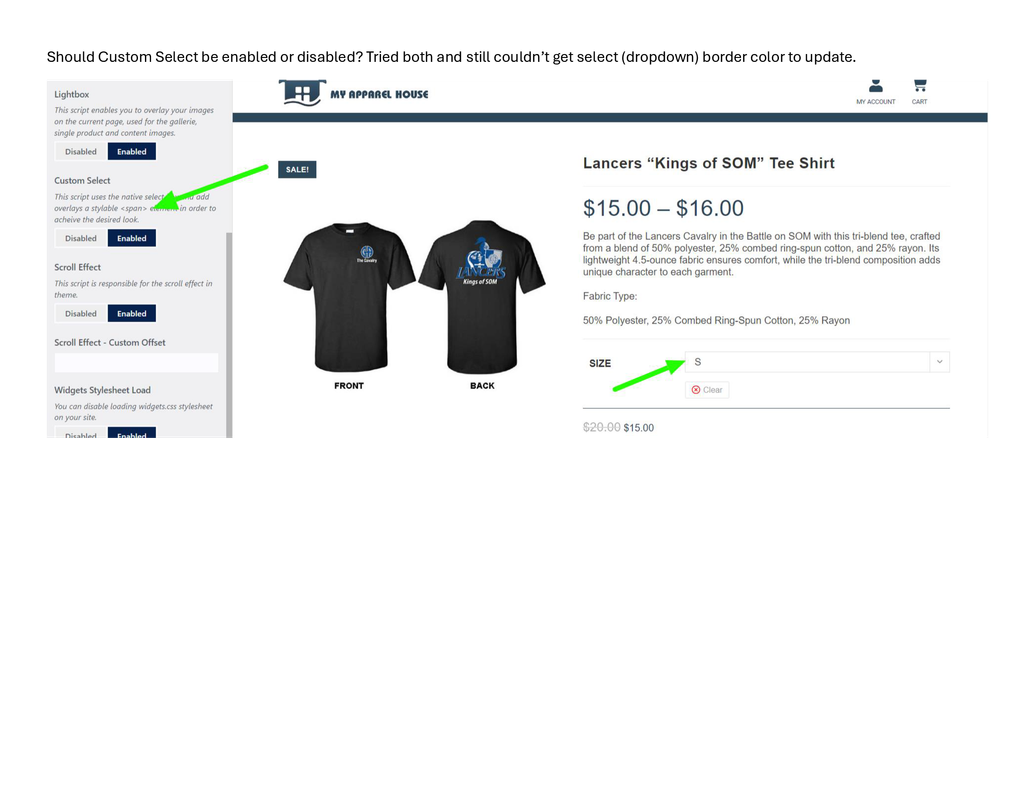
In this case, the custom select option must be disabled. Please check the second image in the link in the previous reply.
Also, you can use the following CSS:
.theme-select:after,
.theme-select {
    border-color: #000;
}
I hope it helps.
Best Regards