ultimate member user page
-
hello
Im using the free version of ultimate member. i created one profile form assigned to the freelancer role and one profile form assigned to the employer role. both forms are correctly assigned to their user roles…but i only have one user page. how can I link the profile form for a specific role to that role’s user account?

-
Hello @maryamsawari
Did you use the “Make this profile form role-specific” option to make both profiles specific to the desired role? Next, you need to add the shortcodes for both profiles to the User page.
The profile is visible if the profile owner role is selected in the “Make this profile form role-specific” option. Otherwise, the profile is hidden. Therefore, only one profile is displayed on the screen, even though the page content contains multiple shortcodes.
Follow instructions in these articles: Make profile role-specific, Unique profiles for different user roles.
Regards
I have completed these steps and correctly added the profile form shortcodes to the User page as recommended. However, I am facing an issue with the profile display. When a Freelancer logs in and views their profile, only the default fields (First Name and Last Name) are displayed. The custom fields that I added to the Freelancer profile form do not appear. The same issue happens with the Employer role as well — the profile only shows the default information instead of the fields defined in the related profile form. The forms seem to be created correctly, but it looks like the custom fields are not being applied to the user profile display. Could you please advise what might be causing this issue or what setting I should check?
Thank you very much for your help
Hello @maryamsawari
Could you please provide screenshots of the profile form settings and the User page? I need to make sure both profile forms are configured correctly and that the User page only contains these two profile forms. You removed the default profile form from the page, right?
Please also verify settings for fields inside the profile forms. There are settings to limit the field visibility and privacy. Make sure that the field visibility is “View Everywhere” and the field privacy is “Everyone“. Read doc Fields Visibility for details.
Also note that empty fields are not displayed when viewing a profile. When switching to profile editing, empty fields are displayed.
Regards
hello
Thank you for your reply.
I would like to clarify how I created the profile forms.
I edited the default profile form and customized it for the Freelancer role. Then I duplicated that profile form, modified the duplicate, and assigned it to the Employer role.
I have attached screenshots of both profile form settings, the User page, and the field settings.
As you can see, the forms are role-specific and the field visibility/privacy settings are configured correctly.
However, when I log in as either a Freelancer or an Employer, the profile page only displays the default information (first name and last name). None of the custom fields that I added to the profile forms are displayed.
Could you please let me know if there is anything I might have missed in the configuration?
-
This reply was modified 1 week, 3 days ago by
maryamsawari.
Hello @maryamsawari
I don’t see profile shortcode attributes on this image: https://drive.google.com/file/d/19-gxtlt16UYuOX56yWAlL5XSd0y5_cym/view. When editing the page with Elementor you should select the Shortcode block to see a shortcode inside. But it is clear that there are only two shortcodes on the page, so the problem is not in the third profile shortcode.
This image displays the profile in the view mode: https://drive.google.com/file/d/1huY9SPVZZPGWm6DVlQ4SECemdOnpDmt8/view. Empty fields are not displayed when viewing a profile. Could you switch the profile to editing to see all fields?
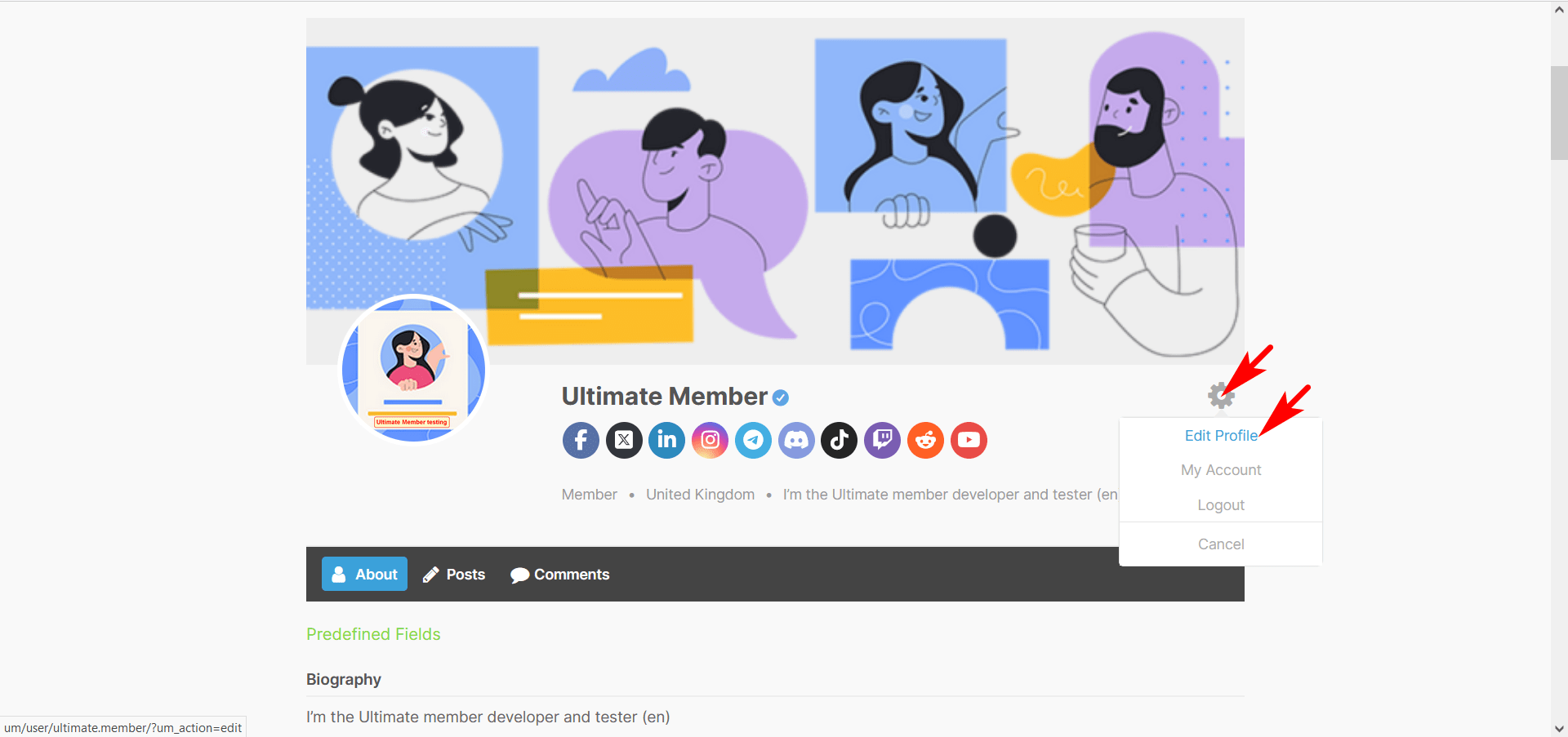
You need to make sure the user has only one role. WordPress allows you to assign multiple roles to users, so a user could be both an employer and a freelancer. Check that this isn’t the case.
You can see all roles assigned to users in the “Site Role” column of the Users table in the admin dashboard.Regards
Hello,
Yes, you were right. As you mentioned, the fields appear when switching to Edit Profile, and once they contain data, they are displayed correctly in the profile view.
I also found that I had accidentally disabled the permission that allows users to edit their profiles, which was the cause of the problem.
Thank you very much for your guidance and support. I really appreciate your help.
Best regards.
This thread has been inactive for a while so we’re going to go ahead and mark it Resolved.
Please feel free to re-open this thread if any other questions come up and we’d be happy to help. 🙂
Regards
-
This reply was modified 1 week, 3 days ago by


You must be logged in to reply to this topic.
