Twenty Twelve remove space between wp-menu items
-
http://www.richardgraham.it/mics/
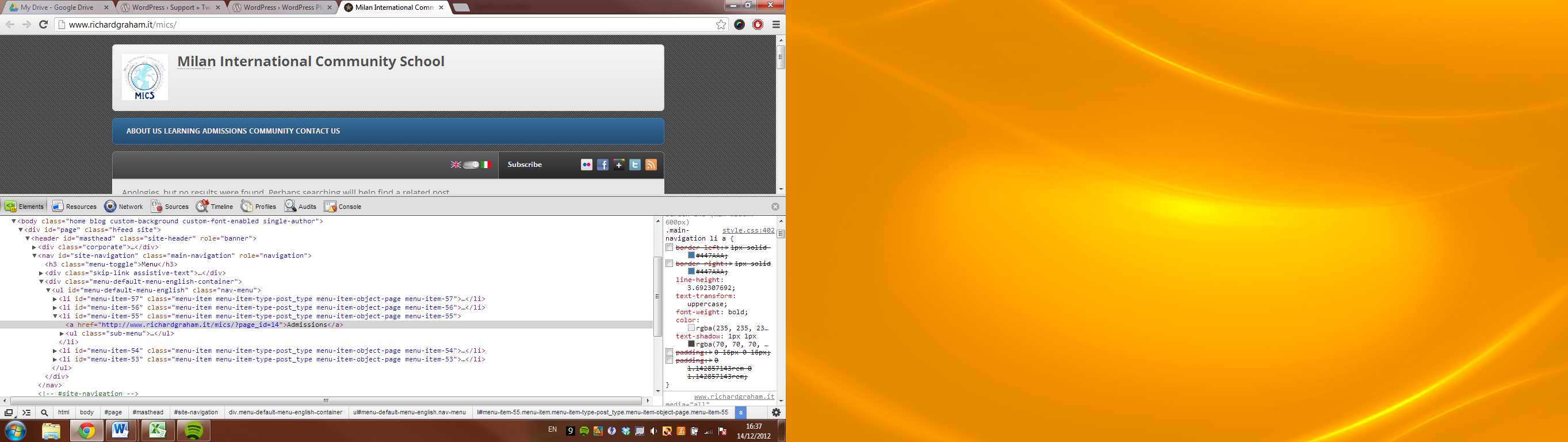
I can’t for the life of me find where the space comes from between menu items in the wp-menu
in style.css:
‘.main-navigation li {
margin: 0 40px 0 0;
margin: 0 2.857142857rem 0 0;
position: relative;
}’
puts 40 pixels of space to the left of each successive 1st level menu item which I’ve over-ridden in my child theme with:
‘.main-navigation li {
margin: 0;
position: relative;
}’Then I’ve added padding to each menu item with:
‘.main-navigation li a {
border-left: 1px solid rgb(68,122,170);
border-right: 1px solid rgb(68,122,170);
line-height: 3.692307692;
text-transform: uppercase;
font-weight: bold;
color: rgba(235,235,235,1);
text-shadow: 1px 1px rgba(70,70,70,1);
padding: 0 16px 0 16px;
padding: 0 1.142857143rem 0 1.142857143rem;
}’I’ve been through ever other part of the original css file and my child theme and I can’t find anywhere where padding, margins or borders creates what looks to be about 6-8px of space between the menu items. In the code above I’ve used left and right borders to help illustrate the problem.


The topic ‘Twenty Twelve remove space between wp-menu items’ is closed to new replies.