• Resolved b62eu7db

    (@b62eu7db)


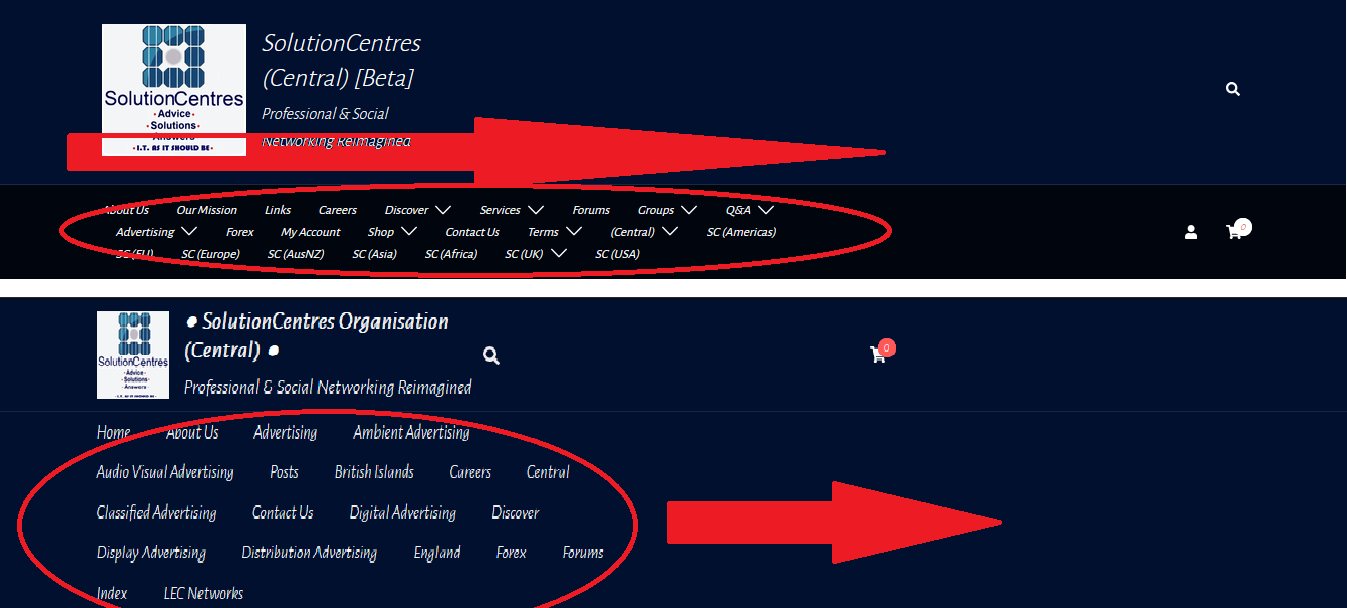
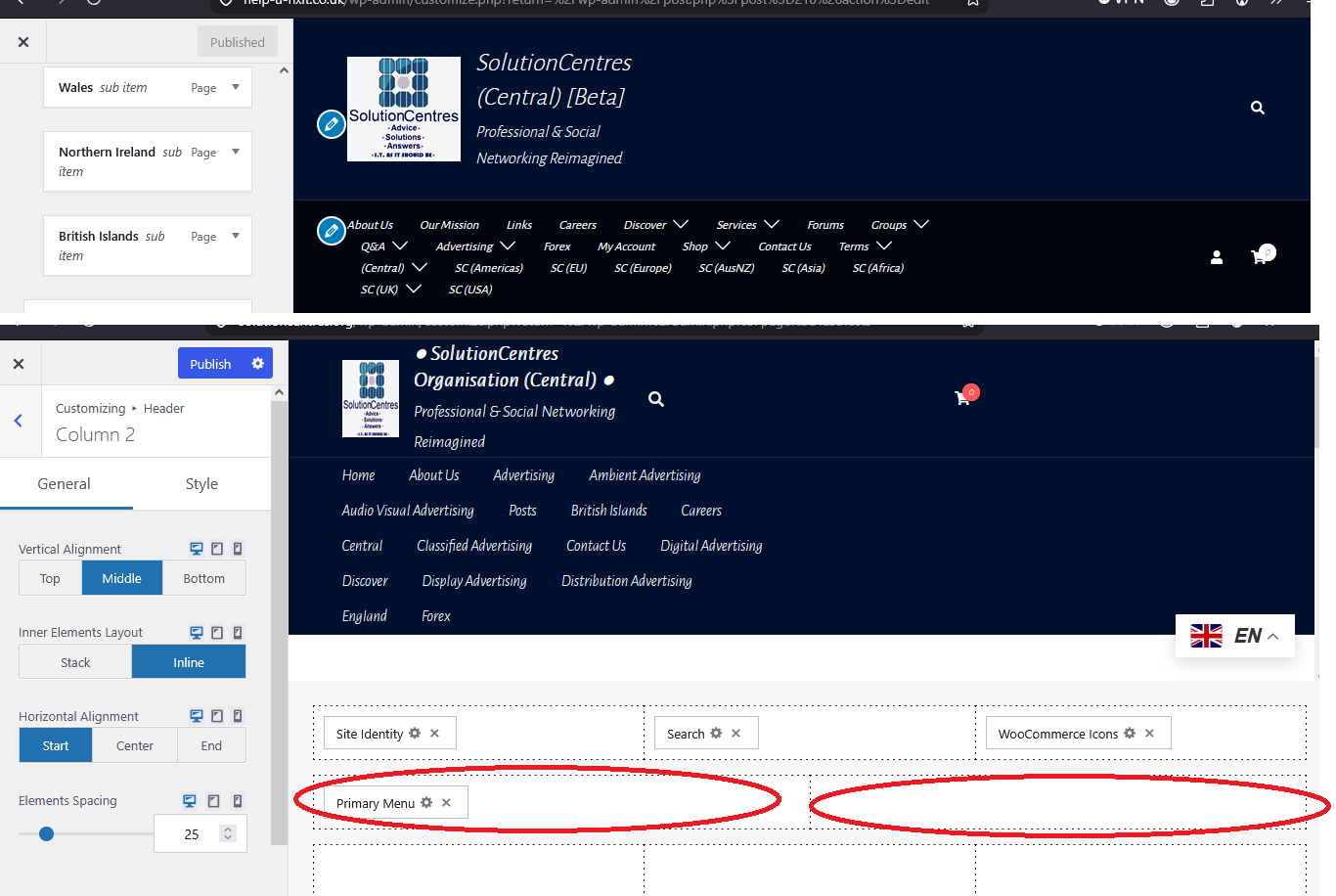
    In previous iterations of Sydney it was easy to add links to sub-menus, which spread naturally and rationally across the header. Newer iterations segment the header into two or three pre-formatted blocks, which do not appear to be customizable into a single segment, as was possible in previous iterations. How do I remove the formatted blocks, leaving only only a single segment, so that the sub-menu links are not all cramped together, left, right or center?

    The page I need help with: [log in to see the link]

Viewing 6 replies - 1 through 6 (of 6 total)
  • Rajab Said

    (@snrjosh)

    Hi @b62eu7db,

    Thank you for contacting us.

    I apologize for any confusion, but it’s not entirely clear what you’re aiming to achieve. Could you please review this screencast and let me know if it aligns with what you intend to do?

    Thanks.

    Thread Starter b62eu7db

    (@b62eu7db)

    Hello @snrjosh

    Thank you for replying. No screenshot uploads possible here, unfortunately, which would have been helpful. I uploaded screenshots elsewhere, to outline the problem. In each image, what I would want is the upper example (designed with a previous iteration of Sydney), where the submenu links spread right across the width of the header. What I’m getting now bunches all the links on one side or the other because the Customize menu settings in the latest iteration of Sydney are pre-formatted into 2 or 3 blocks, no fewer. I want to fit all the links into a single block. I hope that’s clearer. Thanks again.

    @b62eu7db

    Thread Starter b62eu7db

    (@b62eu7db)

    Thread Starter b62eu7db

    (@b62eu7db)

    ** “I want to fit all the links into a single, full header-wide block.”

    Thread Starter b62eu7db

    (@b62eu7db)

    @snrjosh

    Problem solved. Your suggestion provided an important clue. Some padding was also required.

    Many thanks.

    Rajab Said

    (@snrjosh)

    Hi @b62eu7db,

    Glad to know the issue is resolved.

    In case you have any other questions, just create a new topic and we’ll be glad to help!

Viewing 6 replies - 1 through 6 (of 6 total)

You must be logged in to reply to this topic.