• Resolved helixear

    (@helixear)


    WordPress 7.1.1 in french with Twenty Twenty-Five and no plugin
    Local with MAMP

    Hi there,
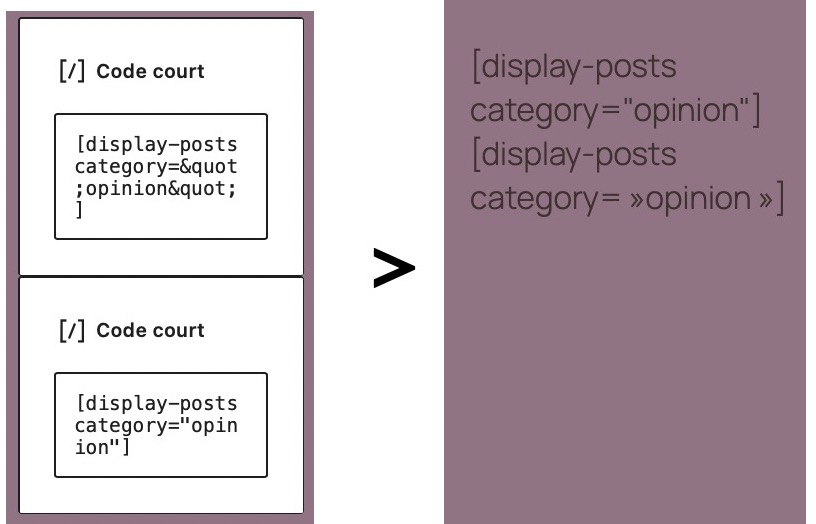
    I am trying to insert a shortcode block into a page with arguments that uses  the usual quotes ” ("). When displayed, the code is altered and does not work: the quotes have been replaced by closing French quotation marks (»), and the shortcode fails to function.
    Your personal AI assistant told me that the typographic transformation would be responsible and that it was a wp real limitation.
    Is there a solution ?
Viewing 3 replies - 1 through 3 (of 3 total)
  • This doesn’t look like expected WordPress shortcode behavior. WordPress should preserve straight quotes inside a Shortcode block.

    Could you confirm whether the quotes are already changed immediately after saving the post, or only when the page is displayed?

    Also, does the same shortcode work correctly if you:

    • insert it using a Custom HTML block,
    • paste it in the Code Editor (⋮ → Code editor),
    • or temporarily switch your site language to English?

    That would help determine whether the conversion is coming from the editor, the French locale/typography, or the rendering stage.

    the straight quotes (") are being replaced with French typographic quotes (»). Shortcodes require straight ASCII quotes, so once they’re changed, the shortcode parser no longer recognizes the attributes.

    Thread Starter helixear

    (@helixear)

    Thank you Abdul for your suggestions. I apologize, as it seems the “display-posts” shortcode was available by default only to WordPress.com users—which I am not!
    In any case, your suggestion to switch the site language was the right one. I ended up installing the “display-posts-shortcode” plugin, and everything is working fine now. Have a nice day.

Viewing 3 replies - 1 through 3 (of 3 total)

You must be logged in to reply to this topic.