Hello, kaytrial!
Can you show me your website (page) where you have placed that shortcode?
Hi, no matter what I try I cannot seem to get the time to show in a 24-hour format while digital clock is set to true. The 24-hour clock will work if the Digital Clock is set to false, but that’s not what I would like. the site is here https://czeg.ca
Thank You For Looking!
Here is shortcode
[mxmtzc_time_zone_clocks time_zone=”america/toronto” city_name=”CYZY” time_format=”24″ digital_clock=”true” lang=”en” clock_type=”clock-face2.png” show_days=”false”]
Here are the WP General Settings
Timezone – Toronto
Choose either a city in the same time zone as you or a UTC (Coordinated Universal Time) time offset.
Universal time is 2019-11-29 01:49:37. Local time is 2019-11-28 20:49:37.
This timezone is currently in standard time.
Daylight saving time begins on: March 8, 2020 6:00 am.
Date Format Date Format November 28, 2019F j, Y
2019-11-28Y-m-d
11/28/2019m/d/Y
28/11/2019d/m/Y
Preview: November 28, 2019
Time Format
20:49 H:i
Preview: 20:49
Hello, kaytrial!
About your 24th problem.
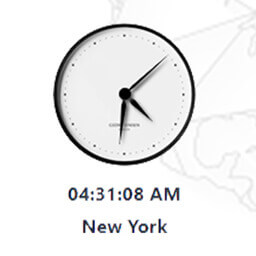
There is in shortcode an option “lang”. If you’ve placed the “en” value, the clock apperiance will be in American style (12 hours).
You can place a language of 24th hours country, eg. “ua”.
In your case it will be [mxmtzc_time_zone_clocks time_zone=”America/Toronto” city_name=”CYZY” time_format=”24″ digital_clock=”true” lang=”ua” show_days=”false”]
Thank You So Much, for some reason “ua” tried “uk” and now I’m a happy camper!
Hello, kaytrial!
I’m glad it works for you. 🙂