Sharing posts
-
Hi.
Hi We are having issues with the posting to Facebook/Twitter. It doesn’t always post to Facebook when post is published.
Is there an obvious reason for this as its hit and miss rather than not at all

-
Hello there, Darren.
Could you share your site’s URL (domain) here, so we can have a look?
If you want it to remain private, you can also contact us via this form here.
Thanks!
Hi @dazsmodels
Thanks for sending the URL!
I’ve looked there and found that the Jetpack connection is healthy, so the problem isn’t there.
Are you publishing posts using the same WP-Admin account that connected Jetpack? If it’s not the case, I’d suggest turning the Publicize Facebook account to global, as explained below:
Let us know how this goes.
-
This reply was modified 3 years, 7 months ago by
Mehdi Benchalal.
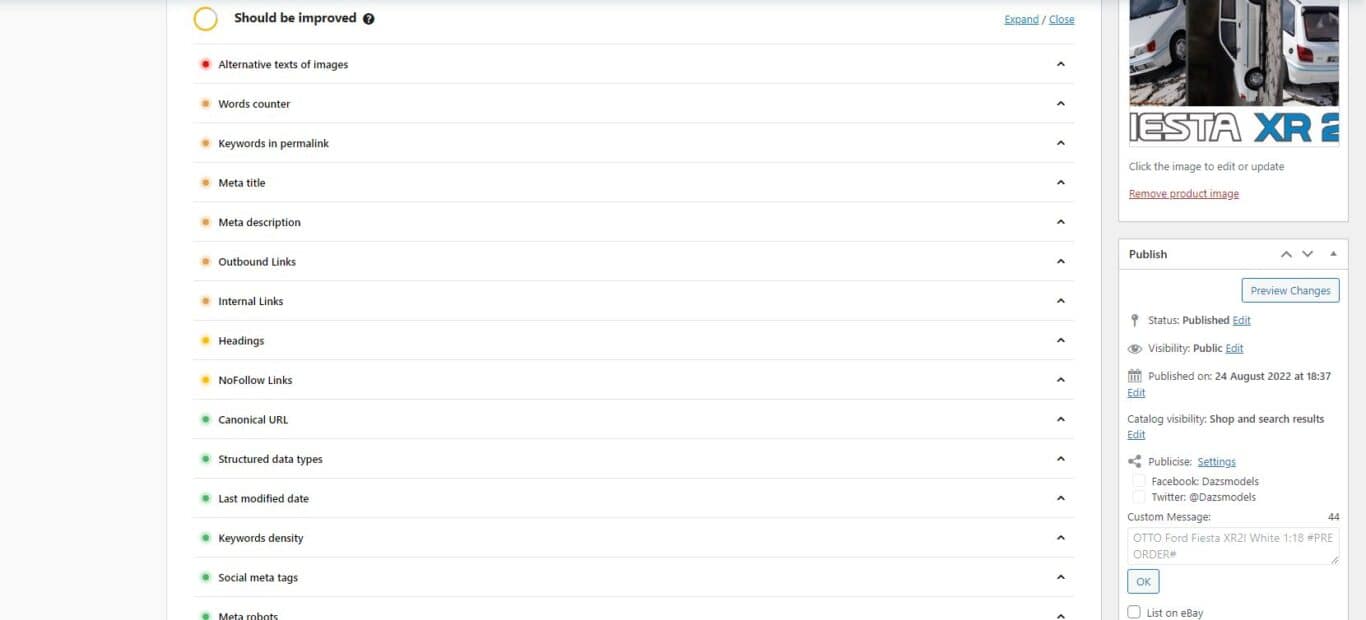
https://www.dazsmodels.co.uk/wp-content/uploads/2022/08/screenshot-2022-08-24-185109.jpg
here is screenshot.
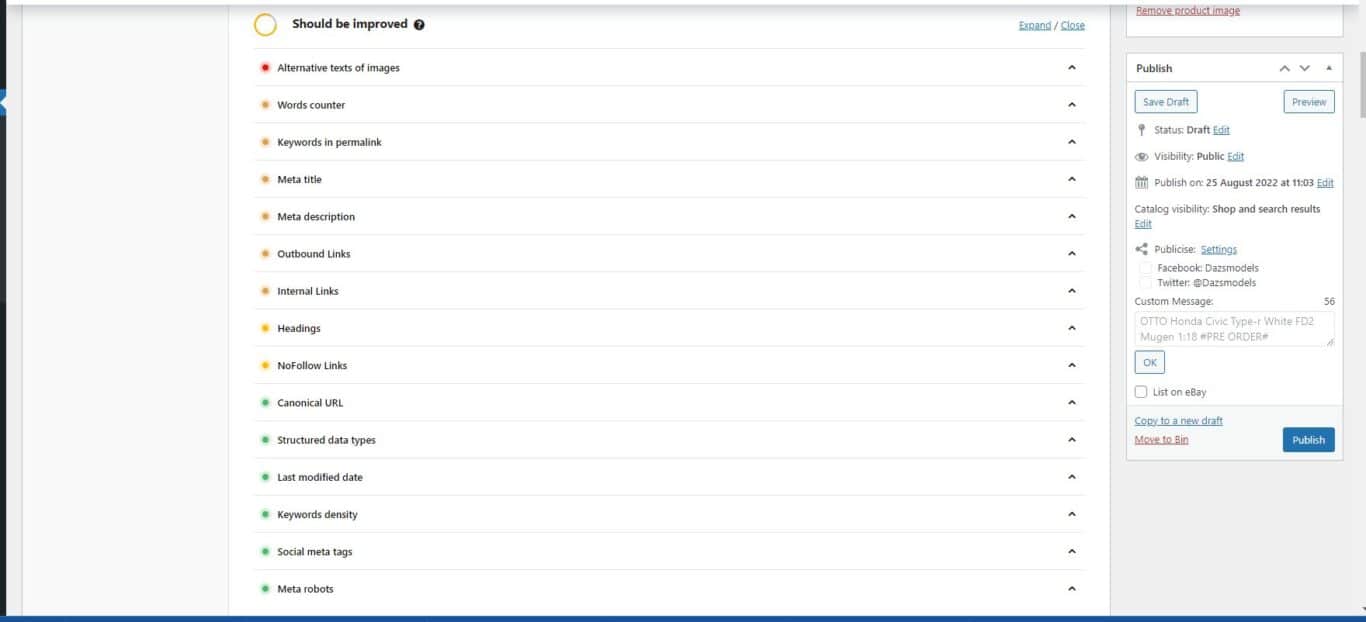
i did a test again for you but the i can see why i say its hit a miss as the selector boxes are greyed out so originally assumed that it would work anyway
any advise
https://www.dazsmodels.co.uk/wp-content/uploads/2022/08/screenshot-2022-08-25-110936.jpg
THIS IS IDENTICAL to the other one
they are greyed out so couldnt select them
Darren,
Thanks for the screenshot, I do see those are greyed out, which usually means some other plugin has the same function and Jetpack has disabled its own feature to avoid conflicts.
Would you be able to try disabling all other plugins except for Jetpack and WooCommerce to see if the issue continues? If everything looks normal while doing so, then you can switch on each other plugin one by one until you see the problem happen again.
If you still see the issue even with all other plugins disabled, could you also try switching out your theme for a more minimalistic one (such as Twenty Twenty Two) to make sure this isn’t some sort of theme conflict?
Please let us know the results of the above troubleshooting and we can go from there. Thanks!
Hi although i didnt do any screenshots id already tried this a few days ago
the boxes are greyed out even with a different theme and or only plugins enabled of woocommmerce and jetpack
anything else we can do
Hi any updates on this
Darren,
Thanks for trying that testing out.
Would you be able to try completely removing the previous Facebook and Twitter connections and re-adding then when only Jetpack and WooCommerce are connected?
The steps to do so are here:
Facebook – https://jetpack.com/support/jetpack-social/facebook/#reconnecting-facebook
Twitter – https://jetpack.com/support/jetpack-social/twitter/#reconnecting-twitter
Hi there,
It has been more than one week since we have heard from you, so I’m marking this topic as resolved.
But if you have any further questions or need some more help, you’re welcome to reply here or open another thread.
basically due to some being almost identical we are having to duplicate some are fresh listings .
is there anyway to set it to do this on every listing and let us decide if we are to turn the share off or not , rather than the system deciding based on using a copy rather than start fresh even if the car is individual.
its been entirley random to if it does it o fresh or duplicated
Darren,
I’m not sure I follow your request, but I’m sure we can figure it out together.
Could you describe in more details what you’ve found that was causing this, why you have to duplicate content, and where these “listings” are located?
Please let us know as much detail as possible with the steps you’re taking and why, so we can better understand your process and what doesn’t appear to be working. Thanks!
-
This reply was modified 3 years, 7 months ago by


The topic ‘Sharing posts’ is closed to new replies.