• Resolved radioxy

    (@radioxy)


    I’m opening this as its own topic per the forum guidelines, since the existing security thread (“Security Issue”, post-202) isn’t the right place for replies.

    I manage a WordPress site that was compromised through this exact vulnerability a few days ago, and at least one other site owner has independently reported the same thing (their reply in the other thread was also removed for the same reason – wrong place to post it, not because the report was wrong).

    What happened on our site:

    • A rogue administrator account was created every time we logged into wp-admin, regardless of password changes.
    • We traced it to the strcpv_visits_by_page option. One stored “page name” contained a single quote followed by an autofocus attribute and an onfocus handler (no literal < character, so it passes through sanitize_text_field() untouched).
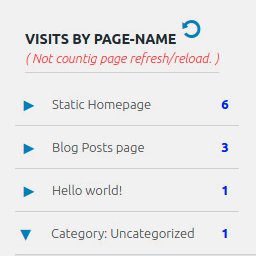
    • That value is written unescaped into HTML attributes in the dashboard widget (class-dashboard-widget.php, get_data_values()), e.g. data-StrCPV-page-name='” . $key . “‘ and a checkbox value built with json_encode() (which also doesn’t escape single quotes).
    • Because of autofocus, the browser focuses the injected element automatically when an admin opens the Dashboard – no click needed – and onfocus fires, loading an external script that silently created the new admin account using our own authenticated session.
    • The page name/title is taken directly from a $_POST field on the public admin-ajax.php action used for visit counting, so no login or real page visit is required to store it.

    This matches Patchstack’s CVE-2026-81795 (CVSS 7.1). Given it’s already being actively exploited against multiple sites, I’d suggest treating this as a confirmed vulnerability rather than a scanner false positive, and recommending users deactivate the plugin (or at least the dashboard widget) until a real fix with proper esc_attr()/esc_html() escaping is released and verified.

    Happy to answer questions or share more detail if useful for reproducing/fixing this.

Viewing 3 replies - 1 through 3 (of 3 total)
  • Plugin Author Denis Botić

    (@strongetic)

    Hi,

    I am working on a solution for the last three days, so you can expect the security update in 24-48 hours.

    Thank you for helping keep this plugin safe.

    Plugin Author Denis Botić

    (@strongetic)

    Hi everyone,

    Thank you for reporting this issue and for your patience.

    I sincerely apologize for the inconvenience. Due to a deployment glitch during last night’s update, a few crucial files (including class-export-csv.php) failed to transfer from my local environment to the WordPress repository. This is what caused the Fatal Error on your websites.

    I am already actively working on a fix. You might see a few minor version updates rolling out shortly as I test the deployment. Please do not update or download the plugin until I post a confirmation here that it is completely safe to do so.

    I will update this thread the exact moment the stable fix is live. Thank you for your understanding!

    Plugin Author Denis Botić

    (@strongetic)

    UPDATE: The stable fix is now live (Version 2.0.5)!

    I am happy to confirm that Version 2.0.5 is fully safe, stable, and includes the necessary security update. If your website was affected by the fatal error, updating to this version will resolve the issue and bring your site back online.

    I want to thank all of you so much for your incredible patience and understanding. I also wanted to explain why this fix took a bit longer to appear: after pushing the corrected code to the official WordPress repository, we had to wait about 6 hours for WordPress to complete all its automated security scans and reviews. Only after those checks were successful did WordPress make the update available in your WP admin dashboards.

    What you need to do now:

    • If your site has automatic updates enabled: It should automatically pull Version 2.0.5 and fix itself within the next few hours (once your site’s WordPress cron job runs).
    • If you can access your WP Admin dashboard: Please go to Plugins > Installed Plugins and manually click Update on this plugin.
    • If your website is still showing a blank screen (Fatal Error) and you cannot access the dashboard:
      1. Log into your server via FTP or cPanel File Manager.
      2. Navigate to wp-content/plugins/ and delete or rename the folder of this plugin (this will bring your site back instantly).
      3. Log back into your WP Admin, download Version 2.0.5 from the plugin repository, and activate it.

    Thank you again for standing by me while I resolved this. Please let me know if everything is back to normal on your end!

    Best regards,
    Denis Botić

Viewing 3 replies - 1 through 3 (of 3 total)

You must be logged in to reply to this topic.