• Hello,

    I can see there is a similar thread on the topic but I don’t understand where I need to delete the index from in order to solve this issue.

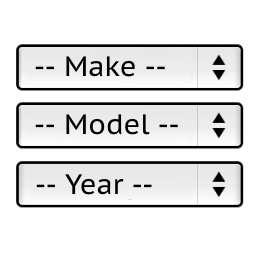
    I have edited the Year, Make, Model, Engine Plugin to become Year, Make, Model, Body Type search.

    The problem is that if I add the following restrictions:

    Honda, Civic, Sedan, 2001, 2002
    Honda, Civic, Hatch, 2001, 2002

    It doesn’t save the second restriction. However if I change the year on the duplicate restriction it does save both. Example:

    Honda, Civic, Sedan, 2001, 2002
    Honda, Civic, Hatch, 2001, 2003

    • This topic was modified 6 years, 9 months ago by ashclutchem.
Viewing 1 replies (of 1 total)
  • Plugin Author Pektsekye

    (@pektsekye)

    Hello,

    The problem is because the “wp_ymm” database table has unique index only on five columns:

    
      UNIQUE KEY uk_ymme_product_id (product_id, make, model, year_from, year_to)
    

    while it should have index on six columns:

    
      UNIQUE KEY uk_ymme_product_id (product_id, make, model, engine, year_from, year_to)
    

    Try to do the following:
    1. Export YMM restrictions as a .csv file in WordPress dashboard -> YMM search
    2. Deactivate this plugin.
    3. Delete this plugin completely by clicking on the Delete link (it is located next to the Activate link).
    Or delete just the “wp_ymm” database table if you have phpMyAdmin access.
    4. Install the new version of this plugin (upload files).
    5. Check if the file:
    wp-content/plugins/ymm-search/Setup/Install.php
    has correct index.
    6. Activate the plugin (after clicking the Activate link it will create the “wp_ymm” database table)
    7. Import the .csv file back and check if it works.

    Stanislav

Viewing 1 replies (of 1 total)

The topic ‘Product Duplicate Entries’ is closed to new replies.